EasyManua.ls Logo

HP 8153A - Page 152

HP 8153A
282 pages
Print Icon
To Next Page IconTo Next Page
To Previous Page IconTo Previous Page
Loading...
Display
Commands
Any
function
that
is
related
to
the
instrument
display
is
included
with
the
mainframe
display
commands.
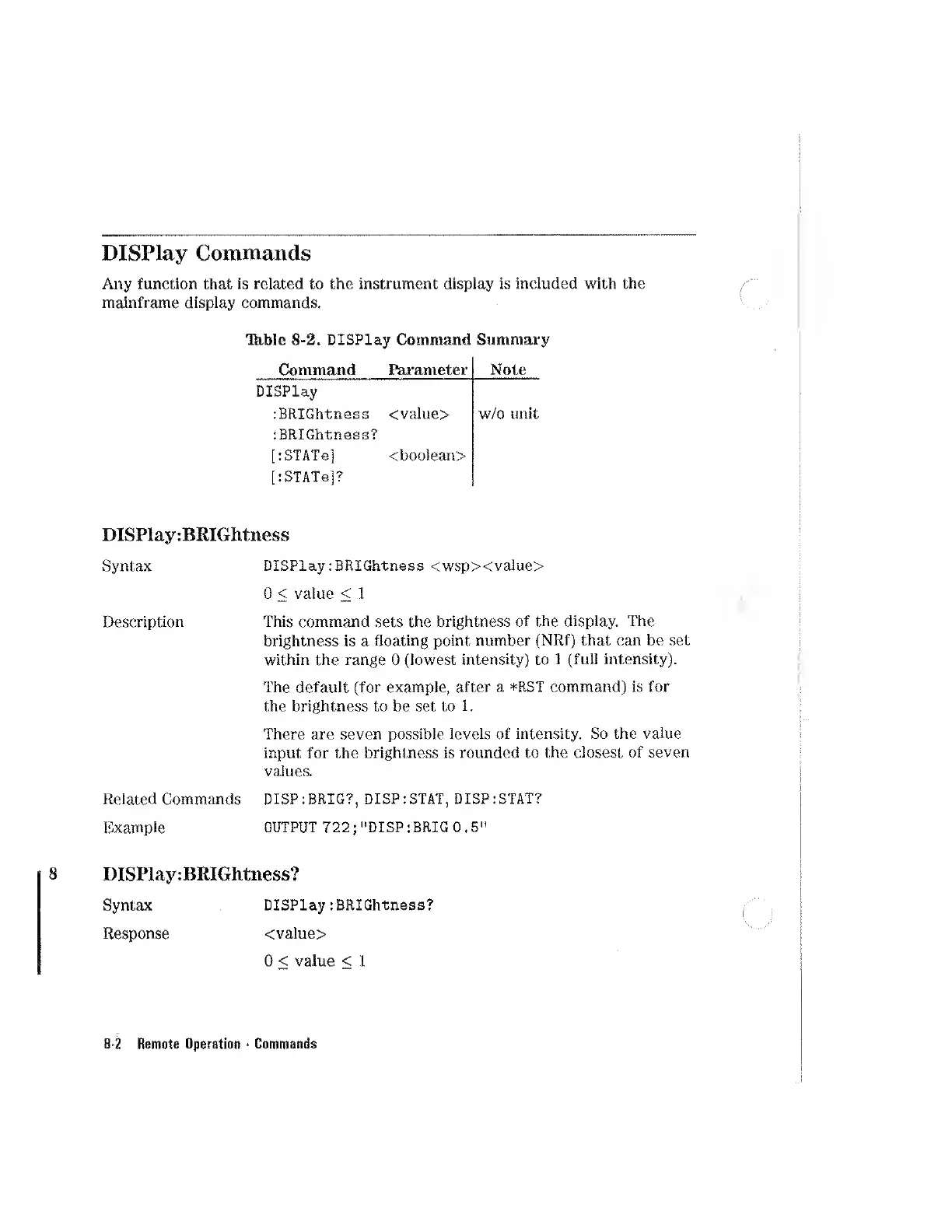
Th-ble
8-2.
DISPlay
Command
Summary
Command
Parameter
Note
Display
:BRIGhtness
<value>
w/o
unit
:BRIGhtn.ess?
[:STATe]
<boolean>
[:STATg]?
DISPlay:BEIGhtness
Syntax
DISPlay:BRIGhtness
<wsp><value>
0
<
value
<
1
Description
This
command
sets
the
brightness
of
the
display.
The
brightness
is
a
floating
point
number
(NRf)
that
can
be
set
within
the
range
0
(lowest
intensity)
to
1
(full
intensity).
The
default
(for
example,
after
a
*RST
command)
is
for
the
brightness
to
be
set
to
1.
There
are
seven
possible
levels
of
intensity.
So
the
value
input
for
the
brightness
is
rounded
to
the
closest
of
seven
values.
Related
Commands
DISP:BRIG?,
DISP:STAT,
DISP:STAT?
Example
OUTPUT
722;
"DISP
:BRIG
0.5"
DISPlay:BKIGhtness?
Syntax
DISPlay:BRIGhtness?
Response
<value>
0
<
value
<
1
8-2
Remote
Operation
Commands

Other manuals for HP 8153A

Related product manuals