47
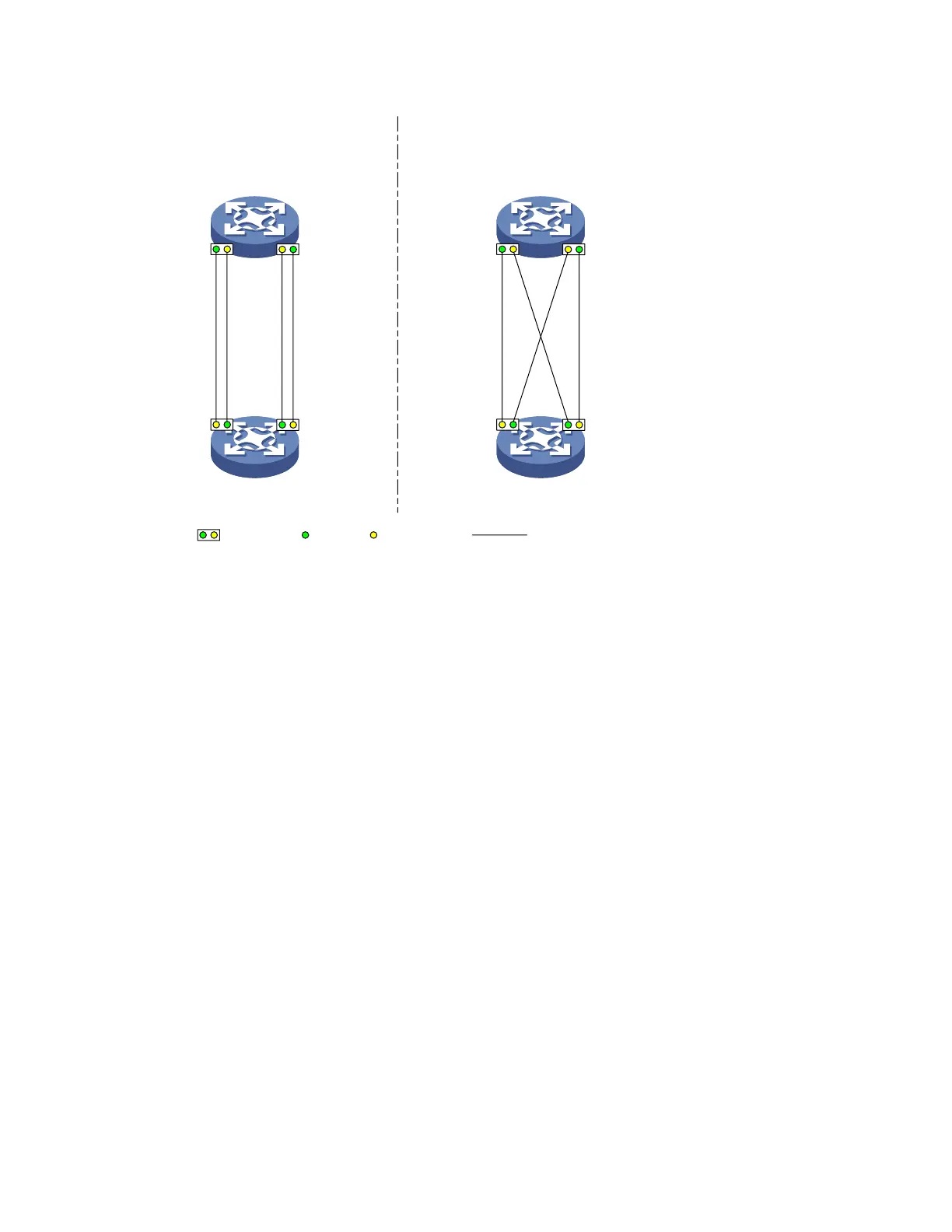
Figure 11 Network diagram for configuring automatic shutdown of unidirectional links
Correct fiber connection
Fiber link
Cross-connected fibers
Device A
Device B
Device A
Device B
Ethernet
optical port
Tx end Rx end
GE1/0/49 GE1/0/50 GE1/0/49 GE1/0/50
GE1/0/49 GE1/0/50 GE1/0/49 GE1/0/50
Configuration procedure
1. Configuration on Device A
# Enable DLDP globally.
<DeviceA> system-view
[DeviceA] dldp enable
# Configure GigabitEthernet 1/0/49 to operate in full duplex mode and at 1000 Mbps, and enable
DLDP on the port.
[DeviceA] interface gigabitethernet 1/0/49
[DeviceA-GigabitEthernet1/0/49] duplex full
[DeviceA-GigabitEthernet1/0/49] speed 1000
[DeviceA-GigabitEthernet1/0/49] dldp enable
[DeviceA-GigabitEthernet1/0/49] quit
# Configure GigabitEthernet 1/0/50 to operate in full duplex mode and at 1000 Mbps, and enable
DLDP on the port.
[DeviceA] interface gigabitethernet 1/0/50
[DeviceA-GigabitEthernet1/0/50] duplex full
[DeviceA-GigabitEthernet1/0/50] speed 1000
[DeviceA-GigabitEthernet1/0/50] dldp enable
[DeviceA-GigabitEthernet1/0/50] quit
# Set the DLDP mode to enhanced.
[DeviceA] dldp work-mode enhance
# Set the port shutdown mode to auto.
[DeviceA] dldp unidirectional-shutdown auto



 To Next Page