Technical Reference Guide 3–7
Installing or Replacing Parts
Removing the Front Access Panel
To install or replace the “Front Control Module” on page 3-29 or the “Optical Drives (CD or
DVD)” on page 3-17, you need to remove the front access panel.
1. If you have already connected and turned on the system, turn off the system and disconnect
all cables.
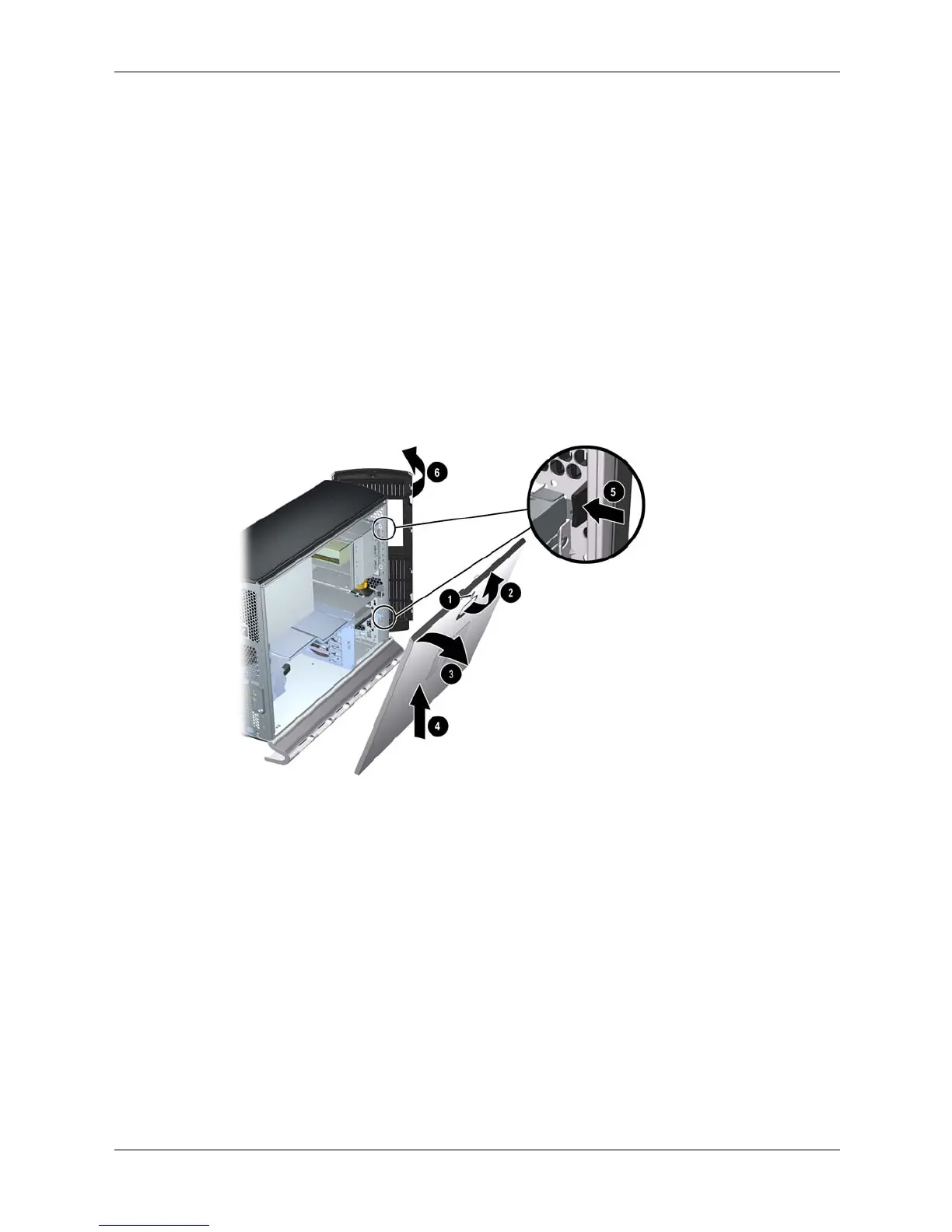
2. Remove the main system access panel:
a. Unlock the panel if it is locked 1
b. Pull out on the latch to release it 2
c. Rotate the panel 3 and lift it off 4
3. Remove the front system access panel:
a. Depress the clips on the inside of the case to release the front panel 5
b. Rotate the panel and lift it off 6
Removing the system access panels





 To Next Page