Technical Reference Guide 3–9
Installing or Replacing Parts
Airflow Guide and Memory Fan
The system airflow guide and memory fan must be removed to access several other components.
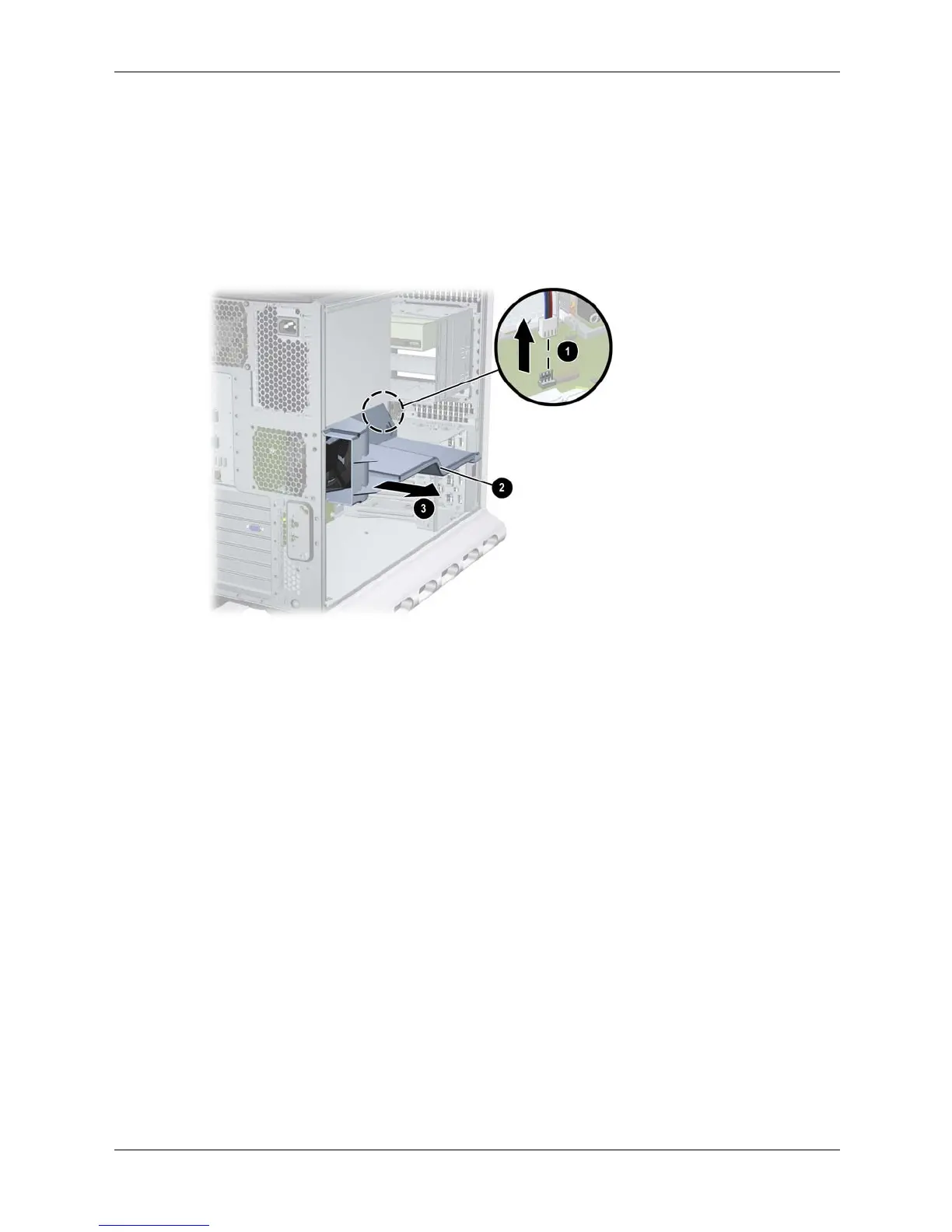
To remove the airflow guide and fan:
1. Turn off the system, disconnect the power cable, and remove the system access panel.
2. Unplug the memory fan connector from the system board 1.
3. Grasp the airflow guide 2 and lift it out of the system 3.
Removing the airfllow guide and fan
To replace the airflow guide and fan:
1. Insert the airflow guide into the system and press until it snaps into place.
2. Plug the memory fan connector into the system board.





 To Next Page