3–12 Technical Reference Guide
Installing or Replacing Parts
PCI and AGP Cards
This section explains how to:
■ access the AGP and PCI slots, and
■ remove and replace AGP graphics and PCI accessory cards.
Removing PCI or AGP Card
1. Turn off the system, disconnect all cables, and remove the main access panel.
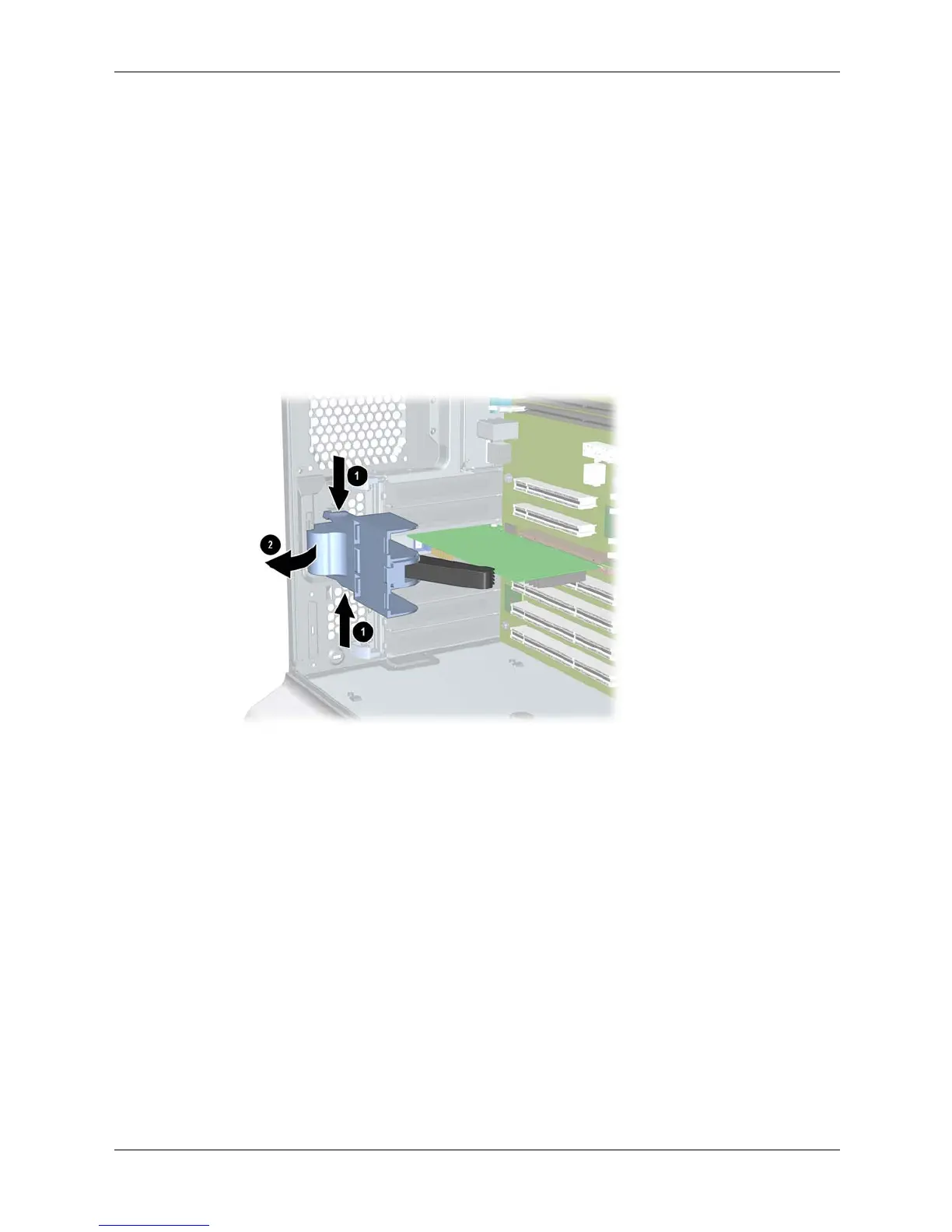
2. Remove the AGP retainer if it is blocking the card you wish to access:
a. Press in on the release snaps on the AGP retainer 1.
b. Rotate the retainer outwards 2 and lift it out of the system.
Removing the AGP retainer





 To Next Page