Technical Reference Guide 3–19
Installing or Replacing Parts
5. Replace the access panels and reconnect all cables.
6. Turn the system on, then check the configuration using the BCH
Information menu
(page 2-6).
Hard Drives
Removing a Hard Drive
1. Turn off the system, disconnect all cables, and remove the system access panel.
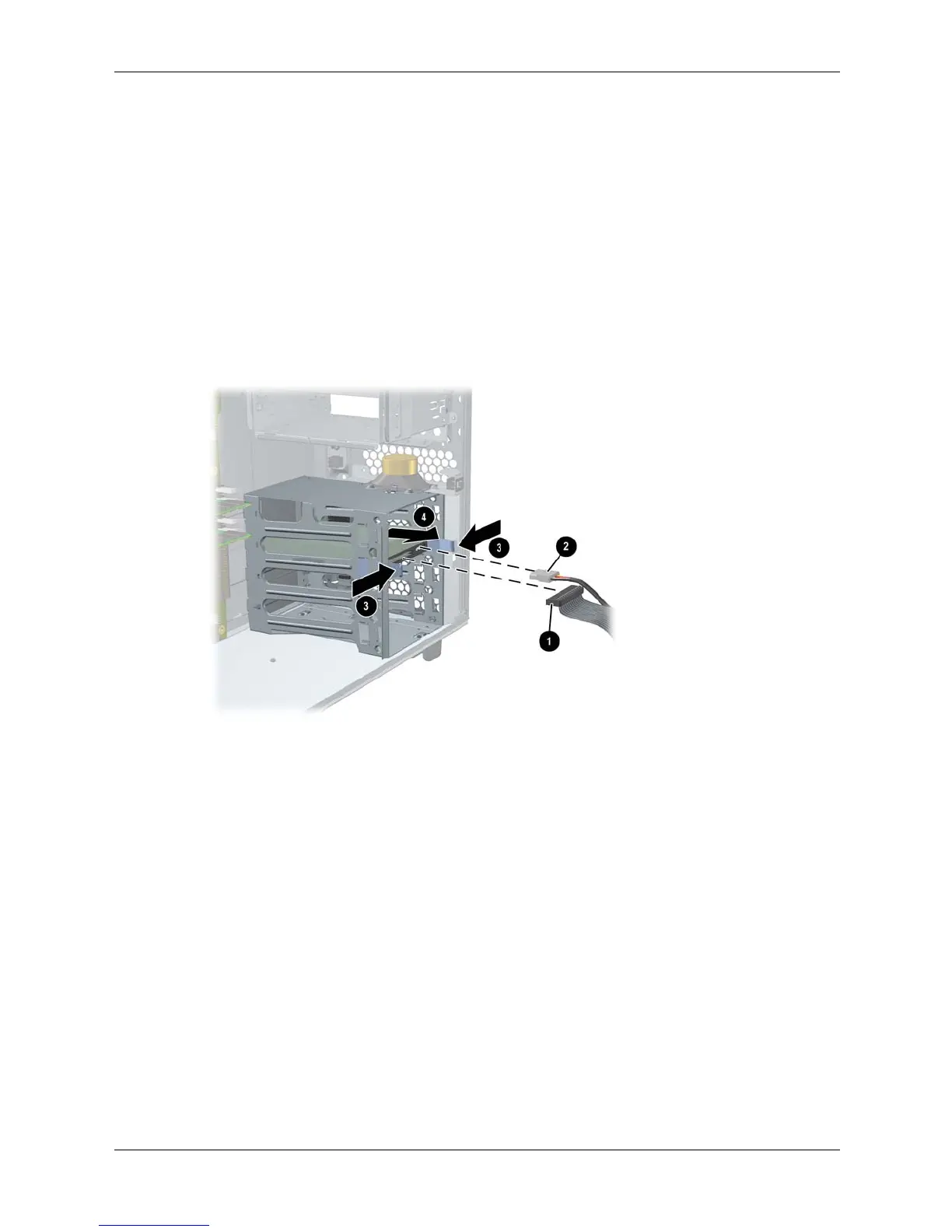
2. Disconnect the hard drive IDE or SCSI cable 1 and power connector 2.
3. Squeeze inward on the blue release clips located on the sides of the drive 3. Then, pull
outward to remove the drive from the system 4.
Removing a hard drive





 To Next Page