12
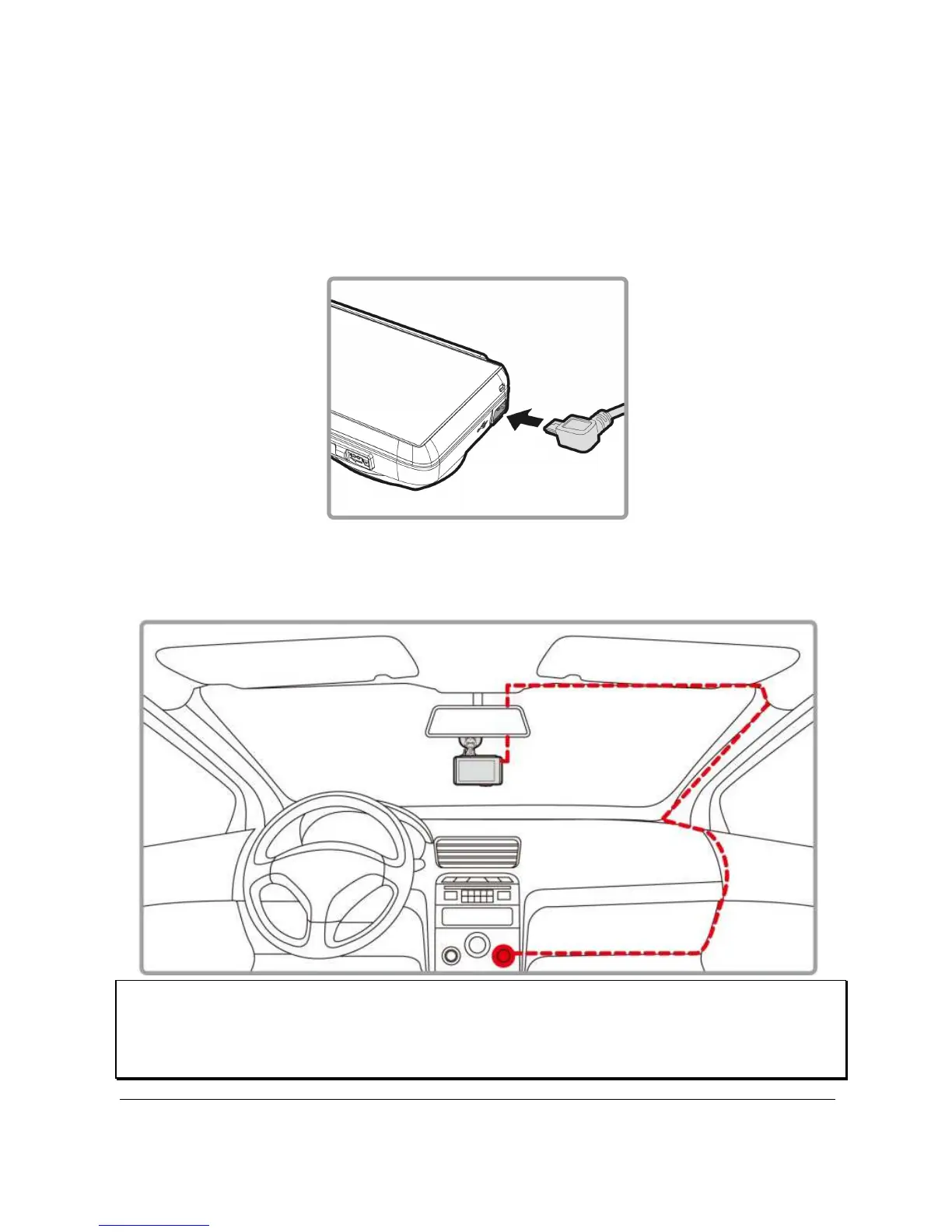
2.3 Connecting to Power
Use only the supplied car adapter to power up the camcorder and
charging the built-in battery.
1. Connect one end of car adapter to USB/Power connector port on the
camcorder.
2. Plug the other end of the car adapter to the cigarette lighter socket
of your vehicle. Once the vehicle engine is started, the camcorder
automatically powers on.
Note:
This product shall be installed near the rear mirror, at the center of windshield, if
possible, for optimal viewing.



 To Next Page