3.1.3 Driver Fatigue Alert
When Driver Fatigue Alert is enabled, a voice alert and a warning screen
will be activated 1 hour after the camcorder is powered on, with a
repetition at every subsequent 30 minutes.
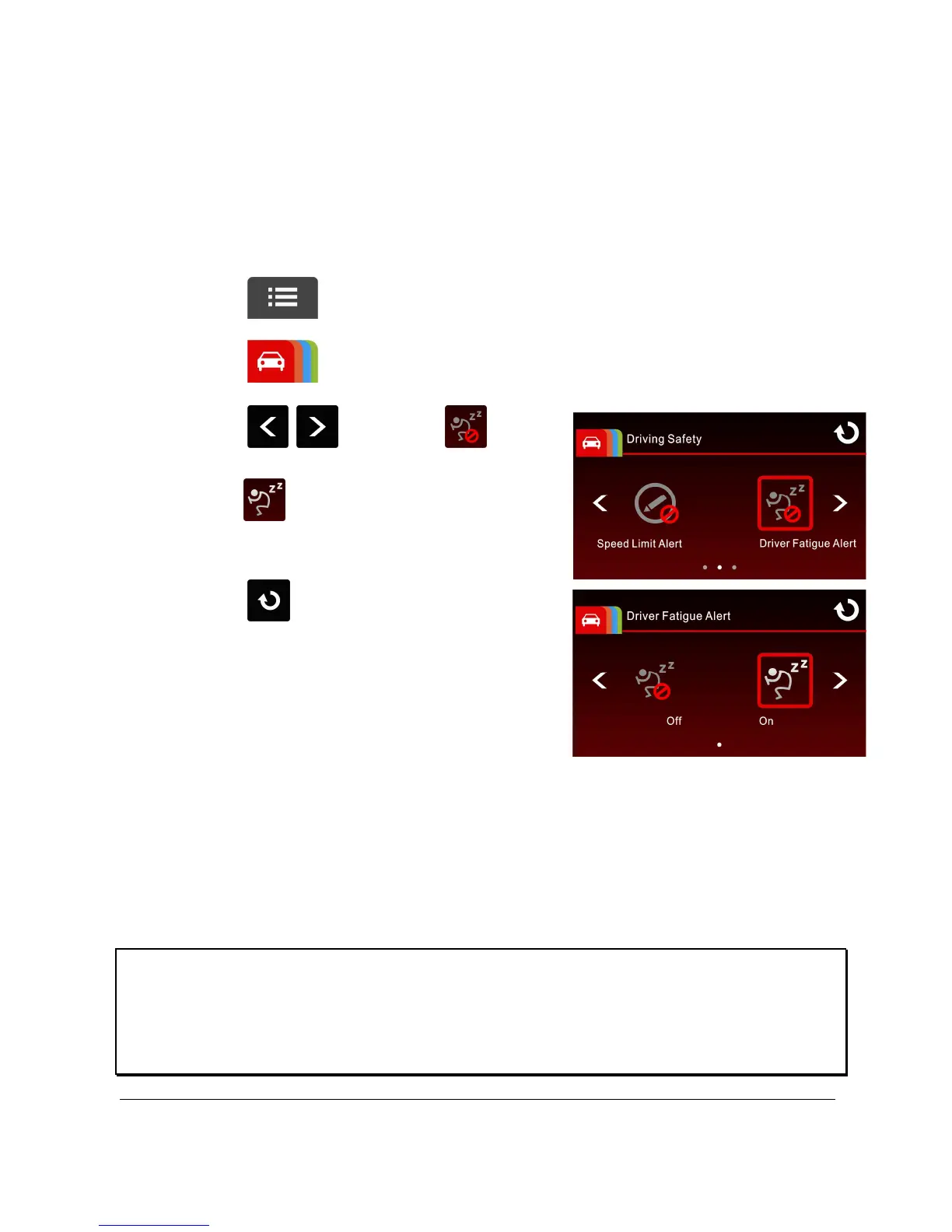
To set the driver fatigue alert, do the following:
1. Touch to enter main menu.
2. Touch to switch over to Driving Safety Main Menu.
3. Touch / to select for
entering Driver Fatigue Alert menu,
touch again to activate (on).
4. Touch to return to record
screen.
Note:
The all Driving Safety functions such as LDWS, Speed Cam Alert, Speed Limit
Alert, Driver Fatigue Alert and Collision Detection will be disabled, if the product
doesn’t connect with the external power supply.



 To Next Page