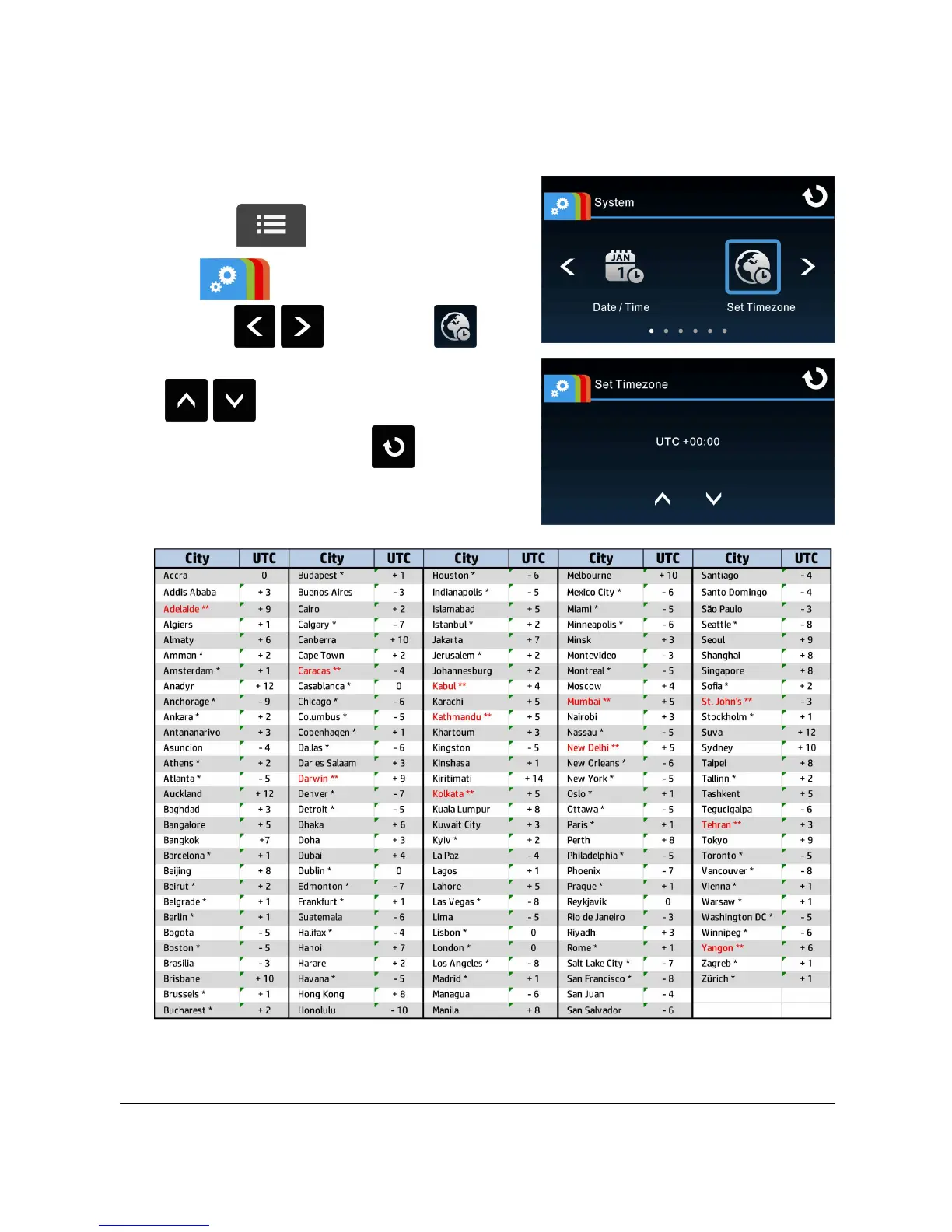
2.6.3 Setting the Universal Time Code (UTC)
Depending on your location, you may need to change the current UTC setting of the
camcorder so that the correct date and time are updated when a GPS signal is
detected.
1. Touch to enter Main Menu.
2. In System main menu,
touch / to select for
Set Timezone menu, touch
/ to set the current time
zone; then touch again to
complete setting.
* Be sure to adjust for daylight saving time (DST) by adding +1 hour to the UTC offset.
** These areas may observe half hour increments and daylight saving time (DST).



 To Next Page