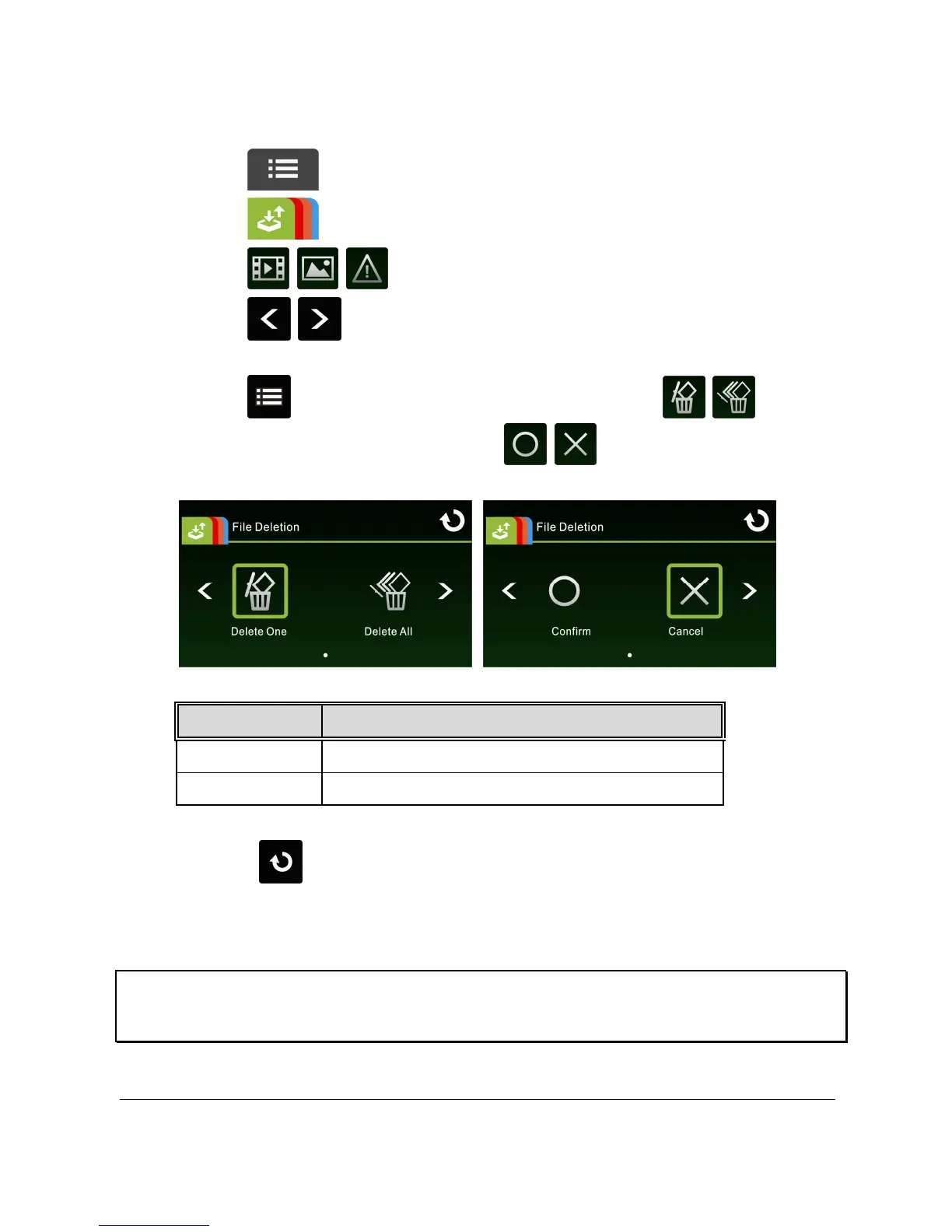
3.2.4 Deleting Files
To delete file(s), do the following:
1. Touch to enter Main Menu.
2. Touch to switch over to File / Position main menu.
3. Touch / / to enter Video/Picture/Emergency menu.
4. Touch / to browse for required video or picture file; touch
selected preview image to enter Video/Picture Playback Mode.
5. Touch to enter File Deletion menu, select / to
delete one file or all files; touch / to confirm or cancel
the selection.
Item Description
Delete One Delete the current file.
Delete All Delete all files.
6. Touch repetitively to return to Record Screen.
Note:
Deleted files cannot be recovered. Ensure the files have backup before deletion.



 To Next Page