35
2. Loosen the captive screws on the power supply with a Phillips screwdriver to remove the power
supply connector.
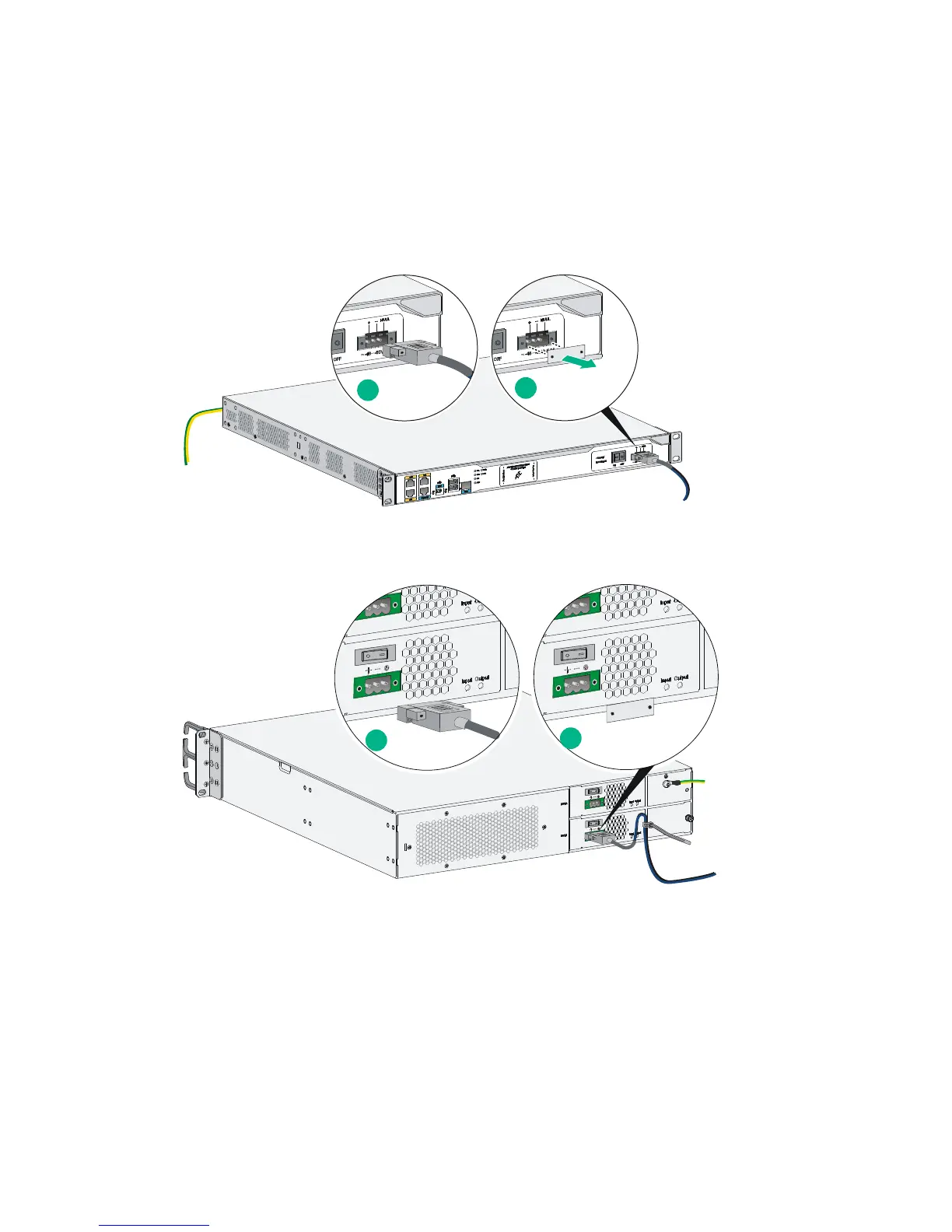
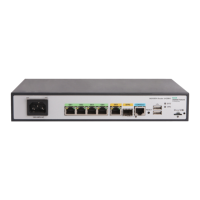
3. Connect one end of the DC power cord supplied with the router to the DC receptacle on the
router.
4. Connect the other ends of the wires to the DC power source wiring terminals, with the negative
wire (– or L–) to the negative terminal (–) and the positive wire (+ or M/N) to the positive terminal
(+).
Figure 46 Connecting a DC power cord for an MSR3012/3024
Figure 47 Connecting a DC power cord for an MSR3044/3064
Connecting an RPS power cord
The MSR3012 and MSR3024 offer remote power supply (RPS) support. As an external power supply,
RPS can provide power supply for the device in case of power supply abnormality. It enhances the
reliability of the device.
The router has a sticky label and a protective cover when shipped to protect the RPS receptacle.
To connect an RPS power cord:
1. Remove the sticky label.
1
2
1
2


 To Next Page