Component identification 90
Front panel LEDs and buttons
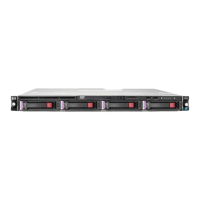
• Four LFF drive model
1
Flashing blue:
1 flash per second = Remote management or firmware upgrade
in progress
4 flashes per second = iLO manual reboot sequence initiated
8 flashes per second = iLO manual reboot sequence in
progress
Off = Deactivated
2
Flashing green (1 flash per second) = iLO is rebooting
Flashing amber = System degraded
Flashing red (1 flash per second) = System critical
If the health LED indicates a degraded or critical state, review the
system IML ("Integrated Management Log" on page 85) or use iLO
("HPE iLO" on page 83) to review the system health status.
3
Solid green = Link to network
Flashing green (1 flash per second) = Network active
Off = No network activity
4
and system power LED
Flashing green (1 flash per second) = Performing power on
sequence
Solid amber = System in standby
Off = No power present
If the system power LED is off, verify the following conditions:
Facility power is present.
The power supply is installed and is working correctly.
The power cord is attached and is connected to a power source.
The front I/O cable is connected.



 To Next Page
 Loading...