1 Features
Identifying the hardware
Components included with the computer may vary by region and model. The illustrations in this chapter
identify the standard features on most computer models.
To see a list of hardware installed in the computer, follow these steps:
1. Select Start > My Computer.
2. In the left pane of the System Tasks window, select View system information.
3. Select Hardware tab > Device Manager.
You can also add hardware or modify device configurations using Device Manager.
Top components
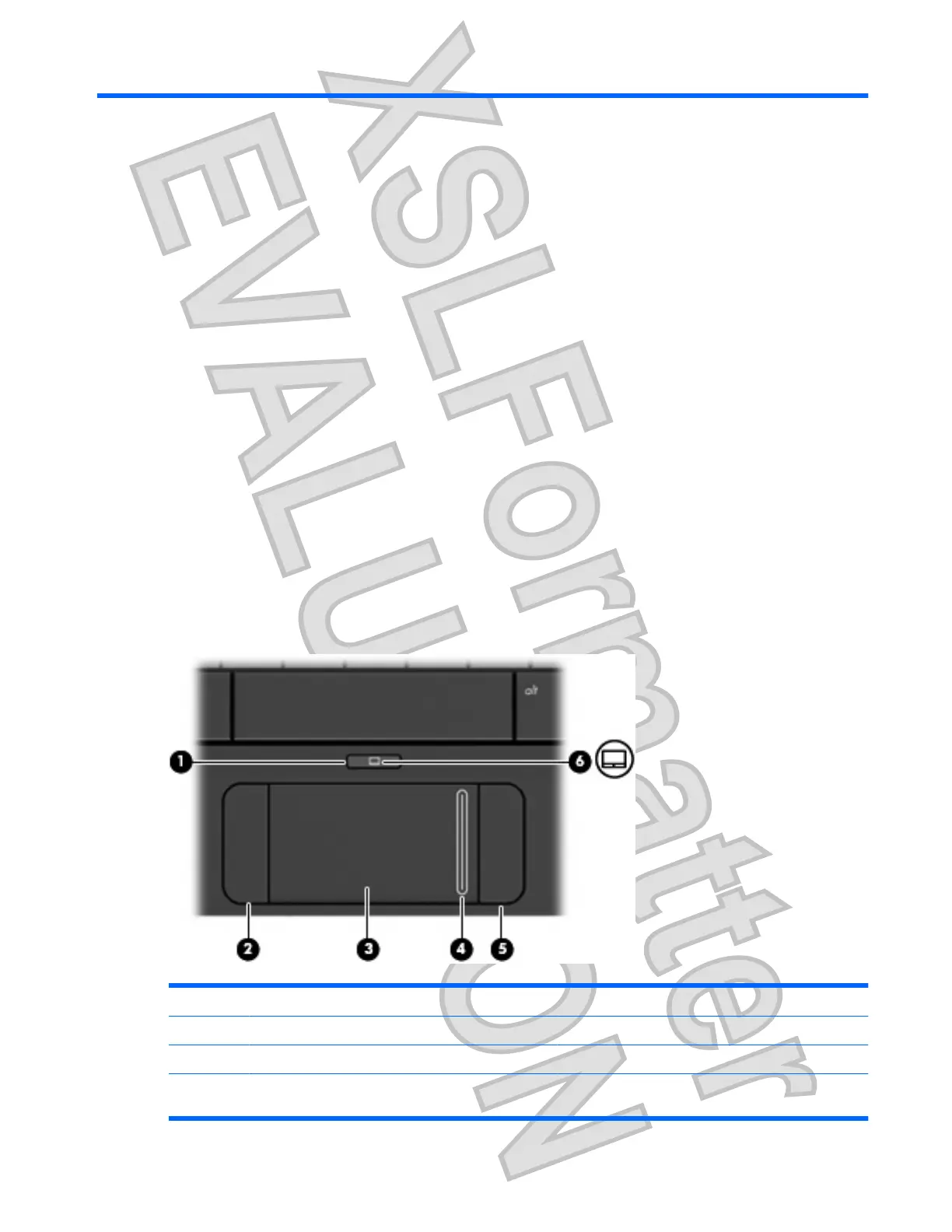
TouchPad
Component Description
(1) TouchPad on/off button Turns the TouchPad on and off.
(2) Left TouchPad button* Functions like the left button on an external mouse.
(3) TouchPad* Moves the pointer and selects or activates items on the
screen.
Identifying the hardware 1
Antenna House XSL Formatter (Evaluation) http://www.antennahouse.com/











 To Next Page