Component Description
(3) Internal microphone Records sound.
(4) Webcam Captures still photographs.
NOTE: For additional webcam features, you can install
optional software to expand the webcam experience.
(5) Webcam light On: The webcam is in use.
Bottom components
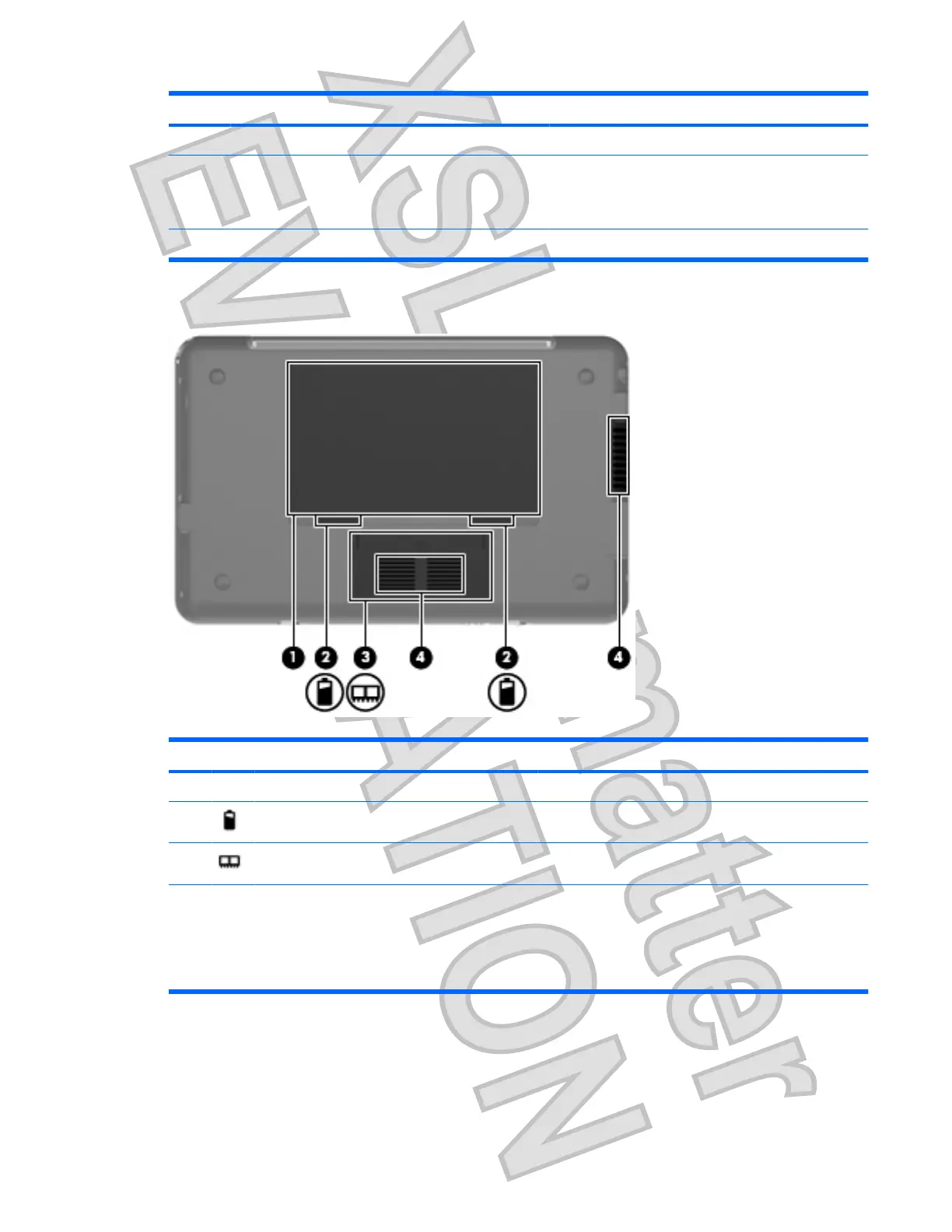
Component Description
(1) Battery bay Holds the battery.
(2) Battery release latches (2) Release the battery from the battery bay.
(3) Memory module compartment Contains the memory module slot.
(4) Vents (2) Enable airflow to cool internal components.
NOTE: The computer fan starts up automatically to cool
internal components and prevent overheating. It is normal
for the internal fan to cycle on and off during routine
operation.
Identifying the hardware 7
Antenna House XSL Formatter (Evaluation) http://www.antennahouse.com/












 To Next Page