Video
Your computer enables you to use a variety of video features:
ł
Watch movies
ł
Play games over the Internet
ł
Edit pictures and video to create presentations
ł
Connect external video devices
Connecting an external monitor or projector
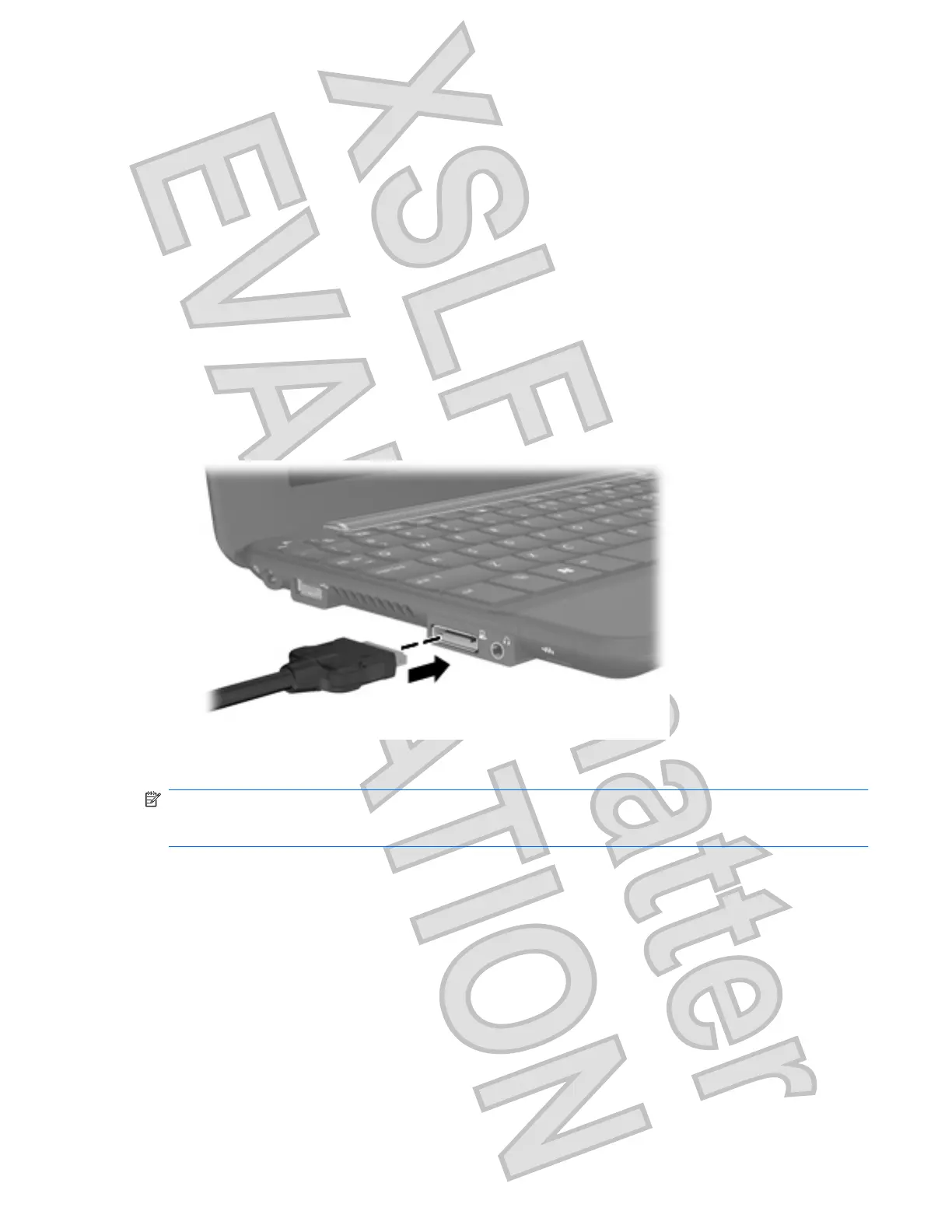
The expansion port connects an external display device such as an external monitor or a projector to
the computer.
To connect an external monitor or projector:
1. Connect the optional VGA cable to the expansion port on the computer.
2. Connect the display device to the other end of the cable.
NOTE: If a properly connected external display device does not display an image, press fn+f2 to
transfer the image to the device. Repeatedly pressing fn+f2 alternates the screen image between the
computer display and the device.
Video 35
Antenna House XSL Formatter (Evaluation) http://www.antennahouse.com/











 To Next Page