6 Digital cards
Optional digital cards provide secure data storage and convenient data sharing. These cards are often
used with digital media–equipped cameras and PDAs as well as with other computers.
The SD Card Reader supports the following formats:
ł
MultiMediaCard (MMC)
ł
Secure Digital (SD) Memory Card
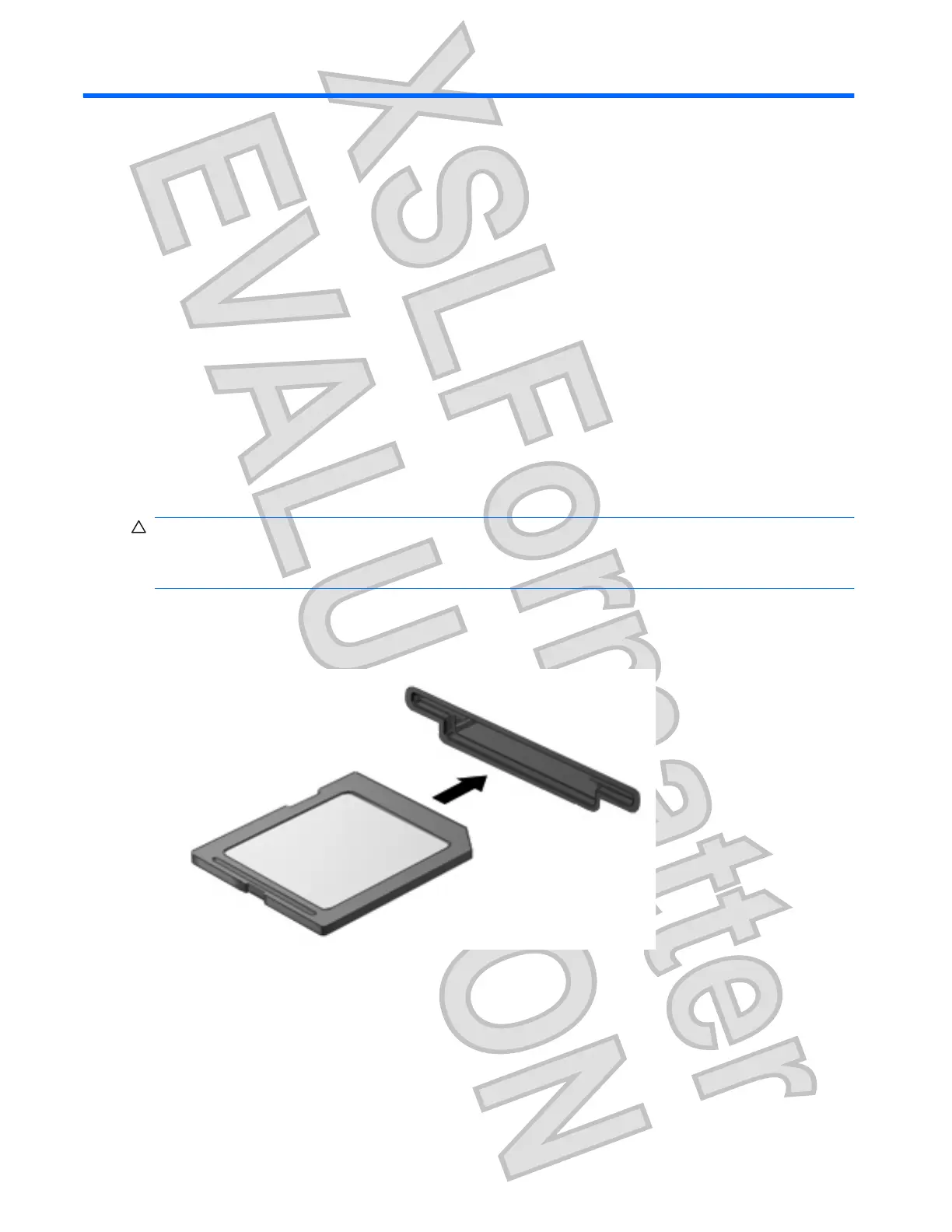
Inserting a digital card
CAUTION: To avoid damaging the digital card or the computer, do not insert any type of adapter into
the SD Card Reader.
CAUTION: To prevent damage to the digital card connectors, use minimal force to insert a digital card.
1. Hold the digital card label-side up, with the connectors facing the computer.
2. Insert the card into the SD Card Reader, and then push in on the card until it is firmly seated.
You will hear a sound when the device has been detected, and a menu of options may be displayed.
44 Chapter 6 Digital cards
Antenna House XSL Formatter (Evaluation) http://www.antennahouse.com/











 To Next Page