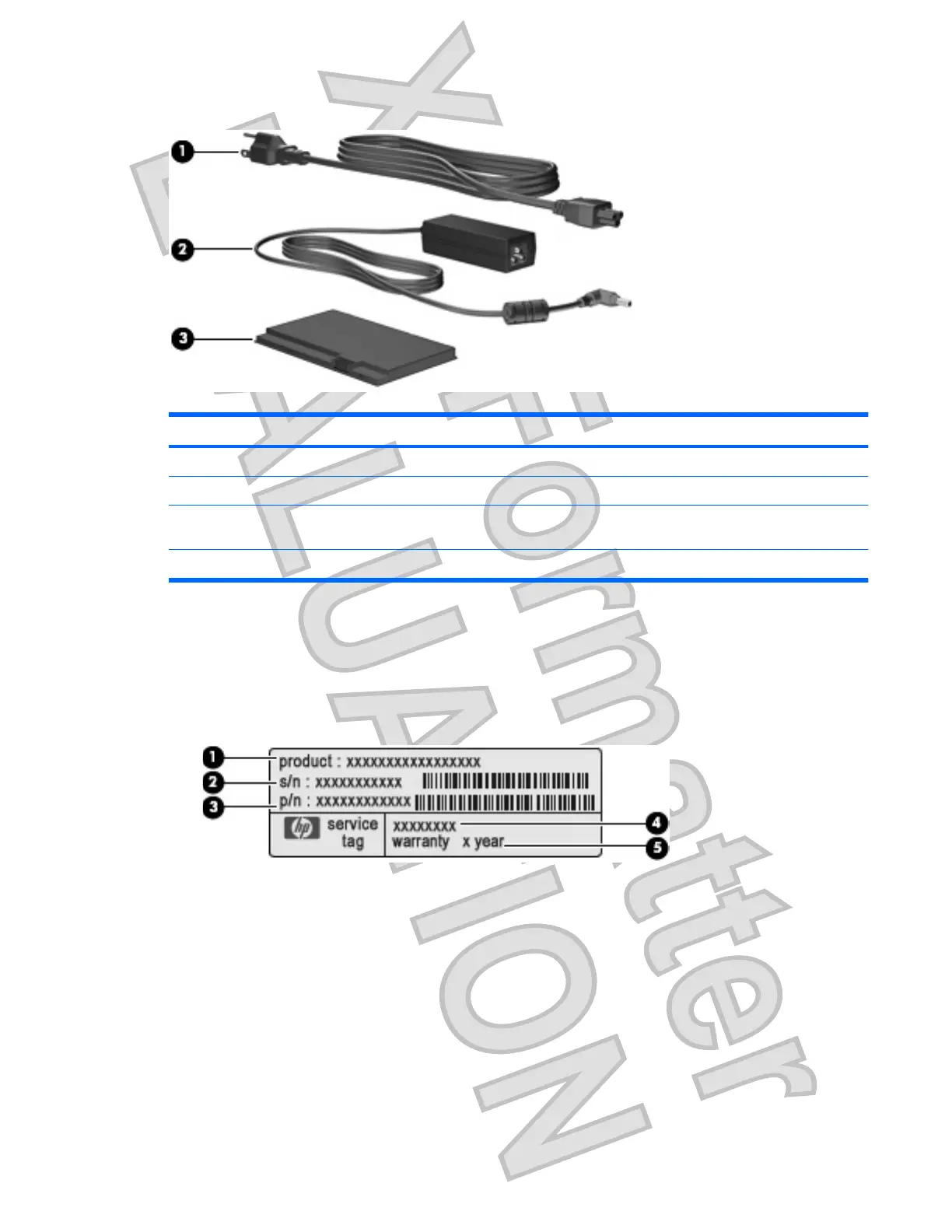
Additional hardware components
Component Description
(1) Power cord* Connects an AC adapter to an AC outlet.
(2) AC adapter Converts AC power to DC power.
(3) Battery* Powers the computer when the computer is not plugged into
external power.
*Batteries and power cords vary in appearance by region and country.
Identifying the labels
The labels affixed to the computer provide information you may need when you troubleshoot system
problems or travel internationally with the computer.
ł
Service tag—Provides important information including the following:
Ń
Product name (1). This is the product name affixed to the front of your computer.
Ń
Serial number (s/n) (2). This is an alphanumeric identifier that is unique to each product.
Ń
Part Number/Product number (p/n) (3). This number provides specific information about the
product's hardware components. The part number helps a service technician to determine
what components and parts are needed.
Ń
Model description (4). This is the number you use to locate documents, drivers, and support
for your computer.
Ń
Warranty period (5). This number describes the duration (in years) of the warranty period for
this computer.
Identifying the labels 9
Antenna House XSL Formatter (Evaluation) http://www.antennahouse.com/











 To Next Page