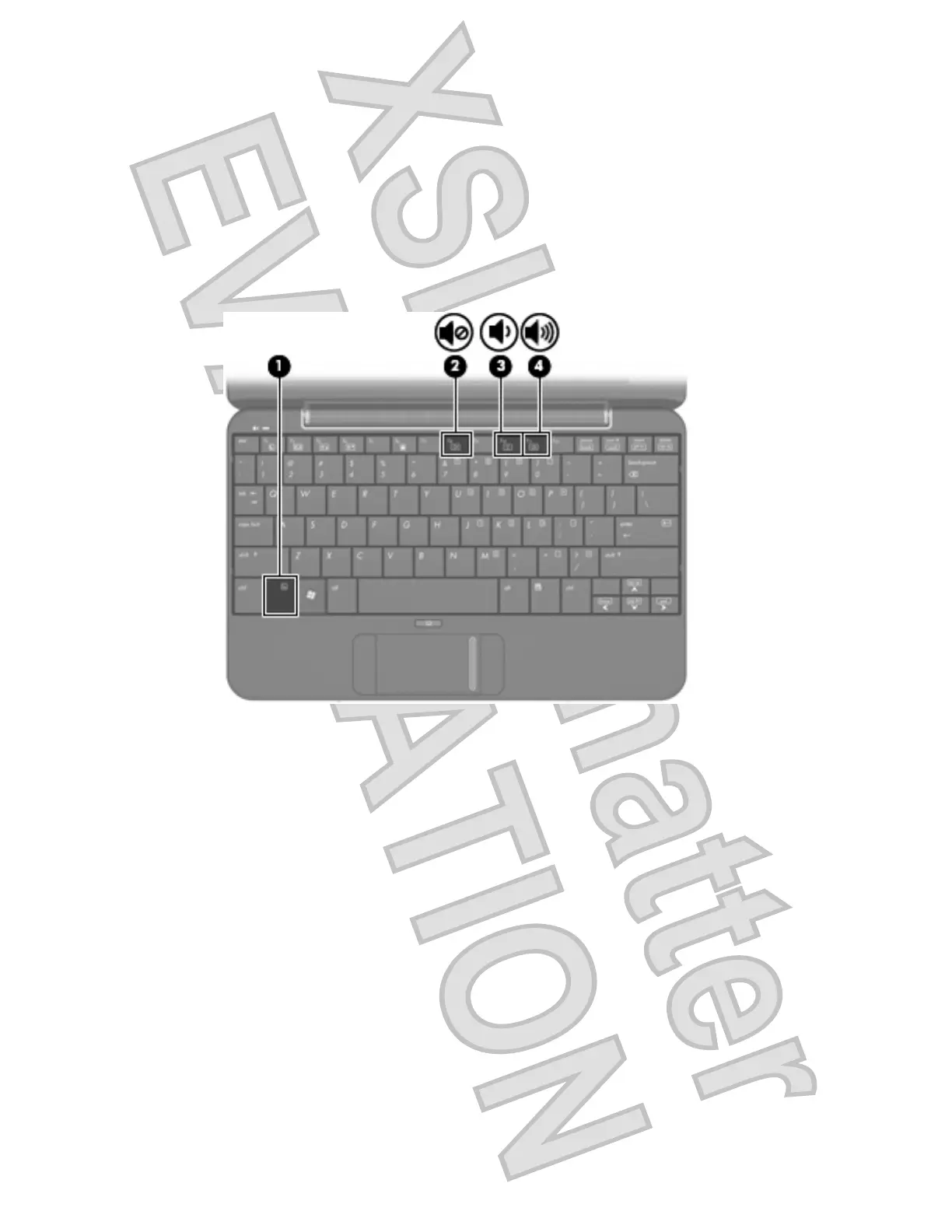
Adjusting the volume
You can adjust the volume using the following controls:
ł
Computer volume hotkey—A combination of the fn key (1) and either the f8 (2), f10 (3), or f11 (4)
function key:
Ń
To mute or restore volume, press fn+f8.
Ń
To decrease volume, press fn+f10.
Ń
To increase volume, press fn+f11.
ł
Windows® volume control:
a. Click the Volume icon in the notification area, at the far right of the taskbar.
b. Increase or decrease the volume by moving the slider up or down. Select the Mute check box
to mute the volume.
– or –
a. Double-click the Volume icon in the notification area.
b. In the Volume Control column, you can increase or decrease the volume by moving the
Volume slider up or down. You can also adjust the balance or mute the volume.
32 Chapter 4 Multimedia
Antenna House XSL Formatter (Evaluation) http://www.antennahouse.com/













 To Next Page