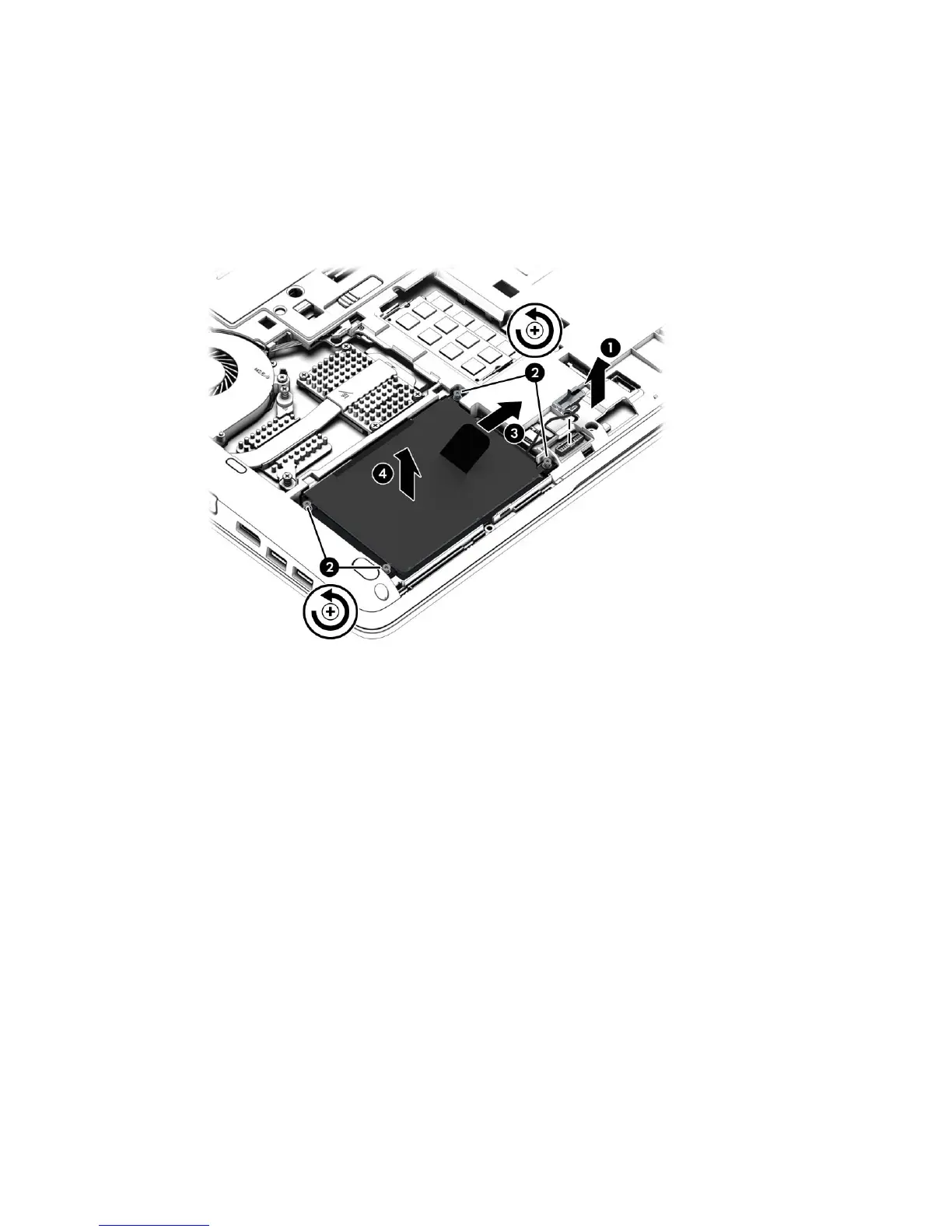
Remove the hard drive:
1. Turn the computer upside down on a flat surface, with the battery bay toward you.
2. Disconnect the hard drive cable (1).
3. Loosen the four Phillips screws (2) connecting the hard drive to the computer.
4. Using the plastic tab (3), pull and lift the hard drive, and then pull the hard drive (4) out of the
hard drive bay.
5. If it is necessary to disassemble the hard drive, perform the following steps:
a. Disconnect the hard drive cable (1) from the drive.
b. Remove the four Phillips screws (2) from the hard drive.
Component replacement procedures 35



 To Next Page