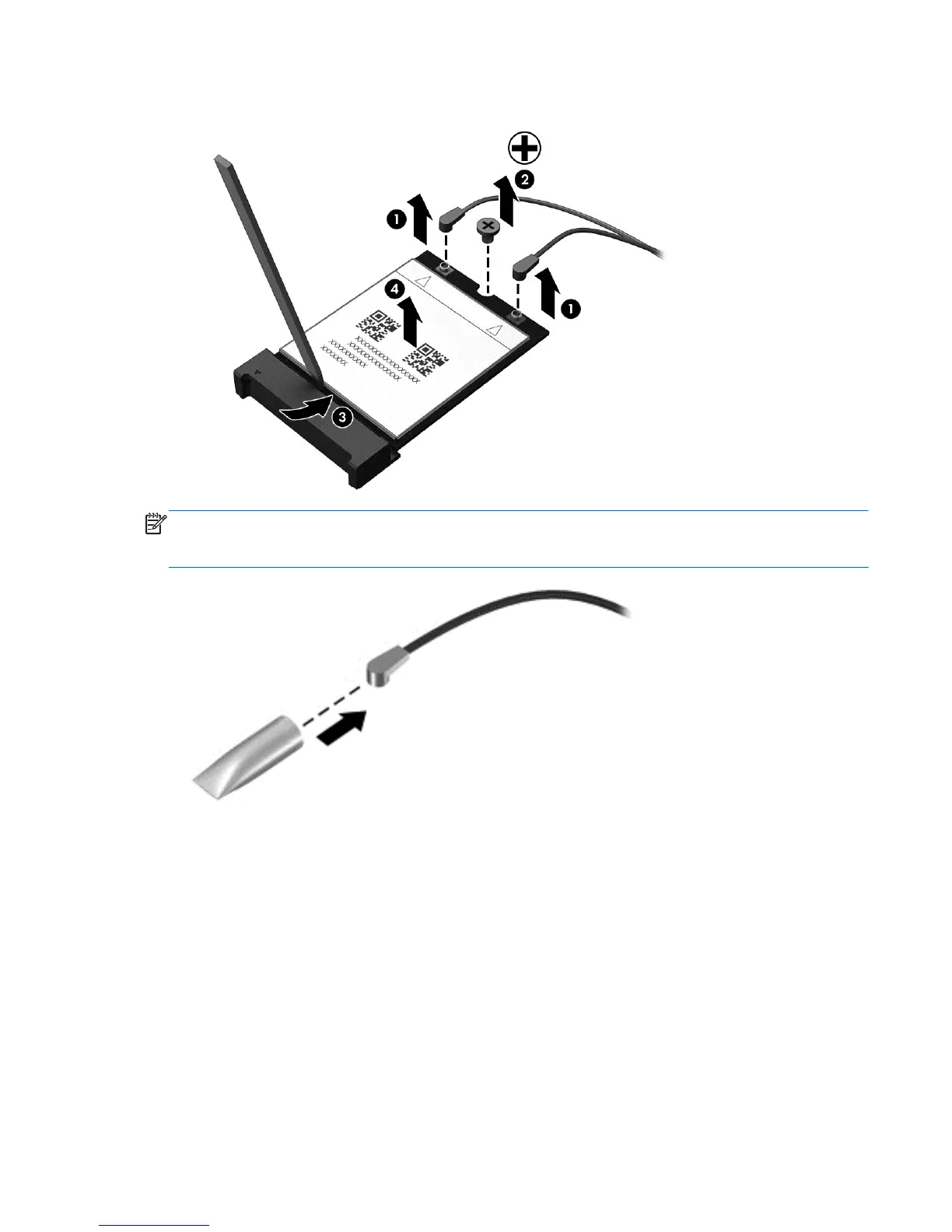
5. Remove the WWAN module (4) by pulling the module straight up.
NOTE: If the WWAN antenna cables are not connected to the terminals on the WWAN module,
protective sleeves should be installed on the antenna connectors, as shown in the following
illustration.
Reverse this procedure to install the WWAN module.
Component replacement procedures 39



 To Next Page