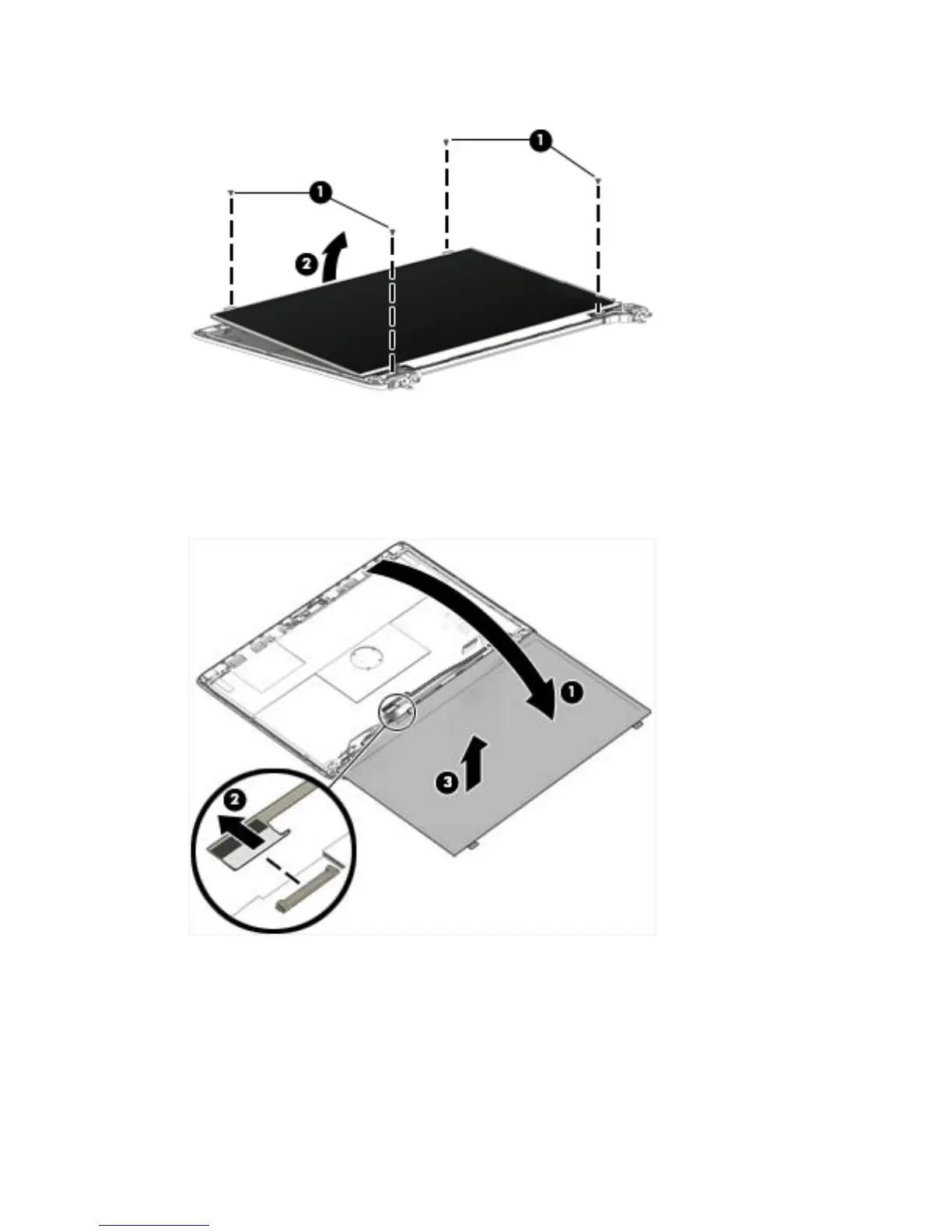
2. Lift the top edge of the display panel (2).
3. Swing the display panel (1) up and forward until it rests upside down in front of the display back
cover.
4. Release the adhesive strip (2) that secures the display panel cable connector to the
display panel.
5. Remove the display panel (3).
Reverse this procedure to replace the panel.
50 Chapter 6 Removal and replacement procedures for Authorized Service Provider parts



 To Next Page