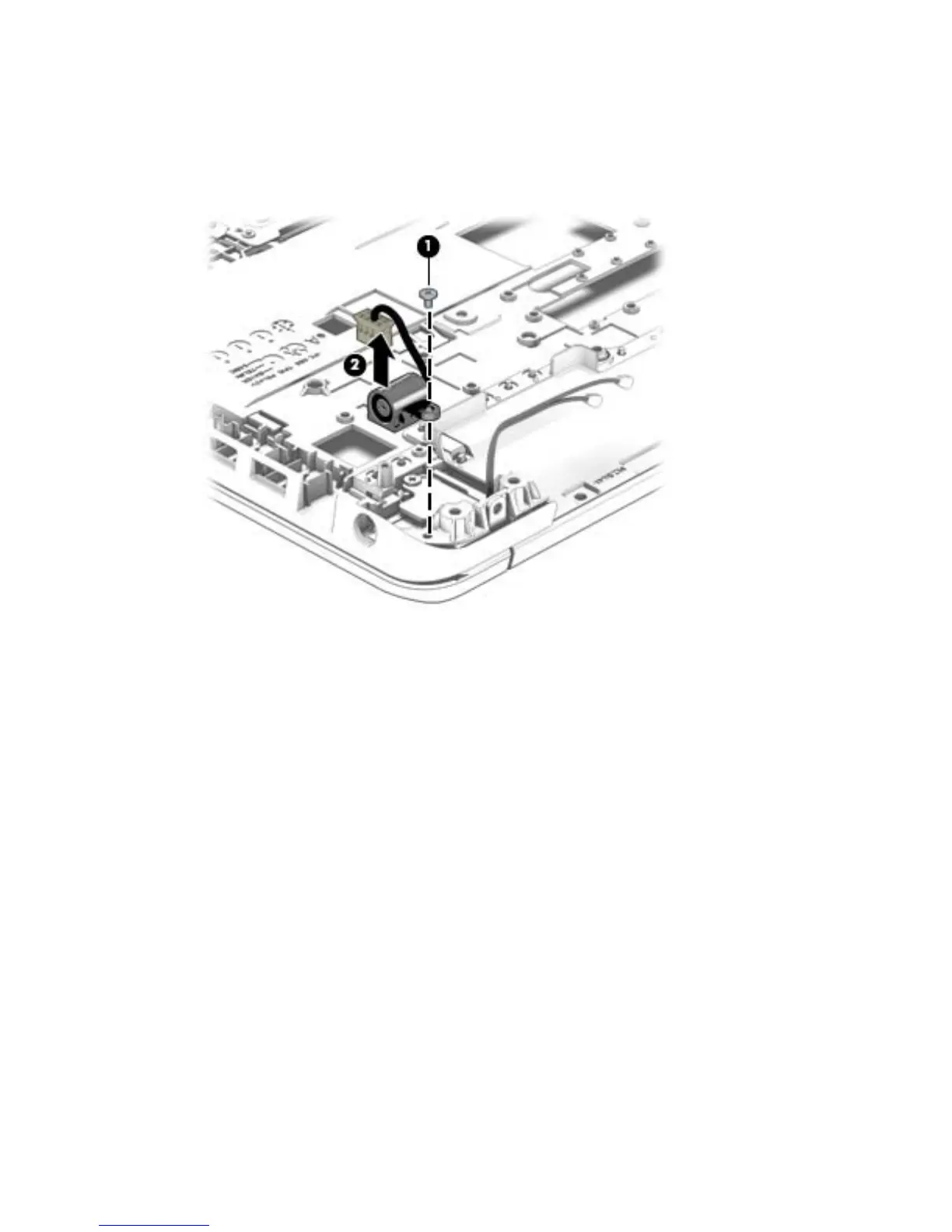
Remove the power connector cable:
1. Position the top cover upside down, with the battery bay facing you.
2. Remove the Torx screw (1) from the base enclosure.
3. Remove the power connector cable (2) from the base enclosure.
Reverse this procedure to install the power connector cable.
Component replacement procedures 67



 To Next Page