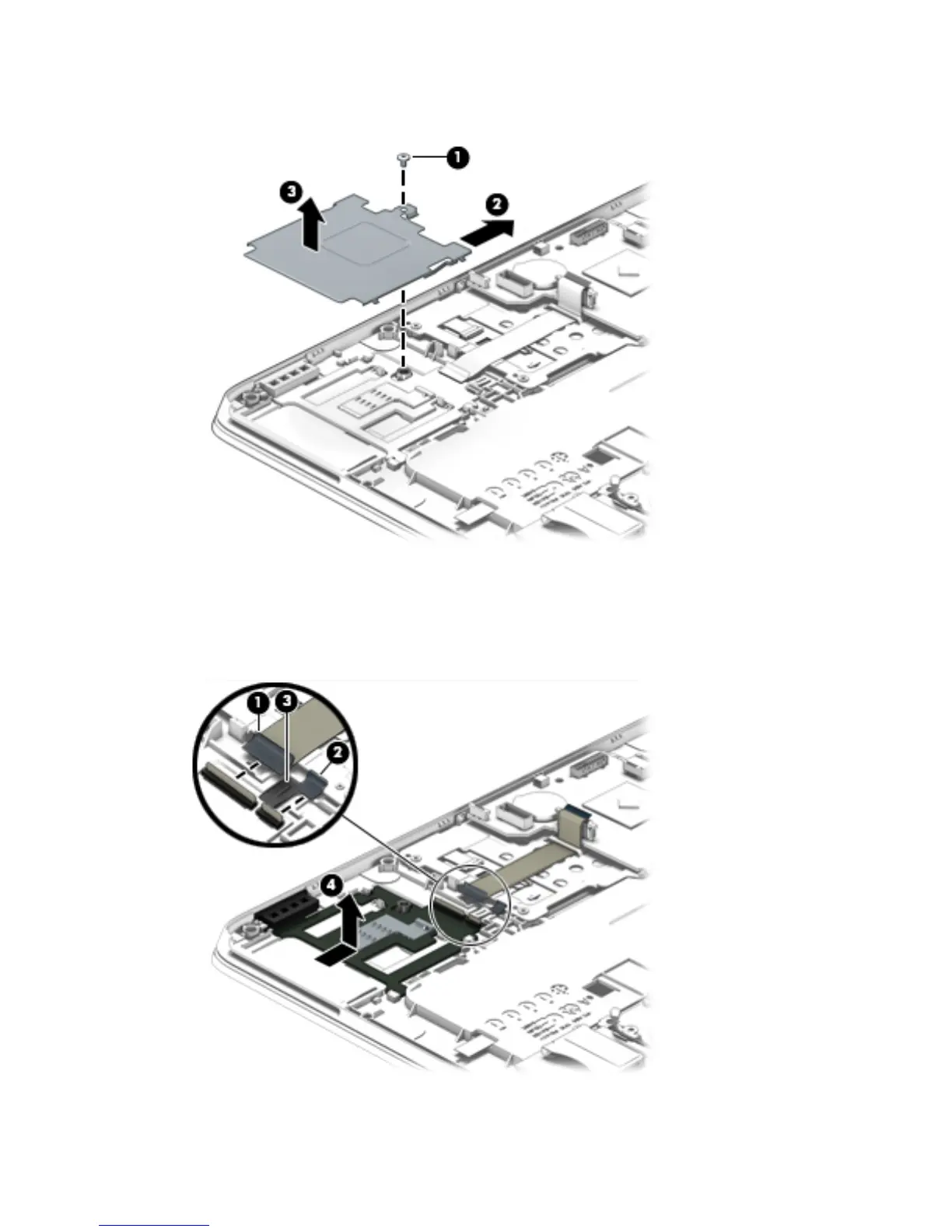
3. Slide the smart card reader shield (2) away from the edge of the computer, and then lift up the
shield (3) to remove it.
4. Release the ZIF connector (1) to which the smart card reader cable is attached.
5. Lift the clip (2) that secures the smart card reader to the base enclosure.
6. Release the clip (3).
7. Remove the smart card reader (4).
Reverse this procedure to install the smart card reader.
78 Chapter 6 Removal and replacement procedures for Authorized Service Provider parts



 To Next Page