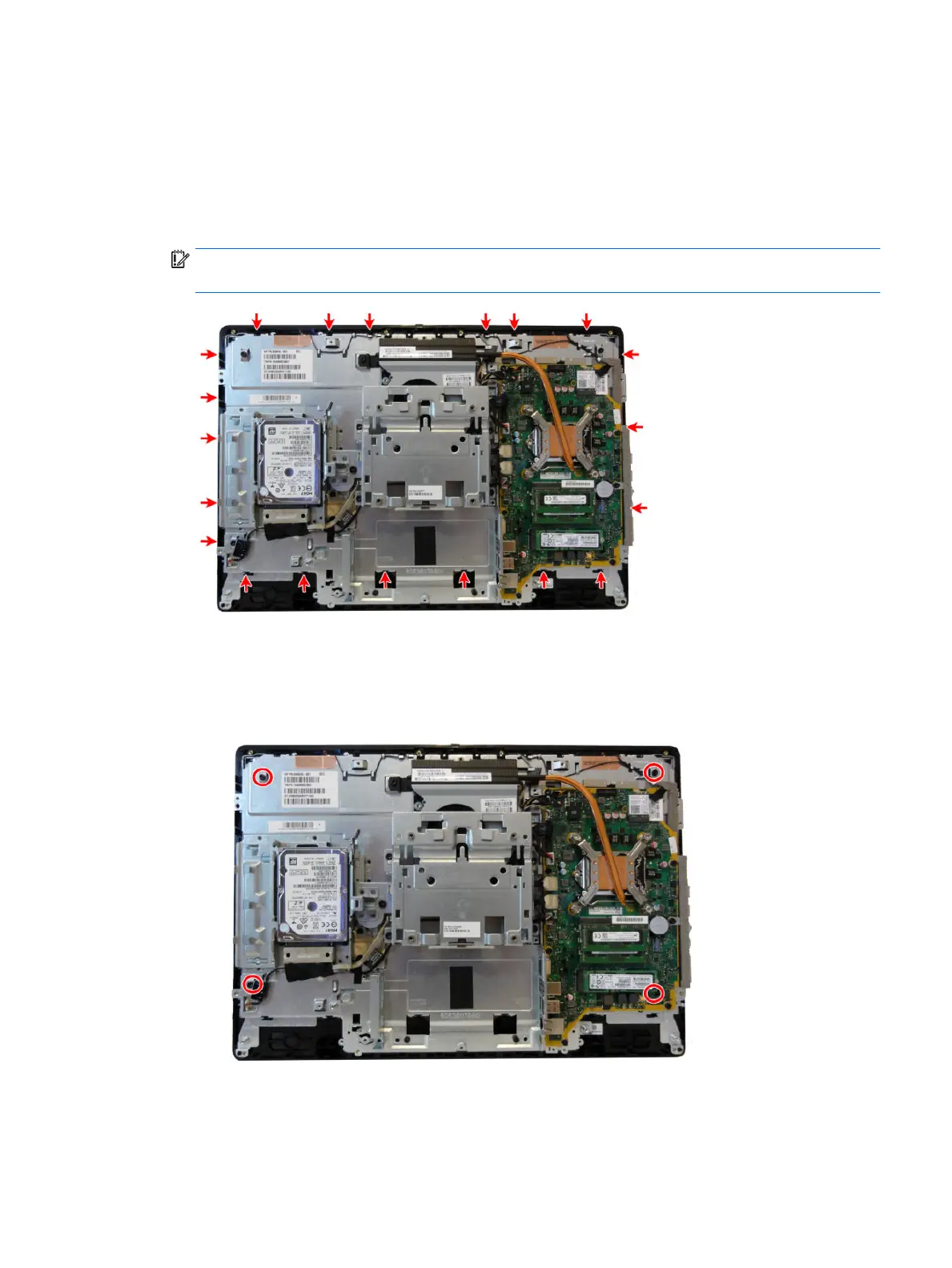
11. Disengage the 20 tabs along the sides that secure the bezel to the frame. Tabs are as follows:
5 tabs along the left side
6 tabs along the top
3 tabs on the right side
6 tabs near the bottom
IMPORTANT: Be sure to disengage the tabs before separating the bezel from the frame. Failure to
disengage the tabs could result in damage to the display panel.
12. Separate the main frame from the bezel.
13. To separate the display panel from the main frame:
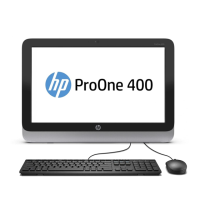
a. Non-touch models: Remove the four Torx screws that secure the frame to the display panel.
Display panel 57








 To Next Page