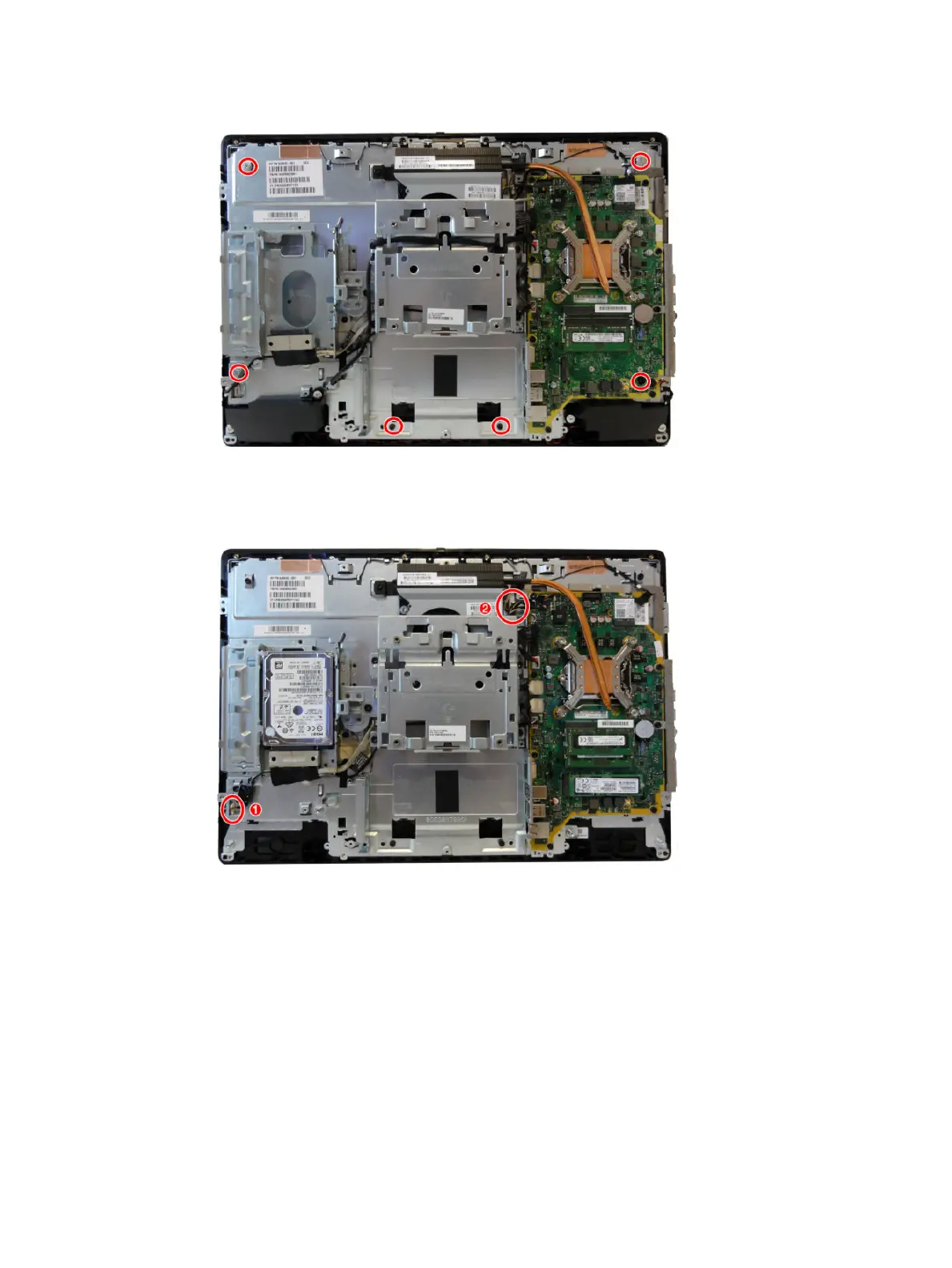
b. Touch models: Remove the six Torx screws that secure the frame to the display panel.
c. Disconnect the backlight cable from the rear of the display panel (1).
d. Disconnect the display (LVDS) cable and touch cable (only on models with touch screens) from the
system board, and push the cable(s) into the hole that routes through the main frame (2).
e. Separate the panel from the frame by lifting the frame up o the panel.
58 Chapter 4 Removal and Replacement Procedures








 To Next Page