Viewing tools status 121
14 To o l s
The router includes a number af system tools for managing software and configuration files,
troubleshooting network problems, and sending email alert messages. All tools and utilities are
described in this chapter.
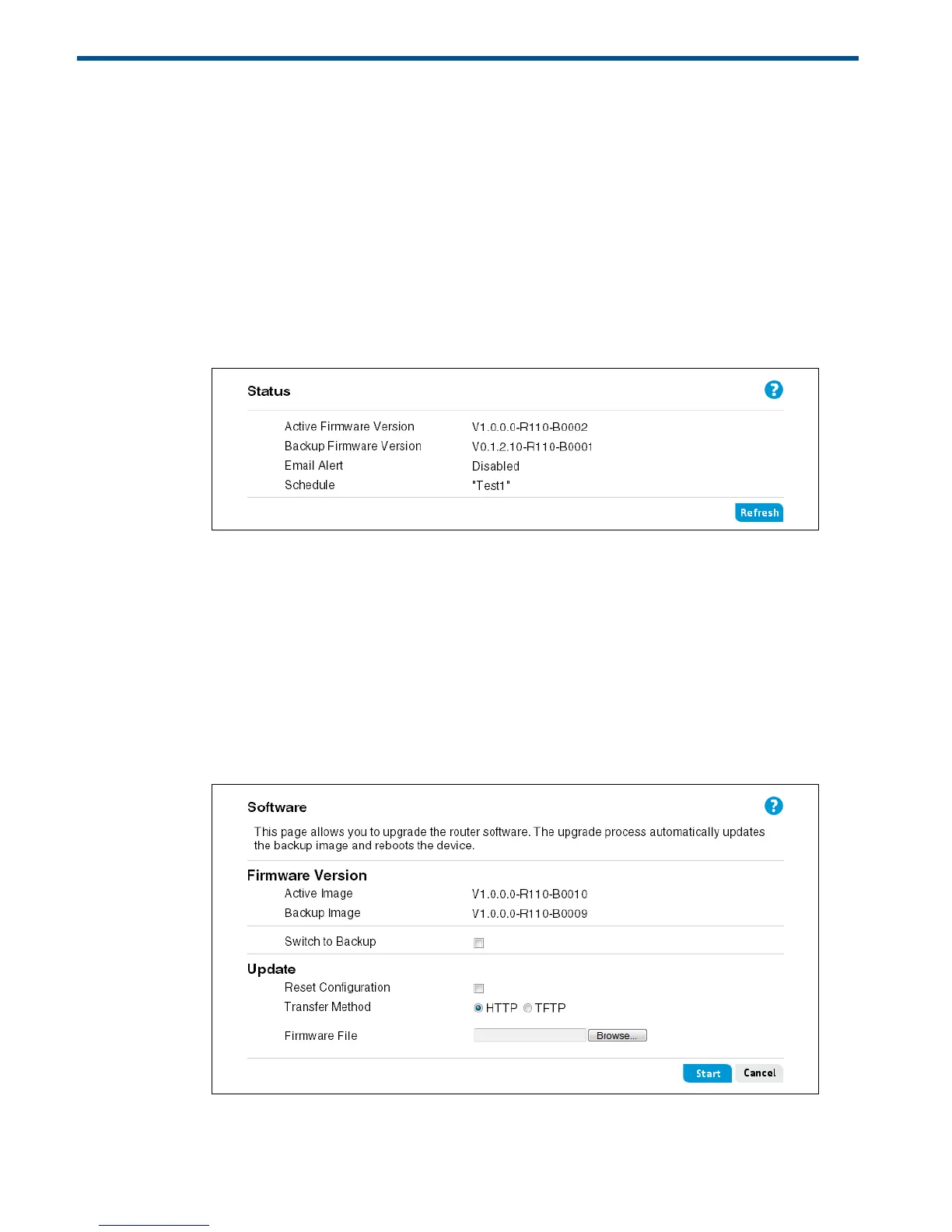
Viewing tools status
This page displays the current versions of firmware installed on the router, the status of the email
alert feature, and lists any configured time schedules.
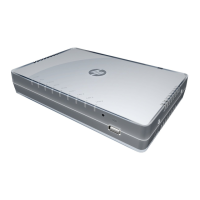
Updating software
The Software page displays the current software versions installed on the router. You can
upgrade the software installed on the router to a new version downloaded from the HP support
website.
The router supports a dual-image function, which means that if the router fails to boot the active
image, it automatically boots from the backup image. Upgrading the software replaces the
backup image and reboots the router.


 To Next Page