5 LAN configuration
The HP R110/R120 router is equipped with a DHCP server that automatically assigns IP
addresses to each computer on your network. The factory default settings for the DHCP server
work with most applications. If you need to make changes to the settings, the LAN setting
pages allow you to:
• Change the default IP address of the router.
• Configure VLANs
• Enable the DHCP server function for each VLAN.
• Enable NAT features for each VLAN.
• Enable IGMP Snooping and IGMP Proxy for each VLAN.
• Enable the DHCP Relay function.
• Enable Spanning Tree support.
Viewing the LAN interface status
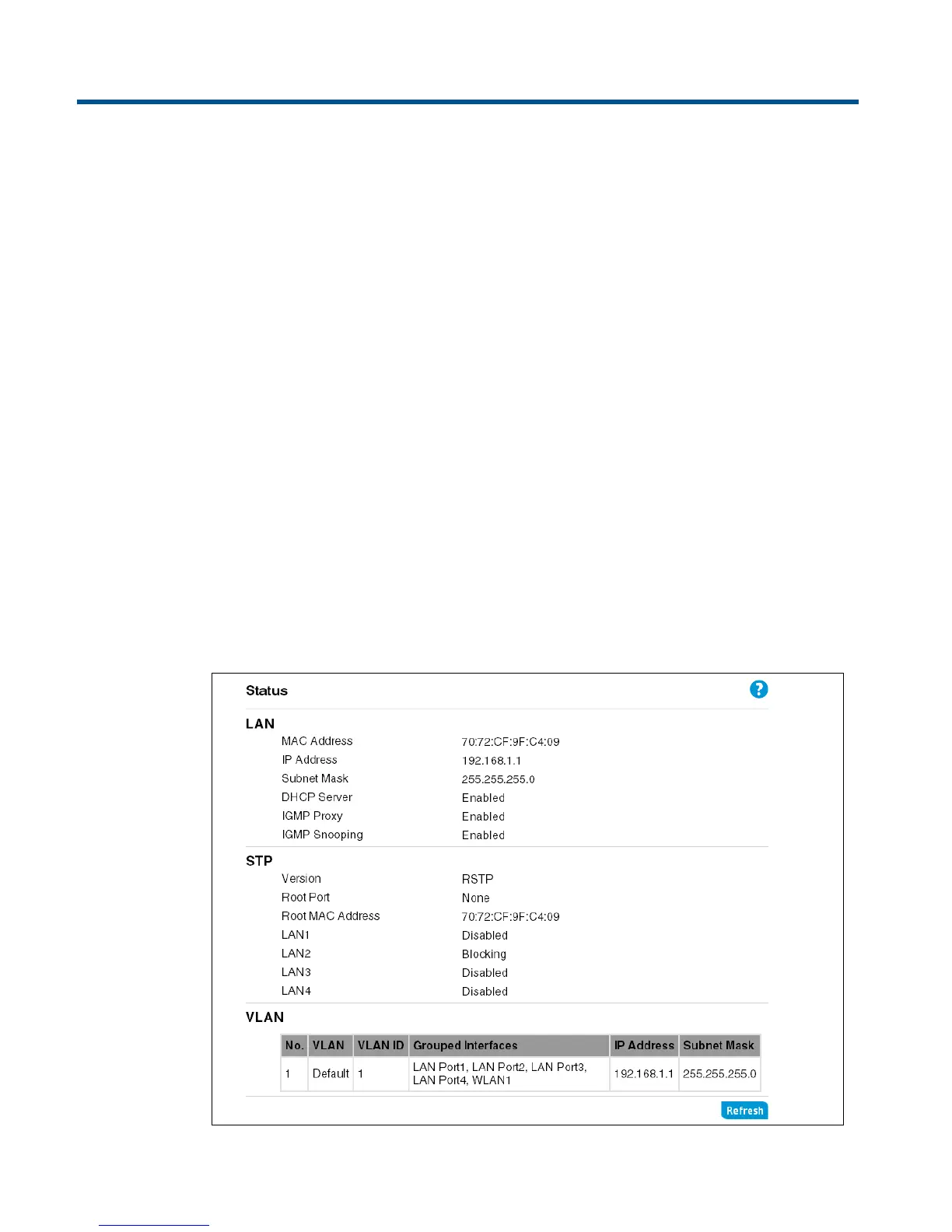
The Status page displays the current status of LAN related features, including IP settings and
VLAN configuration.


 To Next Page