MAC filtering 93
MAC filtering
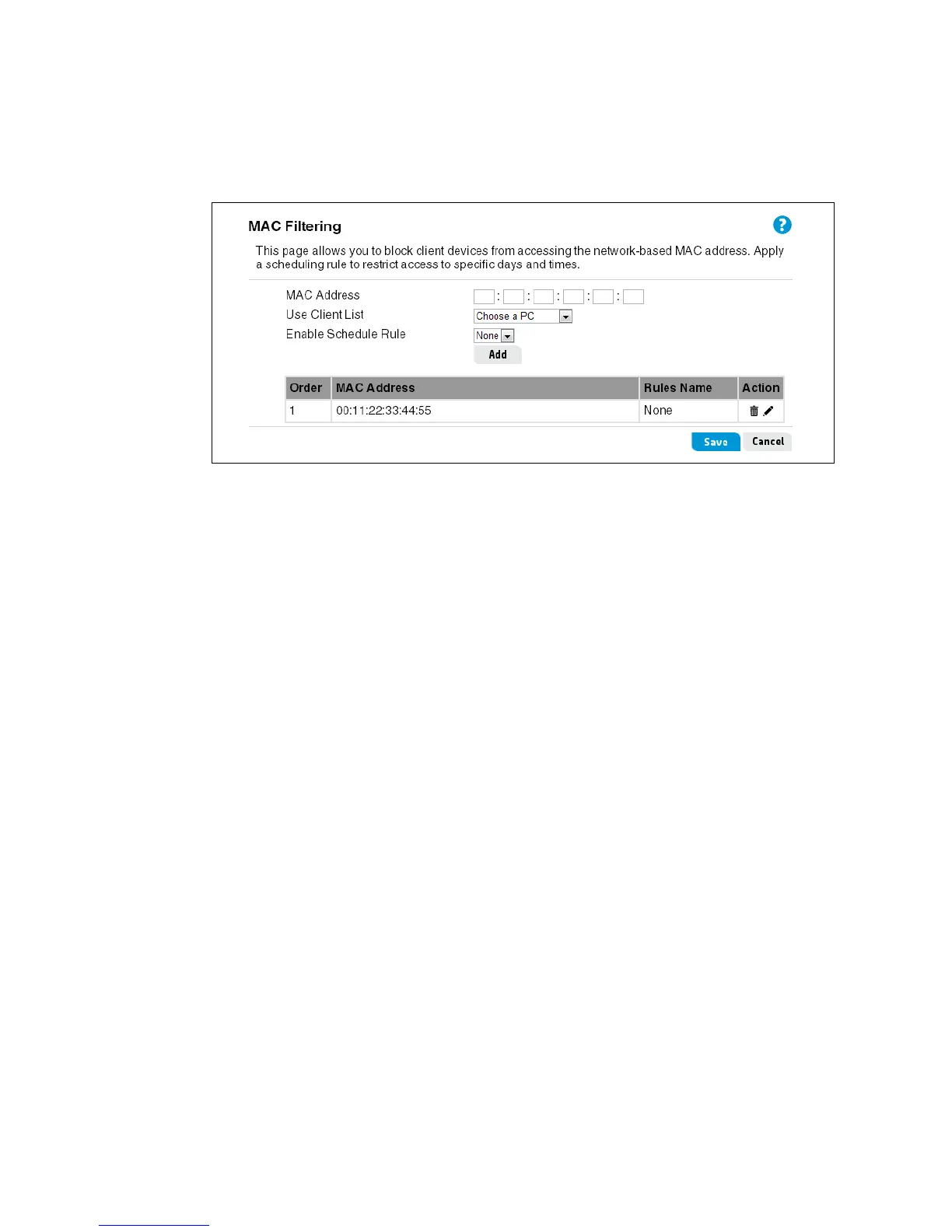
You can deny traffic from certain known machines or devices. Use its MAC address to identify
a computer or device on the network and deny access. Traffic from a specified MAC address is
filtered depending upon the policy. Enter the filter details in the fields provided, and then click
Add to add the entry to the filter table. A maximum of 20 rules can be defined.
This page includes the following settings:
MAC Address
The MAC address of a computer on the local network.
Use Client List
Selects a computer name or MAC address from the list of clients already assigned an IP
address by the router.
Enable Schedule Rule
The name of a scheduling rule to apply to the filter, as configured on the Tools > Scheduling
page.


 To Next Page