10 NAT configuration
Network Address Translation (NAT) is a commonly used IP translation and mapping
technology. It is a technology that allows your network to share Internet access. Using a device
or software that implements NAT allows an entire home network to share a single Internet
connection using a single IP address. A single cable modem, DSL modem, or even 56k modem
could connect all the computers in your home to the Internet simultaneously. Additionally, NAT
keeps your network fairly secure from hackers. NAT acts as an interpreter between two
networks. In this case, NAT sits between the Internet and your network. The Internet is
considered the public side, and your network is considered the private side. When a computer
on the private side requests data from the public side (the Internet), the NAT device opens a
conduit between your computer and the destination computer. When the public computer
returns results from the request, it is passed back through the NAT device to the requesting
computer.
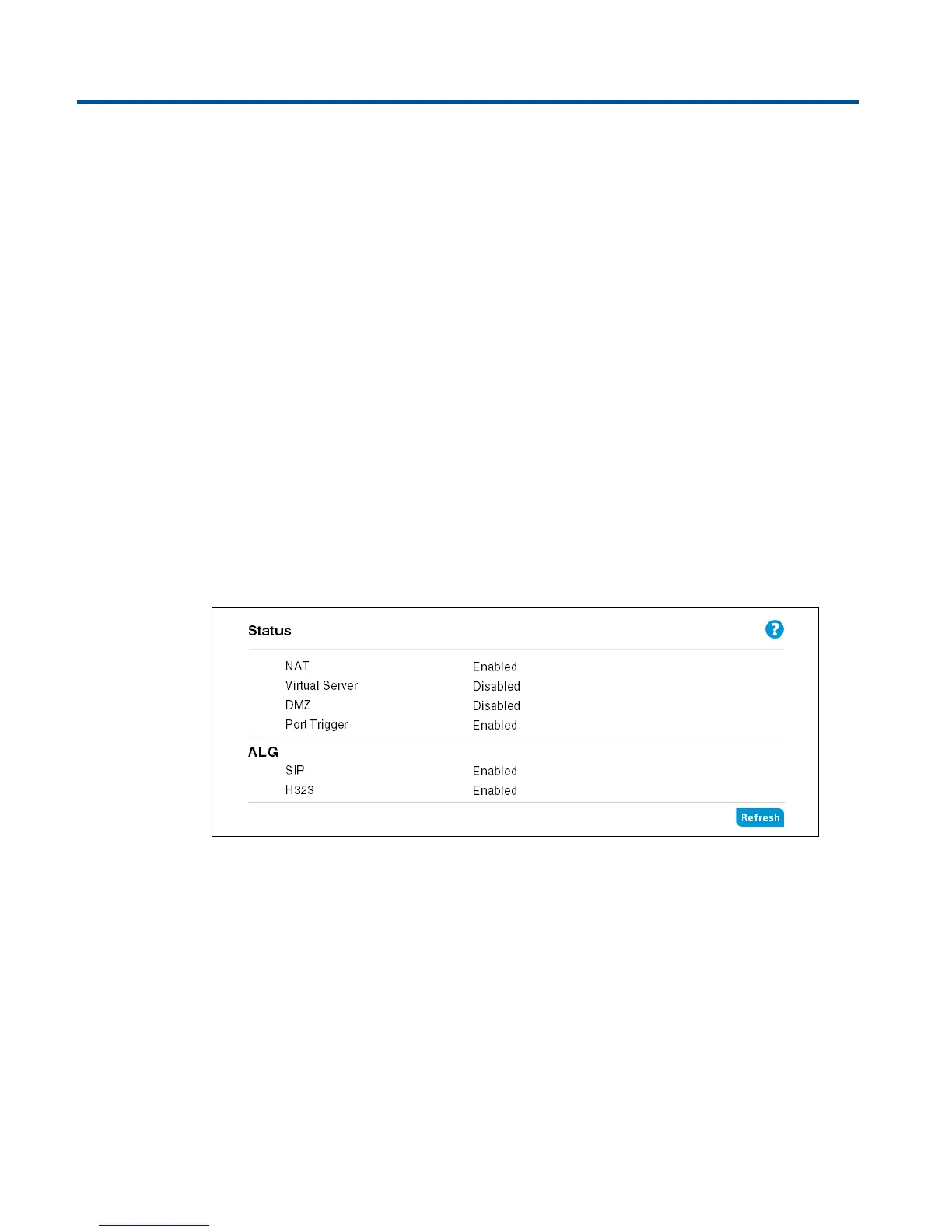
Viewing NAT status
The Status page displays the current status of NAT, Virtual Server, DMZ, Port Trigger, and ALG
settings.


 To Next Page