48 LAN configuration
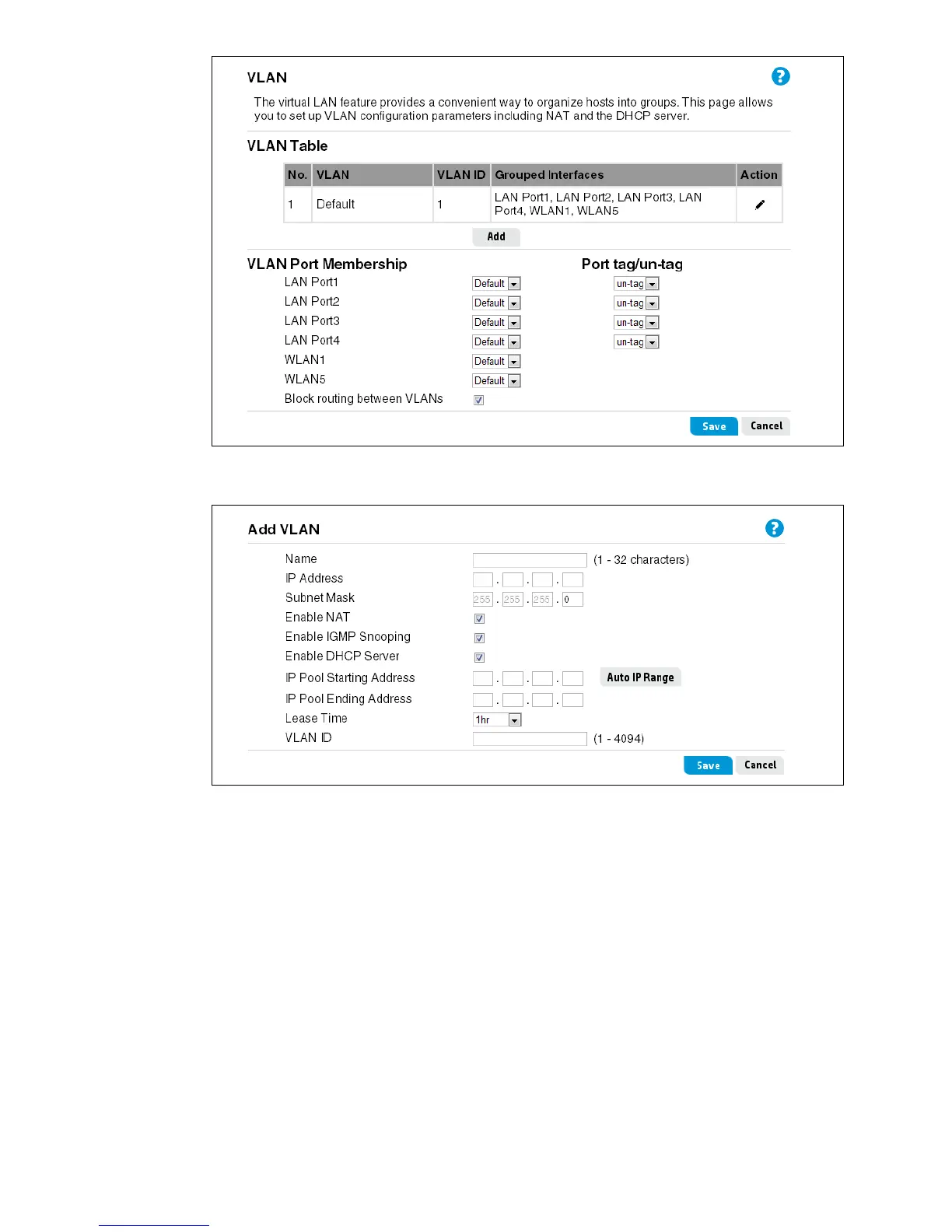
On the Add VLAN page, you can set the parameters to configure the behavior of VLANs.
This page includes the following settings:
Name
A text description of the VLAN. (Do not use characters ` " & ' # \)
IP Address
The IP address of the VLAN interface.
Subnet Mask
The subnet mask of the VLAN interface.
Enable NAT
Enables the NAT function for the VLAN interface.


 To Next Page