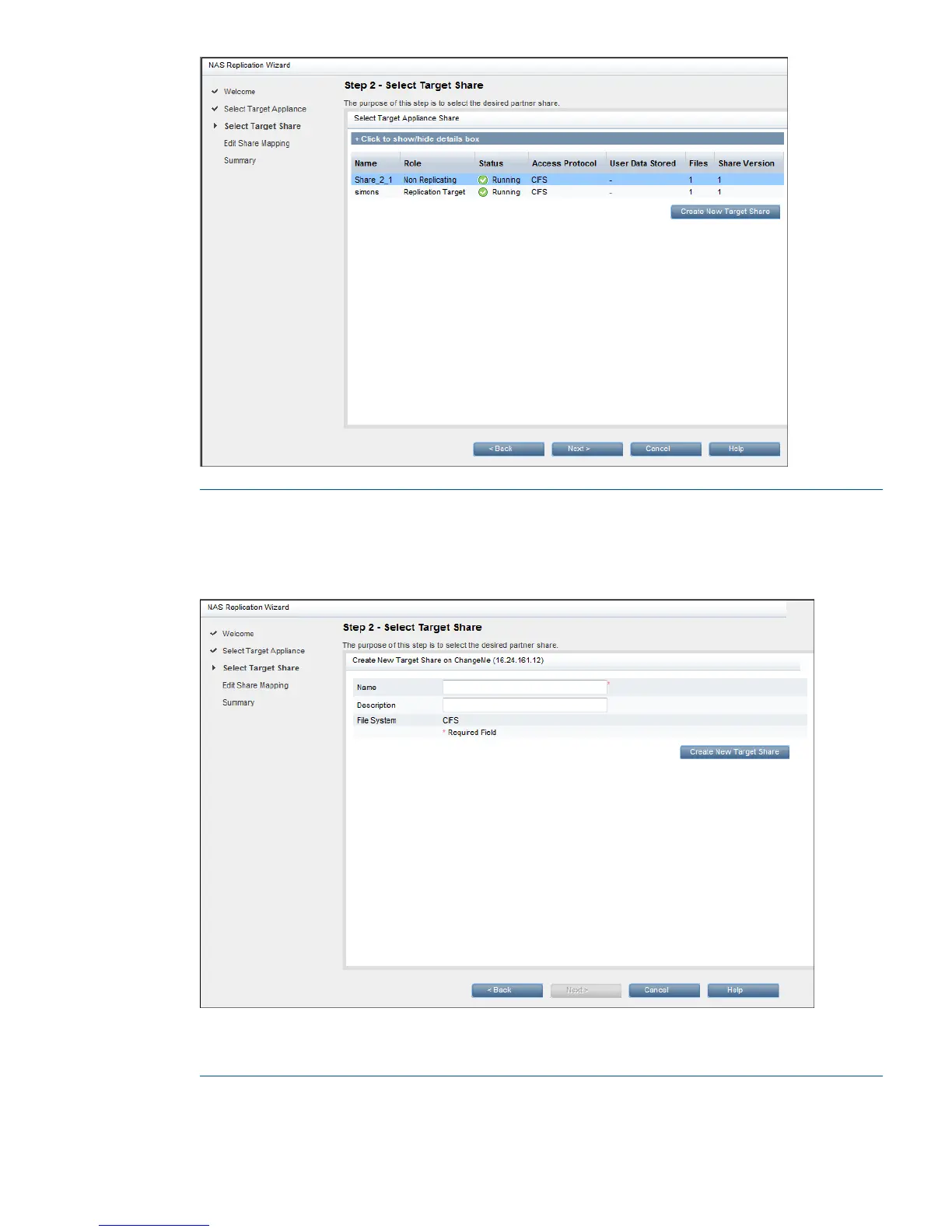
NOTE: If you need to create a new share on the target appliance, click Create New Target
Share. Set up the details as you would normally do when creating a new share. You cannot
create a new target share if the appliance to be used as the target has Replication Source
Permissions enabled.
When you create a new share, you are warned that it will take a few seconds for the new
share to come online. Click OK.
9. Give the Share Mapping a name and click Next.
NAS Mappings (Replication) 71



 To Next Page