13
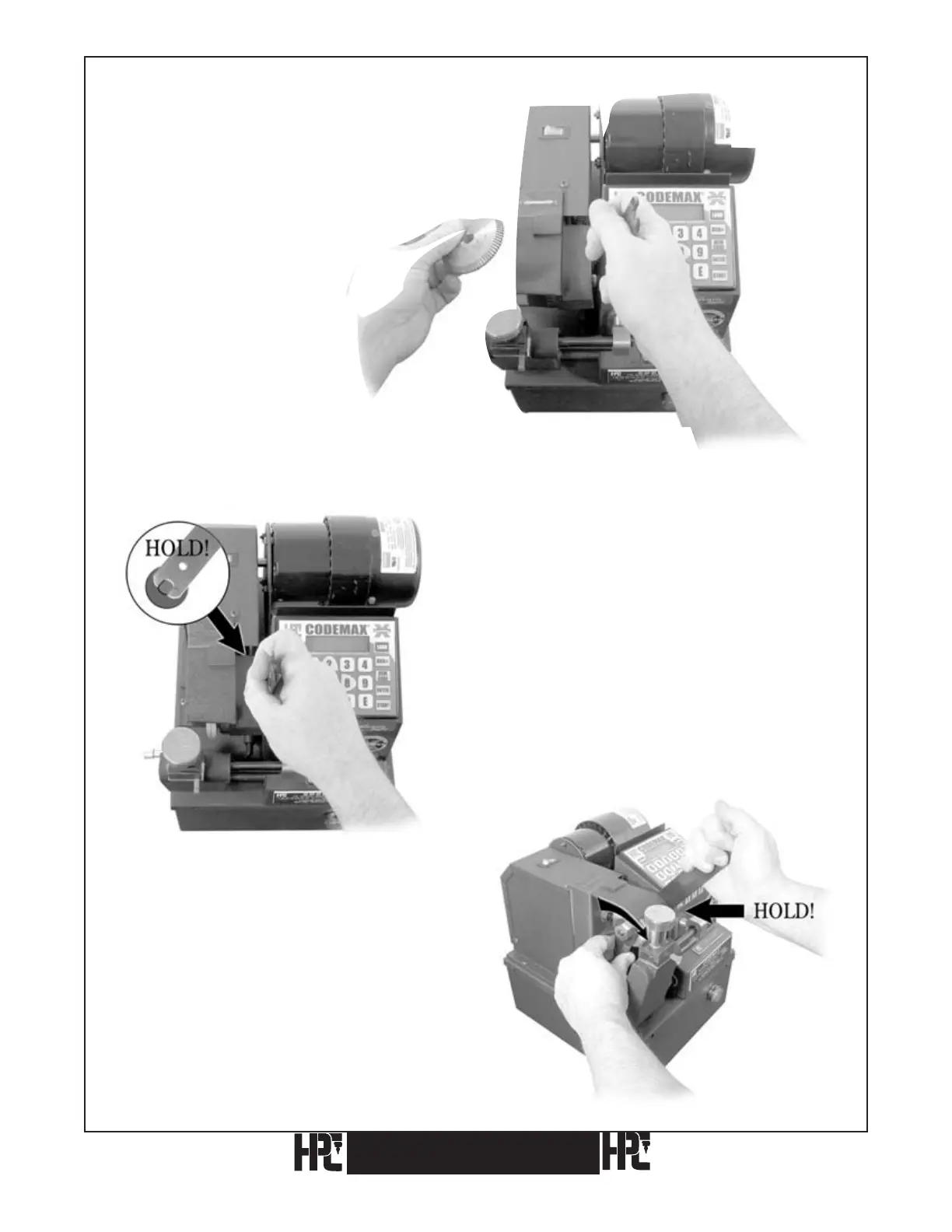
4) Remove the cutter. Slide the
replacement cutter onto the shaft.
IMPORTANT NOTE: Be sure the cutter is installed
for a clockwise rotation, with the arrow facing the outside, so it can be seen.
5) Hold the shaft with the 1/2 inch WRENCH-1.
6) Install the nut, turning
counterclockwise
onto the cutter shaft with the
3/4 inch wrench.
Do not overtighten the nut!
CodeMax
®
CodeMax
®


 To Next Page