59
5.3 Depth Adjustment
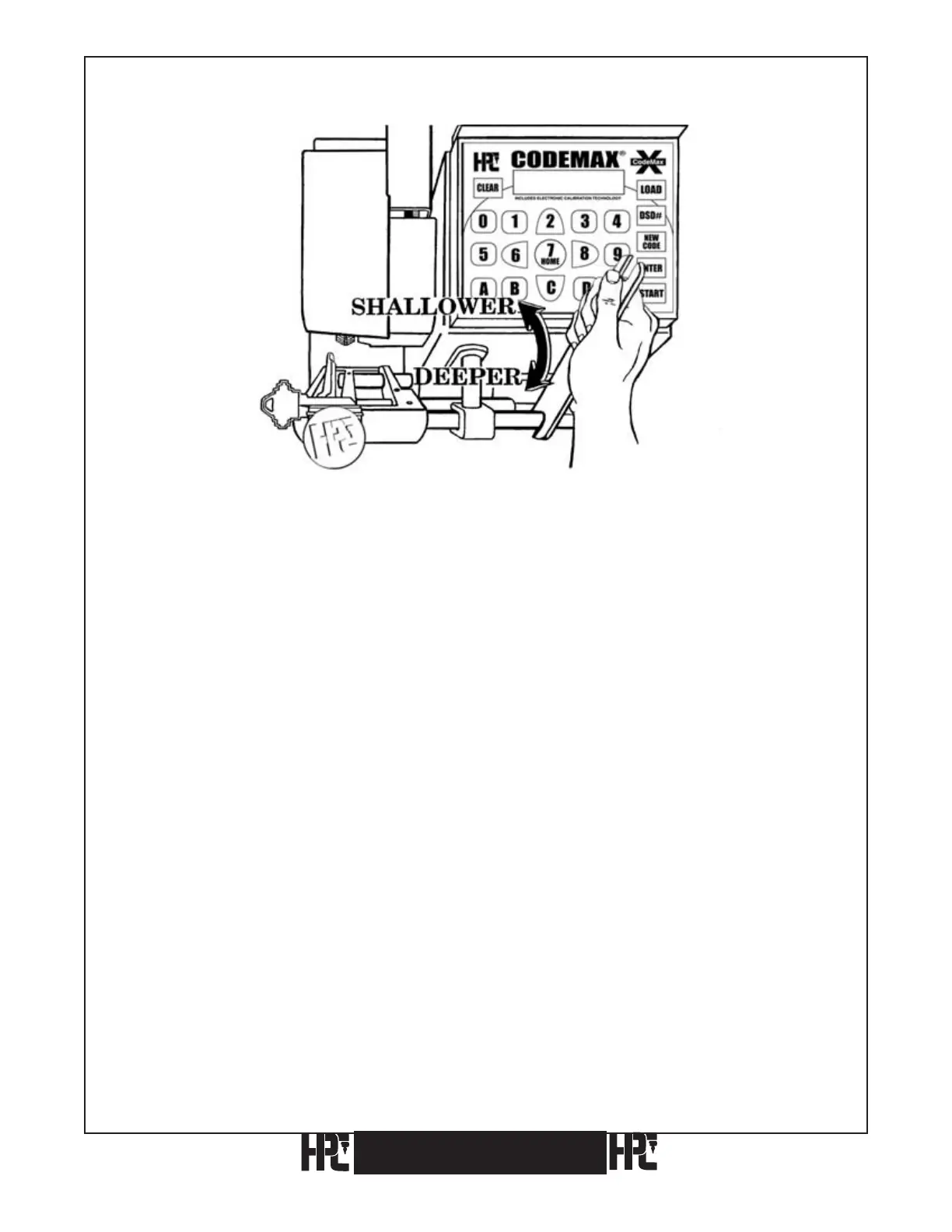
Fig. 1
The need to readjust depth is caused by cutter wear or cutter replacement It is easily
accomplished by rotating the eccentric shaft (CM-1041) with the 3/8 inch end of
WRENCH-1, turning towards you to cut deeper, and away from you to cut shallower. The
180 degree rotation allows depth adjustments of plus or minus .015 inch. Since the eccentric
shaft is made of drill rod, there is no need to loosen the two binding screws prior to rotating
it (see Fig. 1).
Tools Required: Key Micrometer or Caliper, Key Blanks, Correct Depth and Spacing Data,
WRENCH-1 (use 3/8 inch end for depth adjustment).
1) Install a key blank in the CodeMax
®
jaw.
2) Turn the CodeMax
®
on.
3) Select and enter the proper DSD number (e.g. 60 for Schlage Large Pin).
4) Enter the depths, press ENTER
to accept, and press START to begin the key cutting
operation.
5) After the key has been cut, use a micrometer or caliper to measure the depth cut and
compare it against the Depth and Spacing specifications chosen in step 3 above. If
the reading of the micrometer is the same as the Depth and Spacing specifications, the
machine is cutting correctly. If the cuts are higher or lower, adjust the Eccentric Shaft
as explained in the beginning of this section (see Fig. 1). When checking the calibration
on a key machine, it is very important to use the proper tools in order to maintain the
accuracy of the machine. A key micrometer or caliper is a small investment and is
highly recommended to acquire the greatest accuracy.
CodeMax
®
CodeMax
®


 To Next Page