Cutting Medeco Biaxial Keys
4.1.3. Use of the CodeMax
®
AA Automatic Angler
33
CodeMax
®
Medeco Biaxial keys utilize the Left, Right and Center angles and add the position of the angle:
“Fore” (the depth comes before the angle) or “Aft” (the depth comes after the angle). Medeco
designates the angles and positions as follows:
Medeco
®
Code Position & Angle
K Fore, Left
B Fore,Center
Q Fore, Right
M Aft, Left
D Aft, Center
S Aft, Right
On the standard model CodeMax
®
, use DSD Number 76.
The bitting screen will display 12 spaces to accommodate the position of the angle relative to the
depth on a 6-space key. This is accomplished by inserting a zero (0) (representing the position of
the angle) before the depth for an AFT cut or after the depth for a FORE cut. For example, a key
that reads:
D4 3B M5 D2 3K S2
aft fore aft aft fore aft
On the standard model CodeMax
®
it is entered as:
043005023002
The machine will pause at each position and prompt you to rotate the cutter head as needed.
On the Automatic Angler model, use DSD Number 3076.
The bitting screen will display 12 spaces to accommodate both the angle and the position.
The position is designated by the sequence it is input relative to the depth.
K
B
Q
M
D
S
Fore, Left
Fore, Center
Fore, Right
Aft, Left
Aft, Center
Aft, Right
Depth, then Left
Depth, then Center
Depth, then Right
Left, then Depth
Center, then Depth
Right, then Depth
Medeco
®
Code Position & Angle DSD 3076 Buttons
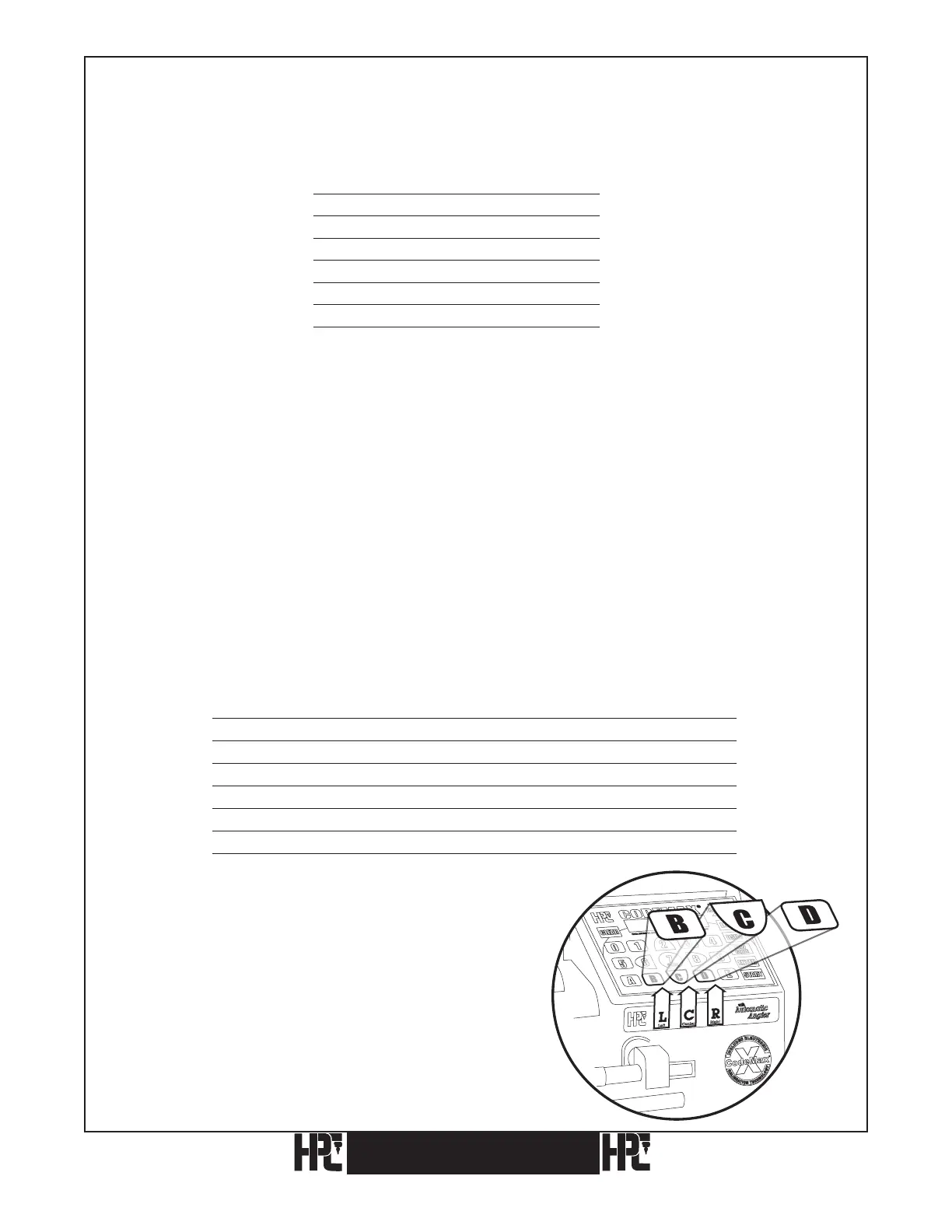
Use the “B” key for Left, the “C” key for Center
and the “D” key for Right.
To specify a 3-depth in the FORE position, with a
LEFT angle, enter the depth then the angle: 3L.
To specify a 5-depth, in the AFT position with a
RIGHT angle, enter the angle then the depth: R5.


 To Next Page