7. Remove the chassis cover .
8. Remove the front bezel.
9. Open the chassis .
10. Allow all internal system components to cool before continuing.
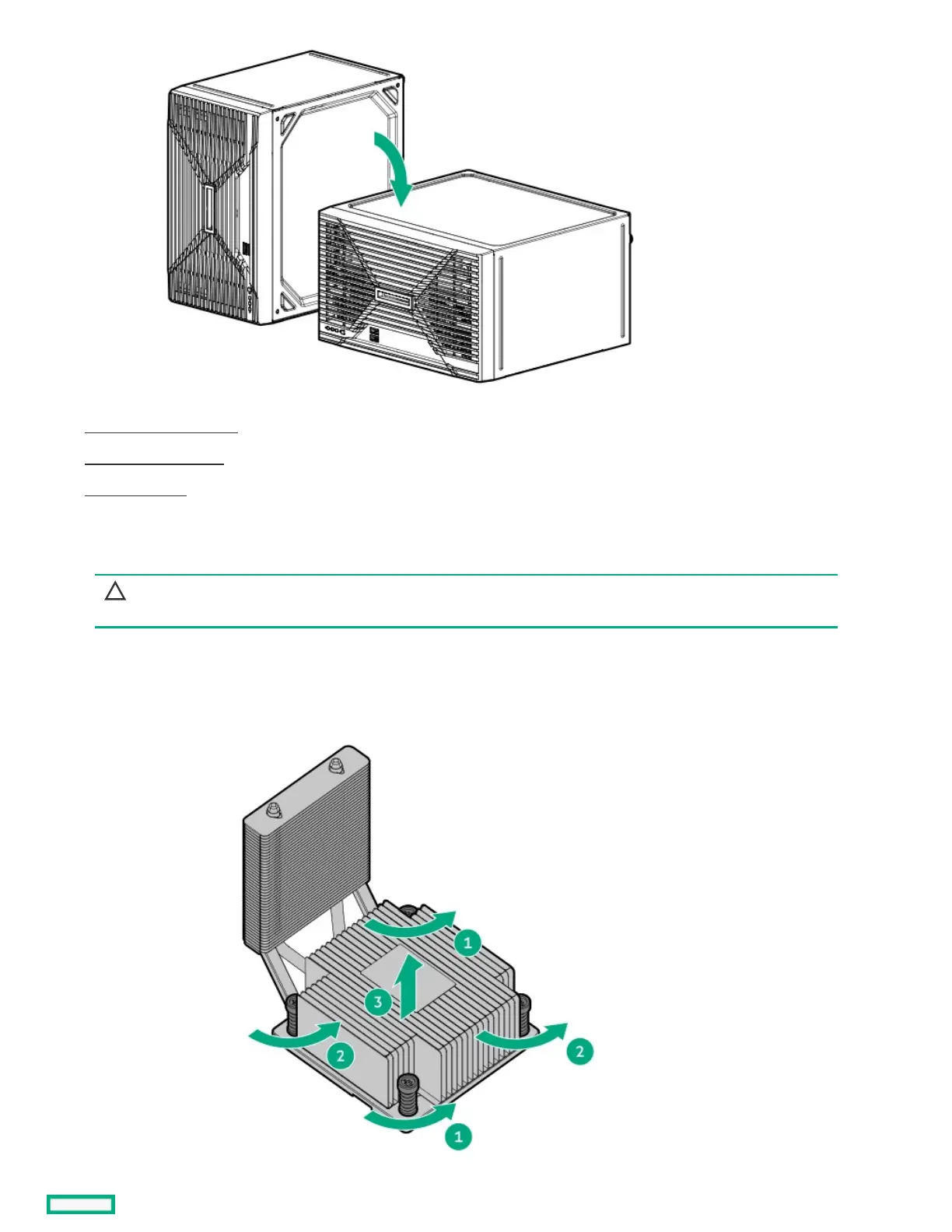
11. Remove the heatsink:
CAUTION:CAUTION: To prevent mechanical damage or depositing oil on your hands or other contaminants to the heatsink contact
surface, hold the heatsink only by the edge of its base plate. Do not touch the heatsink fins.
a. Loosen one pair of diagonally opposite screws halfway, then loosen the other pair of screws.
b. Completely loosen all screws in the same sequence.
c. Lift the heatsink away from the processor socket.













 To Next Page