d. Place the heatsink on a flat work surface with its contact side facing upward.
12. Use an alcohol wipe to remove the existing thermal grease from the heatsink.
Allow the alcohol to evaporate before continuing.
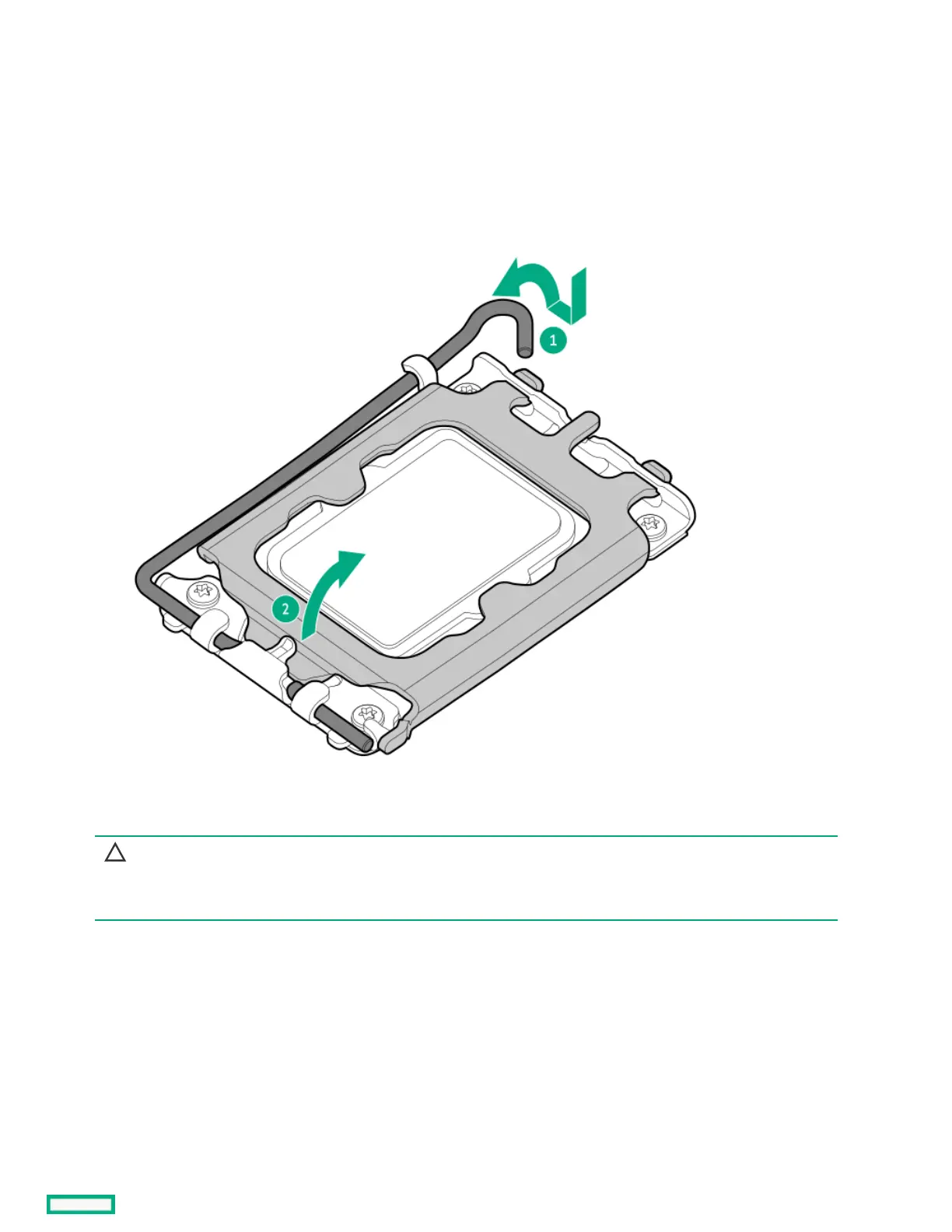
13. Open the processor load plate:
a. Push the hinge lever down to unclamp it, and then pivot it to the fully open position.
b. Open the processor load plate.
14. Do not touch the socket contacts or the bottom of the processor.
CAUTION:CAUTION:
THE PINS ON THE PROCESSOR SOCKET AND ON THE PROCESSOR ARE VERY FRAGILE AND EASILY DAMAGED.THE PINS ON THE PROCESSOR SOCKET AND ON THE PROCESSOR ARE VERY FRAGILE AND EASILY DAMAGED. Any
damage to them might require replacing the system board.













 To Next Page