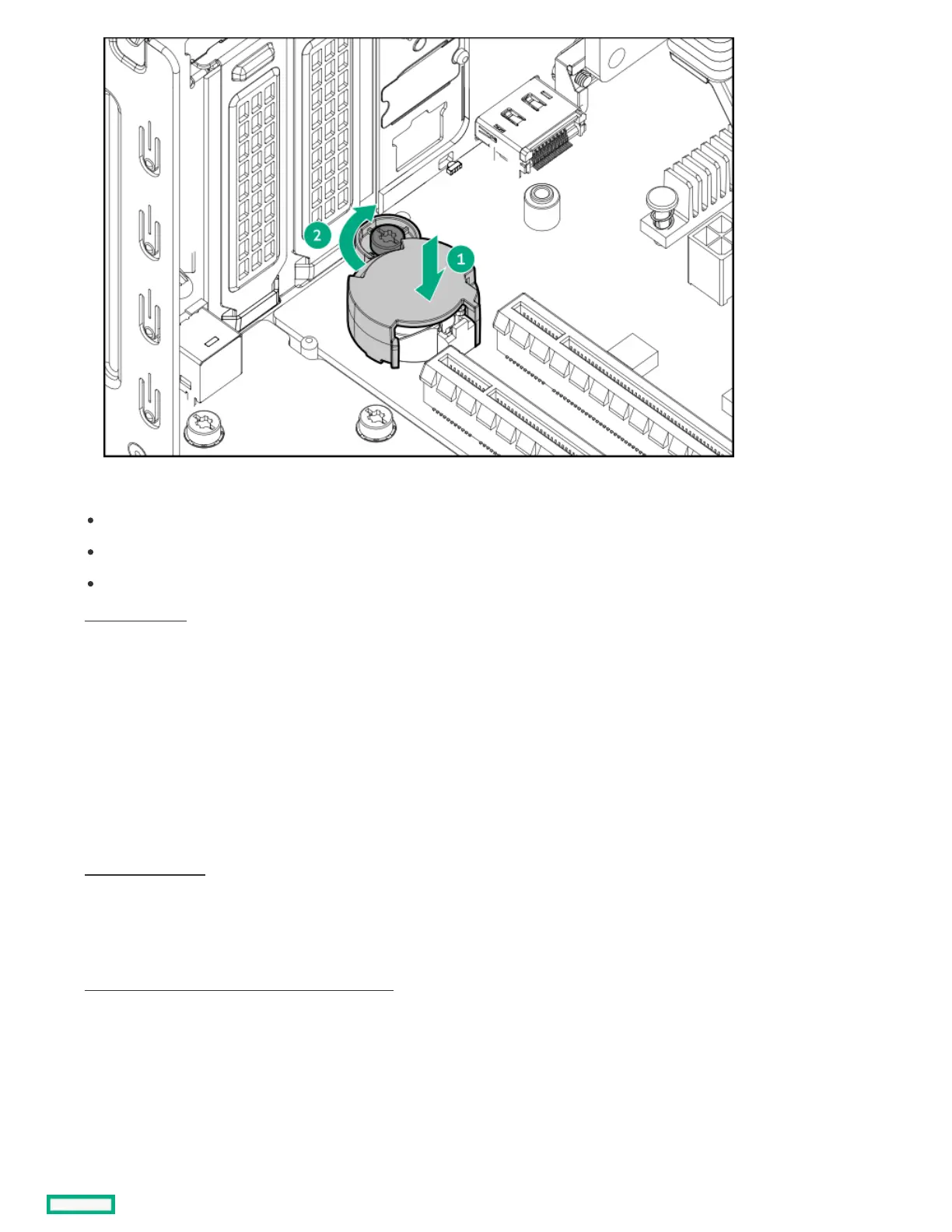
10. If removed, install the following components:
DIMMs
Expansion card
iLO-M.2-serial module
11. Close the chassis .
12. Install the front bezel.
13. Install the chassis cover.
14. If removed, install the security padlock and/or the Kensington security lock.
For more information, see the lock documentation.
15. Connect all peripheral cables to the server.
16. Connect the power adapter to the server, and then secure the power adapter cord in the power cord clamp.
17. Connect the power cord to the AC source.
18. Power up the server.
19. Make sure all firmware, including option cards and embedded devices, is updated to the same versions to ensure that the latest drivers
are being used.
20. Re-enter any Secure Boot keys that were previously added in the Secure Boot configuration.
21. Re-entering the server serial number and product ID .
ResultsResults
The procedure is complete.
Re-entering the server serial number and product IDRe-entering the server serial number and product ID













 To Next Page