- 35 -
This excerpt shows only the most important functions for this tool type. A complete guide
for the HST-Tool-Manager is available for you to download on our website.
Download the current version of the HST-Tool-Manager in the downloads area on the
HS-Technik website .
NOTE
Always use the most current version of the HST-Tool-Manager from the
website. The HST-Tool-Manager is backward compatible, i.e. it can also read
and process older tool versions. If an update of your tool is necessary the HST-
Tool-Manager will inform you.
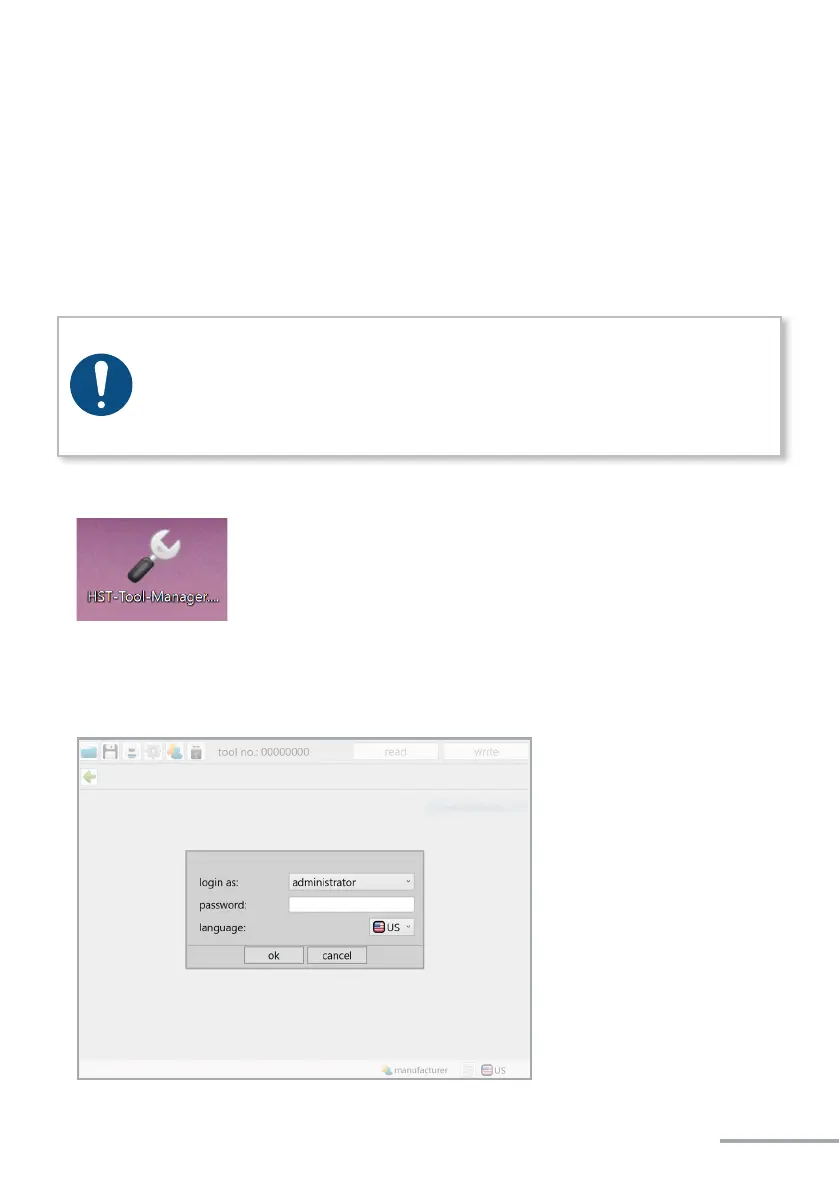
1. Start the HST-Tool-Manager by double clicking the HST-Tool-Manager icon:
2. Log-in with the required User, a list of the passwords can be requested from HS-Technik
(support@hs-technik.com).


 To Next Page