- 39 -
„energy saving“ The energy saving opons can be acvated or deacvated with the
check-box.
„display shut o aer“ Time in seconds without acon aer which the OLED display of the tool
will switch o and the screen saver will acvate.
Default value: 600 seconds (10 minutes)
„tool shut o aer“ Time in seconds without acon aer which the tool turns o. Default
value: 1,800 seconds (30 minutes)
„LED lighng“ The LED lighng can be acvated or deacvated with the check-box.
„aerglow“ The amount of me the LED lighng connues to glow aer compleon
of the work process.
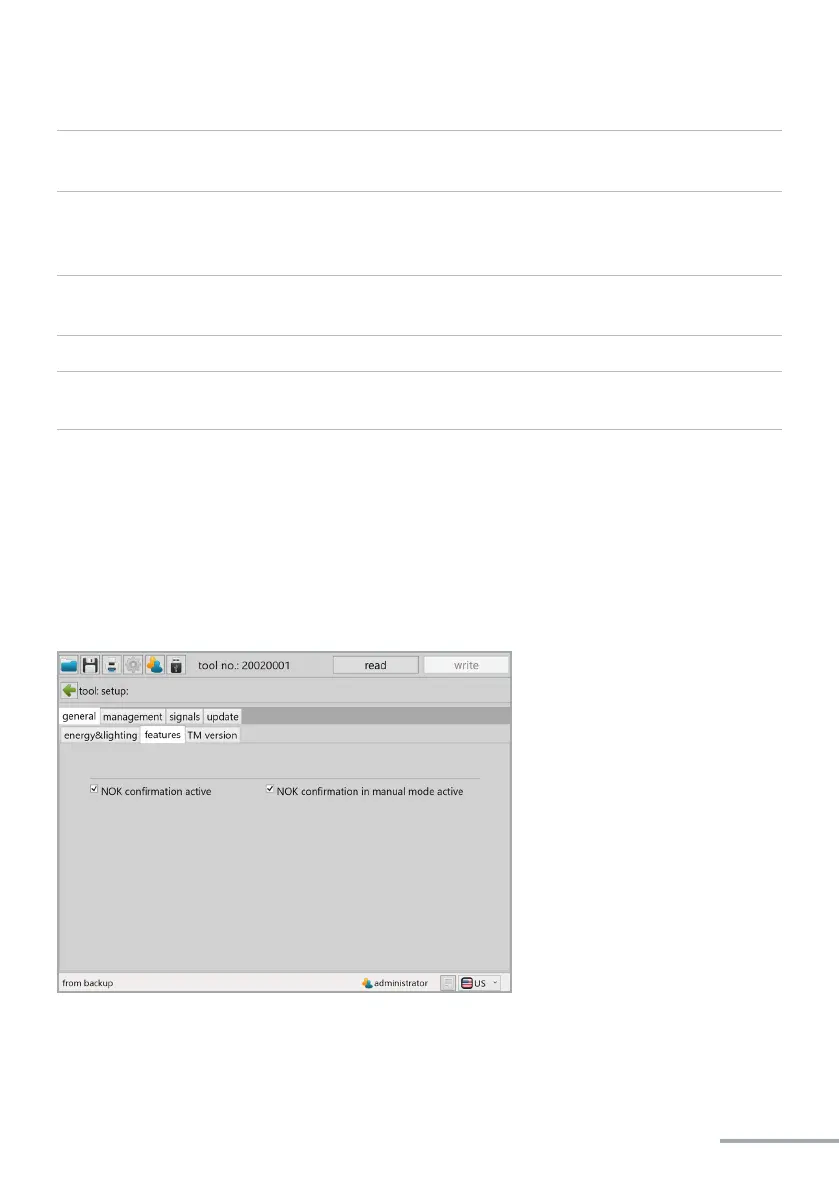
The NOK confirmation can be activated and deactivated in the features tab using the
yellow display button.
If the check-box is selected the NOK confirmation function is active (default).


 To Next Page