- 28 -
Depending on the thread size and the material of the blind rivet nut and blind rivet screw,
the stroke or level of force must be adjusted.
In order to change the set stroke and set force of the tool proceed as follows:
1. Remove the baery
2. Reaach the baery
3. Tool starts up and requests that the start buon be actuated.
4. Press the start buon and the tool will move into the inial posion.
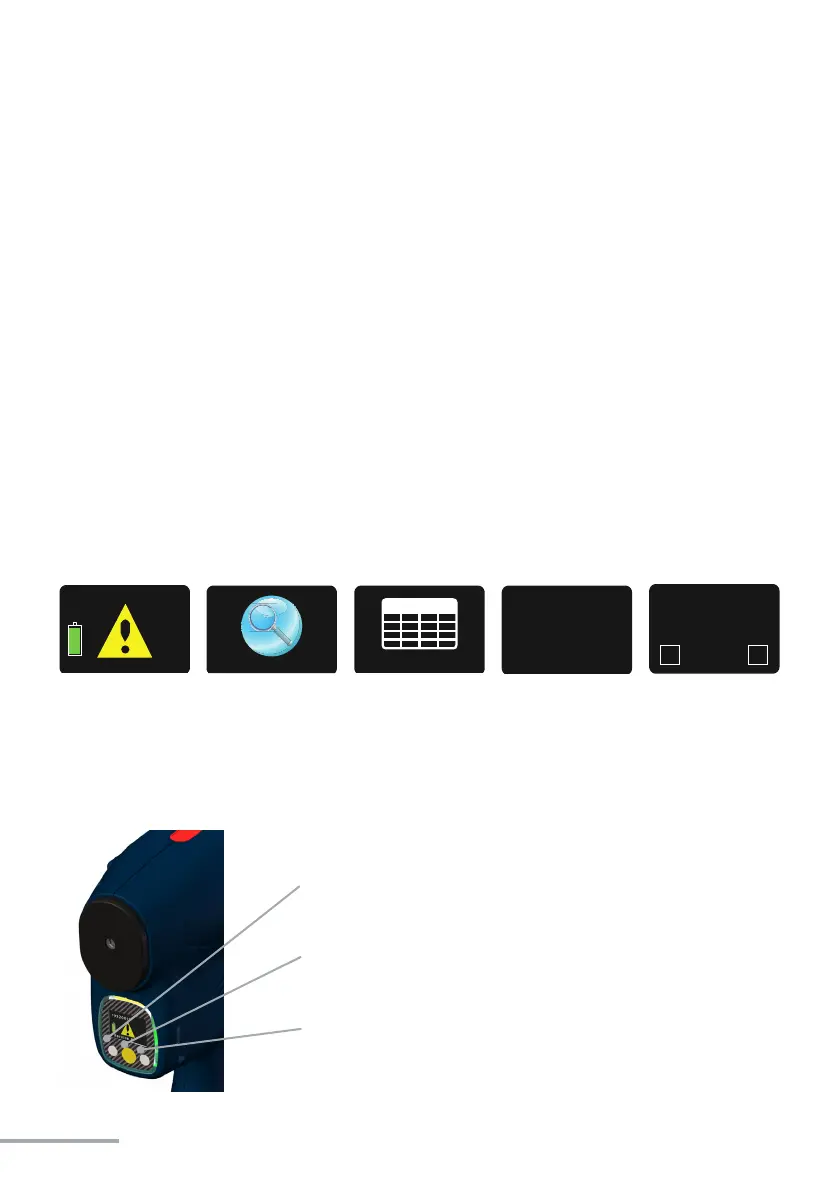
5. Press the yellow buon on the display and keep it down unl the display reads „Setup“.
6. Press the yellow buon again unl „TAB“ appears on the display.
7. Conrm with the start buon; the display now show the current stroke-force seng.
8. Change the seng using the two white display buons, le: down/weaker right: up/
stronger.
9. Select the seng by pressing the start buon and either conrm using the le white
display buon (green check mark) or cancel using the right white display buon (red
cross).
On page 29 you will nd a table which you can use to determine the set stroke in mm for
NBLS-21 for each programme.
On page 30 you will nd a table which you can use to determine the set force in kN for
NBLF-25 for each programme.
The set stroke or set force is lowered using the le
buon.
Menu acvaon
See chapter 4.2.5 on page 24
The set stroke or set force is increased using the right
buon.
19320011
Setup
TAB
15,5
mm
15.50
15,5
mm
15.50
mm


 To Next Page