THT45 - THT45W - THT46
5.2 GENERAL MENU DESCRIPTION
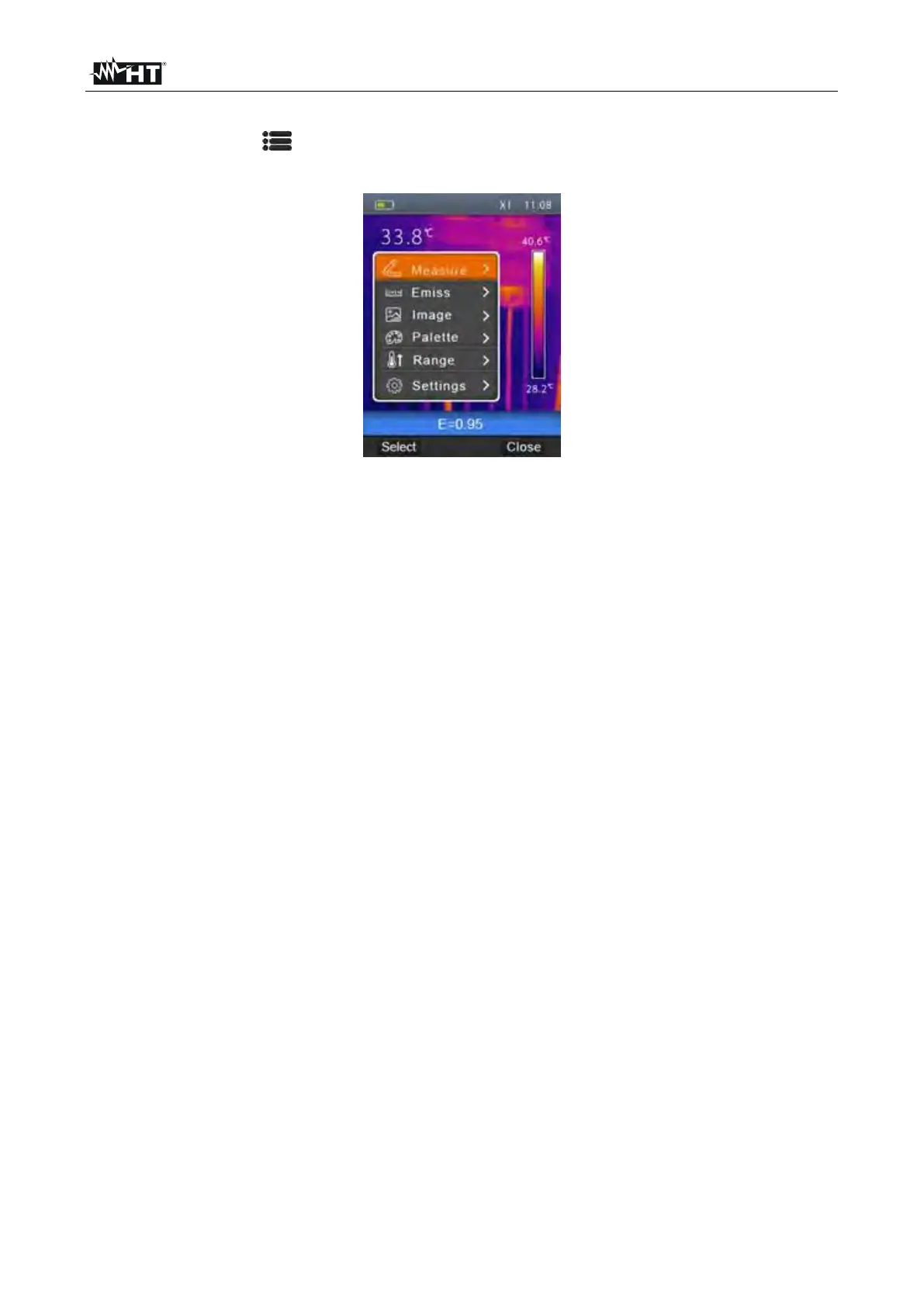
By pressing the key , the instrument shows the following general menu, which allows
accessing the internal functions:
Fig. 7: Instrument general menu
Measure menu defines the selection of the cursors which can be used while measuring
(max 3 cursors)
Emiss menu defines the setting of the emissivity of the object, the reflected
temperature and the parameter of Screening function
Image menu defines the display modes of the image
Palette menu defines the selection of the type of palette which can be used on the
instrument
Range menu defines the instrument's measuring range of temperature and the
activation/deactivation of the Screening function (see §
Settings menu allows setting system parameters.


 To Next Page