THT45 - THT45W - THT46
5.2.1 Settings Menu
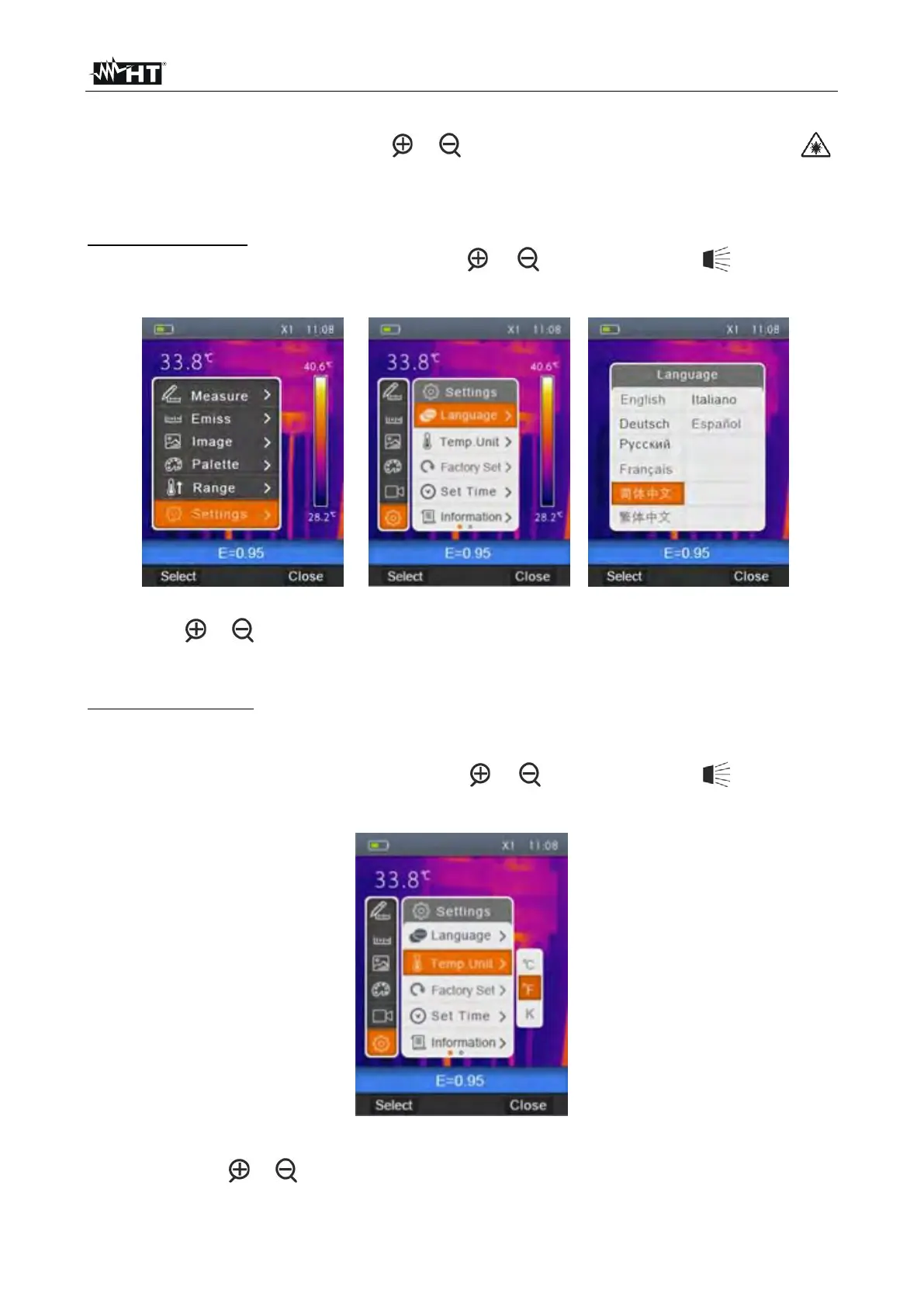
By selecting “Settings” with the keys or and pressing the “Select” key or the key ,
the instrument enters the submenu in which you can define the values of system
parameters.
“Language” section
1. Select the item “Language” with the keys or and press the key . The screen
Fig. 8 – Right side is shown on the display.
Fig. 8: System language setting
2. Use the or keys to select the desired language among the ones available.
3. Press the key “Select” to confirm or “Close” to exit without saving.
Section “Temp Unit”
In this section it is possible to define the temperature measuring unit used by the
instrument.
1. Select the item “Temp Unit” with the keys or and press the key . The screen
Fig. 9 is shown on the display.
Fig. 9: Setting the temperature measuring unit
2. Use the keys or to select the measuring unit among the options; °C, °F or °K
3. Press the key “Select” to confirm or “Close” to exit without saving.


 To Next Page