THT45 - THT45W - THT46
7 USING THE THTLINK SOFTWARE
The software “THTLink” can be used to analyse the images saved on the micro SD card
inserted in the instrument.
7.1 MINIMUM SYSTEM REQUIREMENTS
Hardware: Pentium IV
RAM memory: 512MB
Output interface: USB ports or SD card reader
CD-ROM reader: present
Screen resolution: 800x600
Operating system: Windows XP o higher
Software applications: Microsoft .Net Framework 2.0 or higher
7.2 INSTALLING THE THTLINK SOFTWARE
1. Insert the installation CD-ROM into the reader of the PC.
2. Launch the file “THTLink.exe” found inside the CD-ROM and follow the guided
installation procedure
7.3 MAIN CHARACTERISTICS OF THE THTLINK SOFTWARE
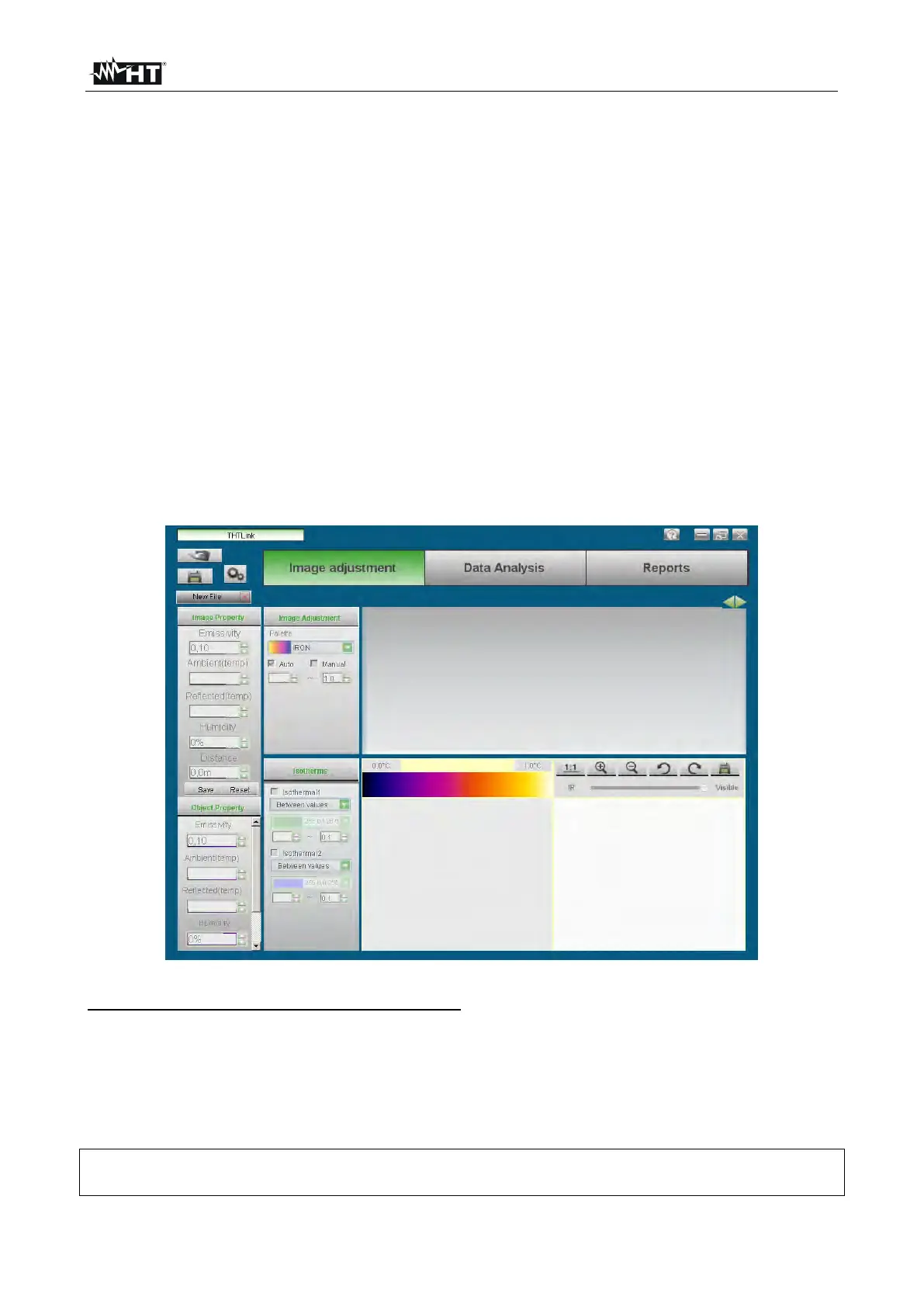
With launched program, the PC shows the following initial screen:
Fig. 47: Starting screen of the THTLink software
Main characteristics of the THTLink software:
Display of IR and visual images
Insertion of advanced analysis tools (points, lines, areas, isotherm lines)
Realization of graphs from IR images
Realization of print reports in RTF and PDF format
Playback of the voice annotations saved on the images
For information about the use of THTLink, please refer to the Help on line of the
software itself


 To Next Page