After selecting
“ ”
(unit), press the
“ ”
button in the navigation
key to enter the temperature unit setting. Can be set to Celsius or
Fahrenheit.
After selecting
“ ”
(language), press the
“ ”
button in the
navigation key to enter the language setting.
Available in 4 languages: English, Chinese, Italian, German.
6.1. Auto shutdown setting
6.2. Intensity settings
6.7. Time setting
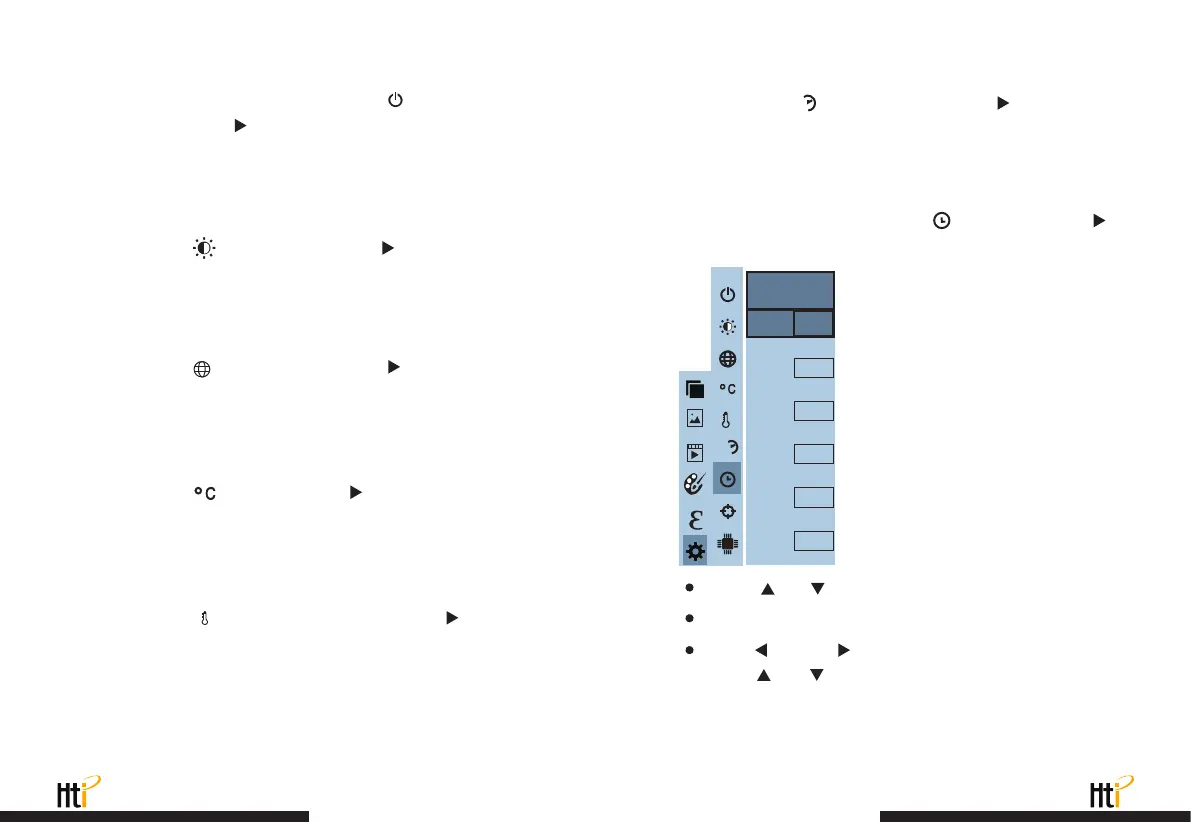
Press
“ ”
/
“ ”
to select year/month/day/hour/minute.
After selecting, press “ SELECT ” key to enter the edit state.
Press
“ ”
and
“ ”
keys to select the figure to be changed.
Press
“ ”
/
“ ”
key to change the value. After completing the
change, press “ ENTER ” to enter.
After entering the "Settings" sub-menu, select
“ ”
(auto shutdown),
press navigationThe
“ ”
button in the button enters the auto power
off setting. Can be set to not automatically shut down or 5 points The
clock is turned off or turned off in 20 minutes.
As shown in the figure, after selecting
“ ”
(set time), press
“ ”
in the navigation key to enter the setting time.
After selecting
“ ”
(intensity), press the
“ ”
button in the
navigation key to enter the brightness setting. Can be set to low or
medium or bright.
6.3. Language settings
6.4. Unit setting
www.xintest.com.cn
31
www.xintest.com.cn
32
After selecting
“ ”
(temperature range), press the
“ ”
key in the
navigation keys to enter the temperature range setting. Can be set to low
temperature (-20°C to 120°C) or high temperature (120°C to 550°C).
6.5. Tempertature range setting
After you select
“ ”
(time format), press the
“ ”
key in the
navigation key to enter the time format setting. Can be set to 24 hours
or 12 hours.
6.6. Time format setting
24h
Year
Month
Day
Hour
Minute
2020
10
26
03
10
Second
54
Set time
L
M
24h
L
M



 To Next Page