Step 4 Select I accept the terms in the License Agreement and click Next.
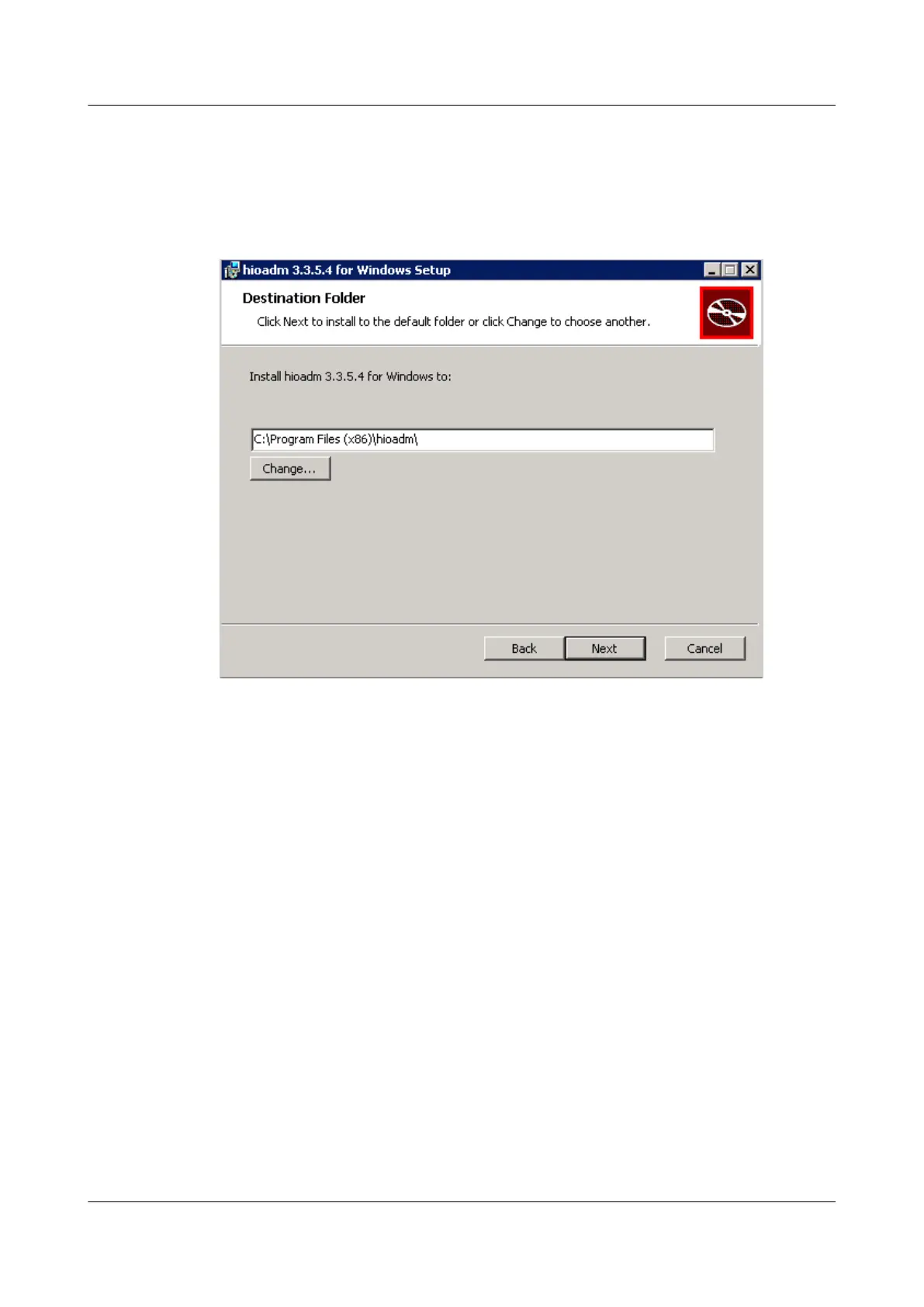
The Destination Folder window is displayed, as shown in Figure 3-22.
Figure 3-22 Destination Folder window
Step 5 Select a folder for installing the tool and click Next.
The Ready to install window is displayed, as shown in Figure 3-23.
ES3000 V3 NVMe PCIe SSD
User Guide
3 Installation and Configuration
Issue 20 (2019-02-27) Copyright © Huawei Technologies Co., Ltd. 46



 To Next Page