SUN2000-4.95KTL-JPL0
User Manual
Copyright © Huawei Technologies Co., Ltd.
Procedure
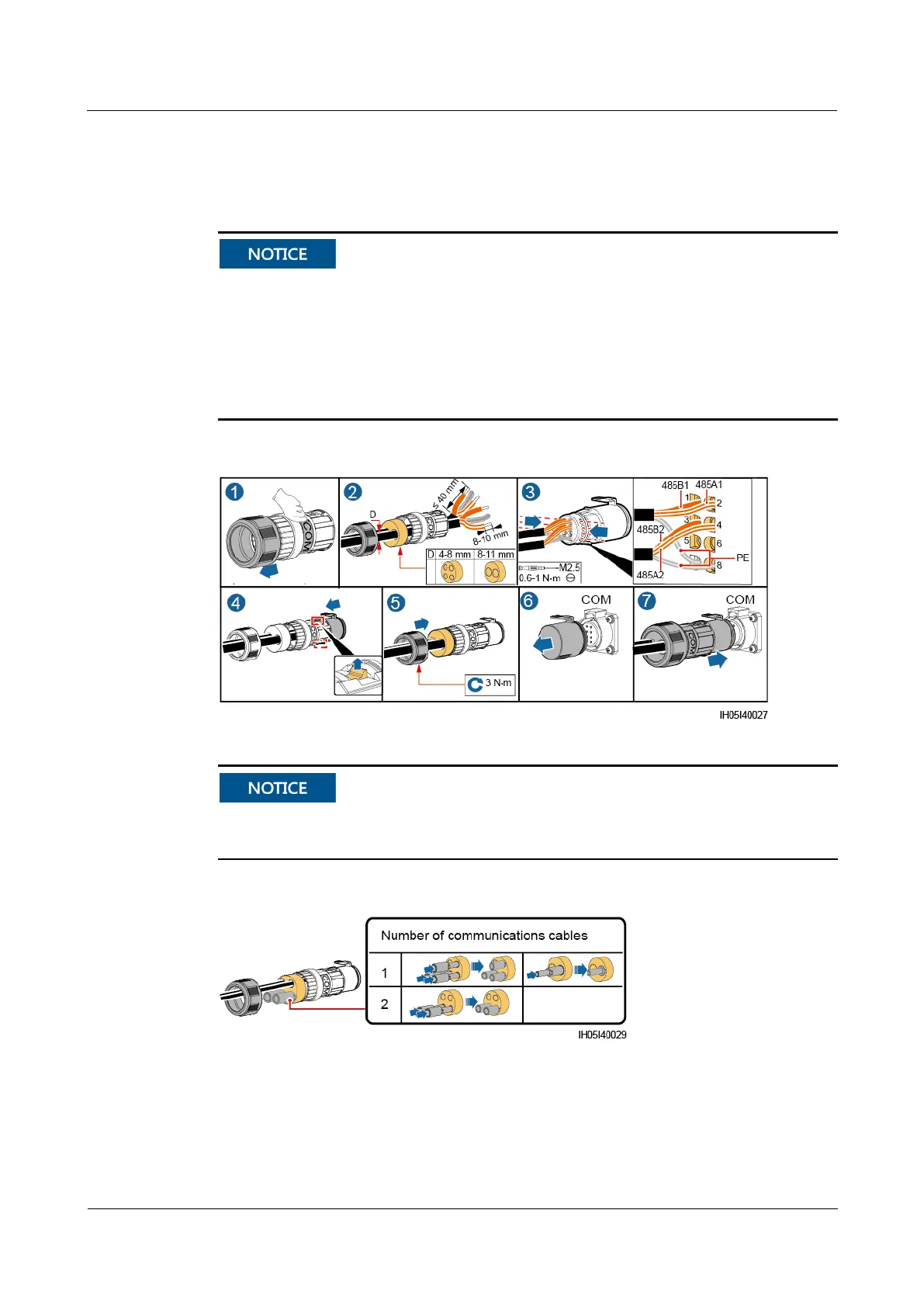
Step 1 Connect the signal cable to the signal connector.
Ensure that the protection layer of the cable is in the connector. Surplus core is cut off
from the protection layer.
Ensure that the exposed core is totally inserted into the cable hole.
Ensure that the signal cable is connected securely.
Ensure that the cable is not twisted.
Ensure that the signal connector is connected securely.
Figure 5-14 Connecting RS485 communications cables (4–8 mm four-hole rubber plug)
Block unused cable holes using plugs and tighten cable glands.
If two signal cables are required, ensure that they have the same outer diameter.
Figure 5-15 Blocking a cable hole (4–8 mm four-hole rubber plug)










 To Next Page