EasyManua.ls Logo

Huawei SUN 2000 Series - User Manual

Huawei SUN 2000 Series
65 pages
Print Icon
To Next Page IconTo Next Page
Loading...
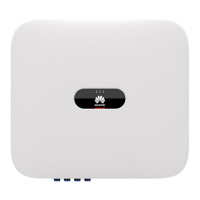
SUN2000-4.95KTL-JPL0
User Manual
Issue
03
Date
2020-06-03
HUAWEI TECHNOLOGIES CO., LTD.

Questions and Answers

  • J
    Juan SchmidtAug 21, 2025
    How to fix Upgrade Failed or Version Mismatch on Huawei Inverter?
    • B
      Brian BrownAug 21, 2025
      If your Huawei Inverter displays 'Upgrade Failed or Version Mismatch', it indicates that the upgrade process did not complete successfully. You can try performing the upgrade again. If the upgrade fails repeatedly, contact your dealer or Huawei technical support for assistance.
  • J
    Jose GarzaSep 3, 2025
    What to do if Huawei Inverter shows String Reverse Connection?
    • H
      Haley CollierSep 3, 2025
      If your Huawei Inverter is showing a 'String Reverse Connection' error, it means the PV string is connected with reversed polarity. To resolve this, wait for the PV string current to drop below 0.5 A, then set the DC SWITCH to OFF, and correct the PV string polarity.
  • C
    christopherolsonSep 1, 2025
    What does Grid Underfrequency mean on a Huawei Inverter?
    • J
      Jeffrey ObrienSep 2, 2025
      If you see a 'Grid Underfrequency' error on your Huawei Inverter, it means the power grid frequency is lower than the standard requirement. If it happens occasionally, it could be a temporary grid issue, and the inverter should recover automatically. If the alarm occurs frequently, check if the power grid frequency is within the acceptable range. If it's not, contact your local power operator. If the frequency is fine, you might need to adjust the underfrequency protection threshold using the SmartLogger or NMS, but only with the consent of the local power operator.
  • K
    Karen WrightAug 31, 2025
    Why is my Huawei SUN 2000 showing a Grid Overfrequency error?
    • A
      Angela ShawAug 31, 2025
      If your Huawei Inverter reports 'Grid Overfrequency', it indicates that the power grid frequency is higher than the standard requirement. If this occurs occasionally, it might be a temporary grid issue, and the inverter should recover automatically. However, if the alarm is frequent, check whether the grid frequency is within the acceptable range. If it's not, contact your local power operator. If the frequency is within range, you may need to adjust the overfrequency protection threshold using SmartLogger or NMS, with the consent of the power operator.
  • D
    Dustin IngramAug 29, 2025
    What causes Output Overcurrent in Huawei SUN 2000?
    • N
      Nicholas BrooksAug 29, 2025
      If the Huawei Inverter displays 'Output Overcurrent', it's likely due to a sudden drop in grid voltage or a short circuit, causing the inverter's output current to exceed the limit. The inverter will try to correct this automatically. If the alarm occurs frequently, check for a short circuit in the output. If the problem persists, contact your dealer or Huawei technical support.
  • T
    Thomas ReedAug 27, 2025
    How to fix High String Input Voltage on Huawei Inverter?
    • R
      Richard MedinaAug 28, 2025
      If your Huawei Inverter is showing 'High String Input Voltage', it means the PV array configuration is incorrect. Too many PV modules are connected in series, causing the open-circuit voltage to exceed the inverter's maximum input voltage. To fix this, you should reduce the number of PV modules connected in series until the PV string's open-circuit voltage is within the acceptable range. After correcting the PV array configuration, the alarm should disappear.
  • M
    Mr. Marcus ThompsonAug 27, 2025
    What does Grid Undervoltage mean on a Huawei Inverter?
    • S
      Stephanie BowmanAug 27, 2025
      If your Huawei Inverter shows a 'Grid Undervoltage' alarm, it means the grid voltage is too low. This can happen if the voltage falls below the lower threshold, or if low voltage persists longer than specified. If the alarm is occasional, it might be a temporary grid issue, and the inverter should recover automatically. If it happens frequently, check if the grid voltage is within the normal range and contact your local power operator if it's not. If the voltage is normal, you might need to adjust the grid undervoltage protection threshold via the SmartLogger or NMS, with the power operator's consent. Also, check the connection between the AC switch and the output power cable if the problem continues.
  • H
    Heather CampbellAug 25, 2025
    Why is my Huawei SUN 2000 showing a Grid Overvoltage error?
    • G
      gjonesAug 25, 2025
      A 'Grid Overvoltage' error on your Huawei Inverter indicates that the grid voltage is too high. This could be because the voltage exceeds the upper threshold or has remained high for longer than the permitted duration. First, verify if the grid connection voltage is within the acceptable range. If it's consistently too high, contact your local power operator. If you have permission from the power operator, you can adjust the overvoltage protection threshold. Also, check for peak grid voltage exceeding limits.
  • T
    Thomas RogersAug 23, 2025
    What to do if my Huawei Inverter reports a Grid Loss?
    • S
      Stacey ThomasAug 23, 2025
      If the Huawei Inverter displays a 'Grid Loss' error, it means there's likely a problem with the power grid. The cause may be a power outage, a disconnected AC circuit, or a disabled AC switch. To troubleshoot, first, check the AC voltage. Then, verify that the AC circuit is properly connected and the AC switch is turned on.

Summary

About This Document

Purpose

Describes the document's scope and objective.

Intended Audience

Identifies the target readers for this manual.

Symbol Conventions

Explains the meaning of various safety symbols used.

Change History

Issue 03 (2020-06-03)

Details the changes introduced in the current document issue.

Issue 02 (2020-02-06)

Lists modifications made in the previous document version.

Issue 01 (2019-11-01)

Notes the initial release for first office application.

1 Safety Information

1.1 General Safety

Covers fundamental safety precautions and general requirements for operation.

1.2 Personnel Requirements

Specifies the necessary qualifications and training for personnel.

1.3 Electrical Safety

Details critical safety measures for grounding and power connections.

1.4 Installation Environment Requirements

Outlines the conditions for a safe and effective installation environment.

1.5 Mechanical Safety

Addresses safety procedures related to physical handling and tools.

1.6 Commissioning

Notes on initial parameter setup for safe operation.

1.7 Maintenance and Replacement

Safety guidelines for performing maintenance and replacing components.

2 Product Overview

2.1 Overview

Provides a general introduction to the solar inverter's function and purpose.

2.2 Appearance

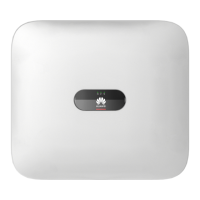
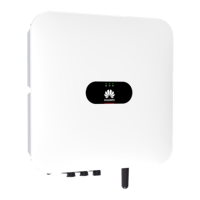
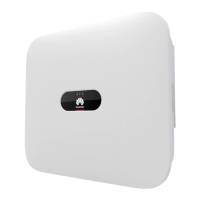
Describes the physical design, components, and indicators of the inverter.

2.3 Label Description

Explains the meaning and importance of various labels on the device.

2.4 Working Principle

Details the operational schematic and working modes of the inverter.

3 Storage

Storage

Specifies the conditions and procedures for storing the solar inverter.

4 Installation

4.1 Checking Before Installation

Procedures for verifying packaging and contents before installation.

4.2 Tools and Instruments

Lists all necessary tools, instruments, and personal protective equipment.

4.3 Determining the Installation Position

Covers basic requirements and considerations for selecting the installation site.

4.4 Installing the Mounting Bracket

Step-by-step guide for securely mounting the bracket.

4.5 Installing a Solar Inverter

Instructions for physically attaching the solar inverter to the mounting bracket.

5 Electrical Connections

Precautions

General safety warnings and guidelines before making electrical connections.

5.1 Preparing Cables

Details the types, specifications, and preparation of necessary cables.

5.2 Connecting a PE Cable

Instructions for establishing the protective earth (PE) connection.

5.3 Connecting an AC Output Power Cable

Procedure for connecting the AC power output cable.

5.4 Installing DC Input Power Cables

Steps for connecting the DC input power cables from PV strings.

5.5 Connecting a Signal Cable

Guide for connecting communication cables for monitoring and control.

6 System Commissioning

6.1 Checking Before Power-On

A checklist of items to verify before initial system power-up.

6.2 Powering On the System

Step-by-step instructions for starting the solar inverter system.

6.3 Powering Off the System

Procedure for safely shutting down the solar inverter system.

7 System Maintenance

7.1 Routine Maintenance

Outlines the schedule and methods for regular system upkeep.

7.2 Troubleshooting

Provides solutions for common alarms and system issues.

8 Handling a Solar Inverter

8.1 Removing a Solar Inverter

Steps for safely uninstalling the inverter from its mounting.

8.2 Packing a Solar Inverter

Instructions on how to properly pack the inverter for transport or storage.

8.3 Disposing of a Solar Inverter

Guidelines for environmentally responsible disposal of the equipment.

A Technical Specifications

Efficiency

Details the efficiency ratings of the solar inverter.

Input

Specifies the electrical input parameters and ranges.

Output

Details the electrical output parameters and ratings.

Protection

Lists the various protection mechanisms integrated into the inverter.

Communication

Describes the communication interfaces and capabilities.

Common Parameters

Summarizes general physical and environmental specifications.

B Grid Code

Grid codes

Lists and describes the grid codes supported by the inverter.

C Restoring the Factory Defaults of a Solar Inverter

Parameters that cannot be restored to factory defaults by changing the grid code

Identifies parameters requiring manual reset after factory default restoration.

D Acronyms and Abbreviations

Acronyms and Abbreviations

Provides a glossary of technical terms and abbreviations used in the manual.

Huawei SUN 2000 Series Specifications

General IconGeneral
TypeString Inverter
TopologyTransformerless
Cooling MethodNatural convection
Rated Output Power3-10 kW
MPPT2
CommunicationRS485
Output Power3-10 kW
Output Voltage230 V
Output Frequency50 Hz / 60 Hz
MPPT Trackers2
Operating Temperature-25 °C ~ +60 °C

Related product manuals