Huawei Proprietary and Confidential
Copyright © Huawei Technologies Co., Ltd.
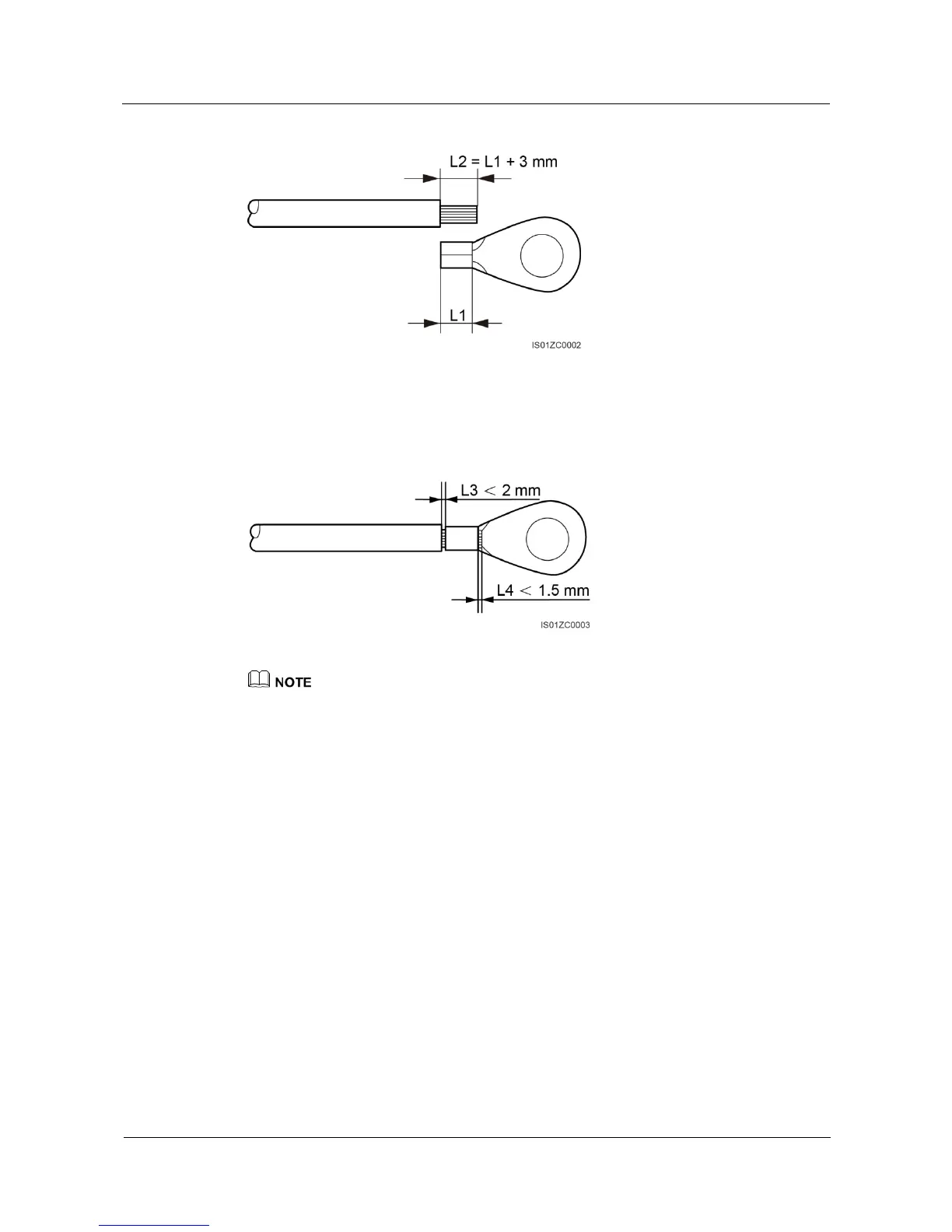
Figure 5-3 Stripped length
Step 2 Insert the exposed core wires into the crimping area of the OT terminal and crimp them using
hydraulic pliers, as shown in Figure 5-4.
Figure 5-4 Crimping a cable
The cavity formed after the conductor crimp strip is crimped must wrap the core wires completely. The
core wires must contact the terminal closely.
Step 3 Remove the ground screws from the ground points.
Step 4 Secure the ground cable using the ground screw and tighten the screw to a torque of 5 N•m
using a security torx wrench.





 To Next Page