EasyManua.ls Logo

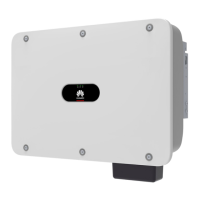
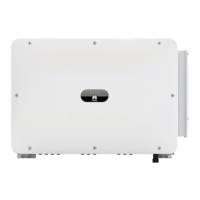
Huawei SUN2000-50KTL-JPM0 - User Manual

Huawei SUN2000-50KTL-JPM0
113 pages
Print Icon
To Next Page IconTo Next Page
Loading...
SUN2000-(50KTL-JPM0, 50KTL-JPM1,
63KTL-JPM0)
User Manual
Issue
01
Date
2018-09-30
HUAWEI TECHNOLOGIES CO., LTD.

Table of Contents

Questions and Answers

  • M
    Melinda MarshSep 23, 2025
    What does Built-in PID Operation Abnormal mean on Huawei Inverter?
    • C
      Catherine MooreSep 23, 2025
      If your Huawei Inverter shows 'Built-in PID Operation Abnormal', it may be due to low output resistance of PV arrays to ground or low system insulation resistance. Turn off the AC output switch and then the DC input switch. After 15 minutes, turn them back on. If the fault persists, contact your supplier/Huawei technical support. Check the output resistance of PV arrays to ground for shorts or lack of insulation and rectify it.
  • H
    Heather HornAug 23, 2025
    How to fix Huawei Inverter High String Input Voltage?
    • R
      Rachel MitchellAug 23, 2025
      If your Huawei Inverter displays 'High String Input Voltage', it indicates the PV array is incorrectly configured. Too many PV modules are connected in series, causing the PV string open-circuit voltage to exceed the SUN2000's maximum operating voltage. Reduce the number of PV modules connected in series until the PV string open-circuit voltage is within the limit. The alarm should then stop.
  • P
    Pamela DukeAug 25, 2025
    Why does my Huawei Inverter show Grid Overvoltage?
    • M
      Michael BlackAug 26, 2025
      If a 'Grid Overvoltage' alarm appears on your Huawei Inverter, it means the grid voltage is too high. First, check if the grid connection voltage exceeds the upper threshold and contact the local power operator if it does. If you have confirmed the overvoltage and have consent from the power operator, you can modify the overvoltage protection threshold. Also, ensure the peak grid voltage does not exceed the upper threshold.
  • R
    reyesericAug 27, 2025
    What causes Grid Undervoltage on a Huawei SUN2000-50KTL-JPM0?
    • S
      stevenstokesAug 27, 2025
      If your Huawei Inverter shows a 'Grid Undervoltage' error, it means the grid voltage is too low. If this happens briefly, it might be a temporary grid issue, and the SUN2000 should recover automatically. If it happens often, check if the grid voltage is within the acceptable range; if not, contact your local power operator. If the voltage is within range, you might need to adjust the undervoltage protection threshold with the power operator's consent. Also, check the AC circuit breaker and AC output power cable if the problem continues.
  • J
    Justin HerreraAug 27, 2025
    How to troubleshoot Low Insulation Resistance on Huawei SUN2000-50KTL-JPM0 Inverter?
    • J
      jenniferchapmanAug 27, 2025
      If your Huawei Inverter is showing 'Low Insulation Resistance', it could be because the PV string is short-circuited to PE or the power cable insulation to ground is poor due to moisture. Check the impedance between the PV string and the PE cable for any shorts and rectify them. Ensure the PE cable is correctly connected. If the impedance is low in cloudy or rainy conditions, you can reset the insulation resistance protection.
  • P
    Pamela LewisSep 16, 2025
    What to do if Huawei Inverter Upgrade Failed?
    • T
      Tiffany LewisSep 16, 2025
      If a Huawei Inverter 'Upgrade Failed', attempt the upgrade again. If it fails repeatedly, contact your dealer.
  • C
    Christy WilsonSep 13, 2025
    What does Abnormal Residual Current mean on Huawei SUN2000-50KTL-JPM0?
    • T
      Teresa MillerSep 13, 2025
      If your Huawei Inverter displays 'Abnormal Residual Current', it indicates the insulation impedance of the input side to PE is decreasing. If this is a temporary issue, the SUN2000 should recover automatically. If the problem persists, check that the impedance between the PV string and ground is not below the lower threshold.
  • C
    Christopher YoungSep 15, 2025
    What to do if Huawei Inverter shows Device Fault?
    • M
      Michael WrightSep 15, 2025
      If your Huawei Inverter is showing a 'Device Fault', it indicates an unrecoverable internal circuit fault. Try turning off the AC output switch and DC input switch, then turn them back on after 15 minutes. If the fault continues, contact Huawei technical support.
  • E
    Elizabeth LewisSep 5, 2025
    How to troubleshoot String Current Backfeed on Huawei SUN2000-50KTL-JPM0 Inverter?
    • Q
      qmasonSep 6, 2025
      If your Huawei Inverter is showing 'String Current Backfeed', it could be because too few PV modules are connected in series, causing a lower end voltage than other strings, or the PV string is shaded. Check if the number of PV modules in series is less than other strings and add more if needed. Also, check the open-circuit voltage and ensure the PV string isn't shaded.
  • T
    Tony BenderSep 3, 2025
    Why does my Huawei SUN2000-50KTL-JPM0 show Grid Overfrequency?
    • A
      Aaron HoodSep 3, 2025
      If your Huawei Inverter is showing 'Grid Overfrequency', it indicates the grid frequency is too high. If this is a one-time occurrence, it might be a temporary grid issue, and the SUN2000 should recover automatically. If it happens frequently, check if the grid frequency is within the acceptable range; if not, contact your local power operator. If it is within range, you may need to adjust the overfrequency protection threshold with their consent.

Summary

Overview

Safety Precautions

General Safety and Disclaimer

Provides general safety guidelines, operational disclaimers, and personnel requirements.

Operational Safety

Covers safety during installation, electrical connections, and maintenance.

Installation

Installation Position Requirements

Details environment, structure, and space requirements for mounting.

Mounting Bracket Installation

Steps for support-mounted and wall-mounted bracket installation.

SUN2000 Mounting Procedure

Step-by-step guide for physically installing the inverter unit.

Electrical Connections

5.1 Precautions

Crucial safety warnings before making electrical connections.

5.4 AC Output Power Cable

Instructions for connecting AC output power cable, including wiring.

5.5 DC Input Power Cables

Guides on connecting DC input power cables and precautions.

5.6 Communications Cable

Instructions for installing RS485 and RJ45 communication cables.

Commissioning

6.1 Checking Before Power-On

Checklist for pre-power-on verification of the SUN2000.

6.2 Powering On the SUN2000

Procedure for safely powering on the SUN2000 and connecting the app.

6.3 Powering Off the System

Procedure for safely powering off the SUN2000 and its precautions.

Man-Machine Interactions

Maintenance

8.3 Troubleshooting

Lists common alarms, their causes, and troubleshooting measures.

Technical Specifications

Grid Codes

Huawei SUN2000-50KTL-JPM0 Specifications

General IconGeneral
ModelSUN2000-50KTL-JPM0
TypeString Inverter
Max. DC Voltage1100 V
Maximum DC Input Voltage1100 V
Start Voltage200 V
Input Voltage Range200 V - 1000 V
Number of MPPTs4
Rated AC Power50000 W
Rated Output Power50000 W
Rated AC Voltage400 V
Rated Output Voltage400 V
Output Frequency50 Hz / 60 Hz
Max Efficiency98.6%
European Efficiency98.2%
Operating Temperature Range-25 °C to +60 °C
Protection DegreeIP65
Max. DC Power50 kW
MPPT Voltage Range200 V - 1000 V
Max. AC Power50 kW
Maximum Output Power55000 W

Related product manuals