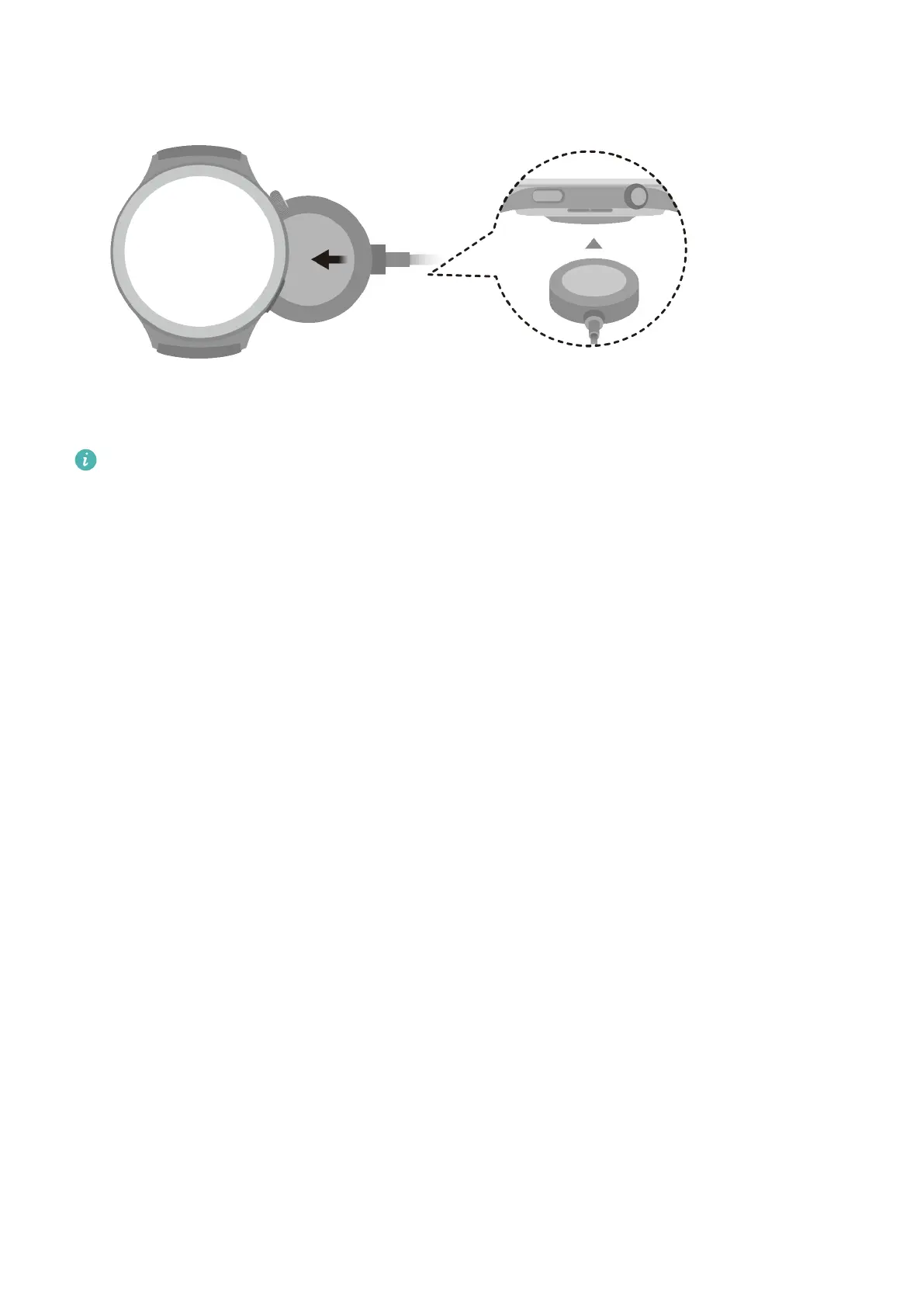
2 Rest your device on top of the charging cradle, and align the metal contacts on your
device to those of the charging cradle, until you see the charging icon appear on the
device screen.
3 When the charging icon displays 100%, it indicates that the device has been fully charged,
and charging will automatically stop.
• Keep the charging port dry and clean to prevent it from short circuiting or other
dangers.
• When your device is being charged wirelessly, use the dedicated charging cradle and
make sure that the device coil is aligned with that on the charging cradle. If a non-
ocial charging cradle is used and the device coil is not aligned with that on the
charging cradle, slow charging or overheating may occur.
• The charging cradle is magnetic, and tends to attract metal objects. Please check and
clean the charging cradle before use. Avoid exposing the charging cradle to high
temperatures for extended periods of time, as doing so may damage the charging
cradle.
• If the device is idle for a long time, remember to charge the battery once every two to
three months, to extend the battery lifespan.
Checking the battery level
Method 1: Swipe down from the top of the home screen to check the battery level.
Method 2: Connect your device to a power source, and check the battery level on the
charging screen.
Method 3: Check the battery level on the watch face (which displays battery level).
Method 4: Once your device is linked with the Huawei Health app, open the Huawei
Health app, touch the target device on the Devices screen to visit the details screen, where
the battery level is displayed.
Managing watch faces
Update your watch and the Huawei Health app to their latest versions, and pick from a wide
range of designs in the Watch Face Store, to start o each new day with a brand-new look.
More
45















 To Next Page